


Participant
Nov 7, 2022 10:04 PM UTC
Answered

animated symbols with own timeline not showing on main stage timeline

I am very new to animate and would love some help.

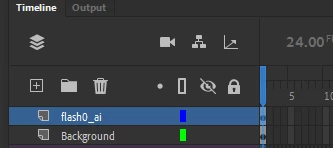
I have added motion tweens to symbols in isolation from the main stage, they have their own timeline that does not show in the scene's main time line. The animation appears to work when I go into Control, Test Movie however the animation it will not export to a video (just get an image). This is an image of the main timeline:
Individual symbol timeline:

How do I get the symbol timelines to play on the main timeline?

Is there a way to export to an mp4 as is?
 

Nick GioiaCorrect answer
Community Expert
Nov 7, 2022 10:30 PM UTC

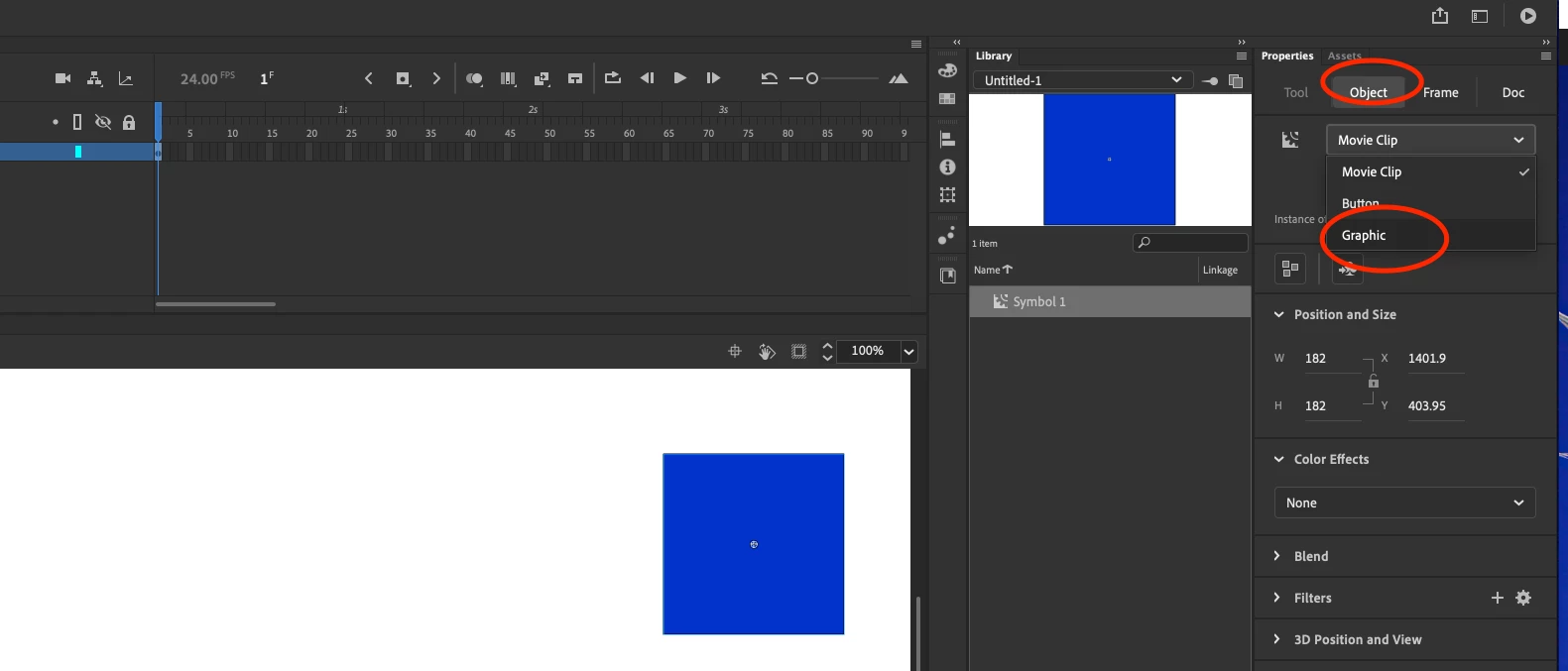
change movieclip to a graphic symbol.


9 replies

Participant
Apr 13, 2024 11:07 AM UTC

OMG thank you ur a lifesaver!! (been working on my project, stuck on the fact that my movie clip isn't animated in the scene!!)

Translate
Nick GioiaCommunity ExpertCorrect answer
Community Expert
Nov 7, 2022 10:30 PM UTC

change movieclip to a graphic symbol.


Translate
Participant
Nov 9, 2022 12:44 PM UTC

I'm having the same problem, i've converted them to symbols but they still don't have their own timeline when i double click on them 

Translate
mark@headTrix
Community Expert
Community Expert
Nov 10, 2022 1:08 AM UTC

they must, ALL symbols have their own timeline. Double-clicking or right clicking is Edit in place.... which should bring you to the symbols timeline IF it is indeed a symbol.

Try checking out this 7 mintues video that teaches you about Movie Clips
https://youtu.be/KaRZtkDcCpw

Translate
headTrix, Inc. | Adobe & AI Training & Consulting
Joseph Labrecque
Community Expert
Community Expert
Nov 7, 2022 10:20 PM UTC

It must be a Movie Clip symbol that isn't playing, right? Use a Graphic symbol as that is bound to the parent timeline and will play back within Animate.

Translate