
Participating Frequently
October 22, 2021
Question

Annoying strokes while drawing

  • October 22, 2021
  • 3 replies
  • 791 views

Hi,

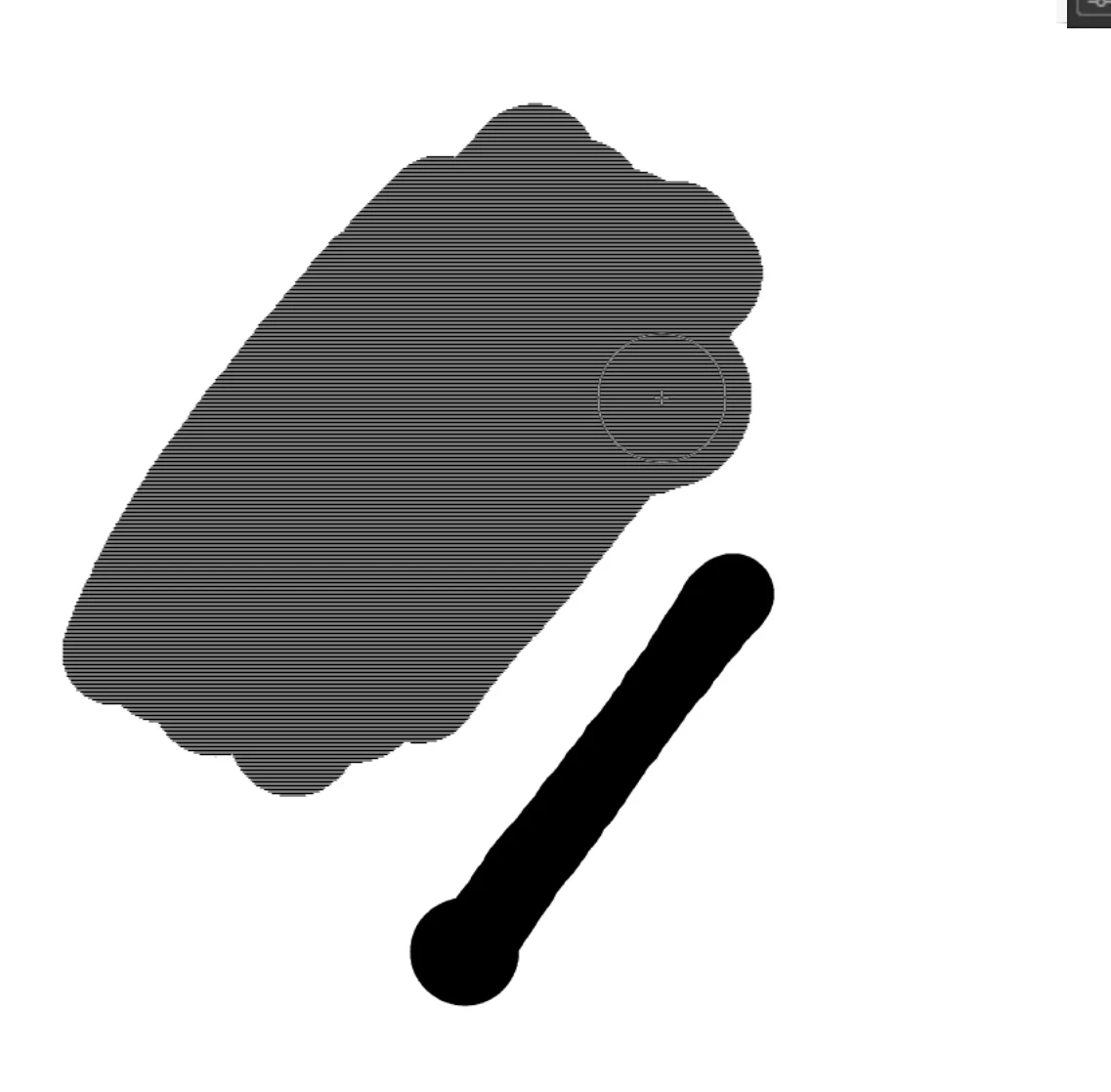
While I'm drawing with the brush tool I have strange lines appearing. See the picture bellow.

When I release it disappear. Is there a way to change that?

I'm on windows 10 and I draw with a wacom cintiq.

Thanks
    This topic has been closed for replies.

    3 replies

    Participant
    August 28, 2024

    were u wearing the glove for drawing? (for the pen)

    If not i have no idea

    Adobe Employee
    October 25, 2021

    Hello,

    Are you using different display scaling factor in both of your displays? If Yes, this is a known issue we are working on a fix. Workaround is to use similar display scaling factor across monitors (ex: set Primary monitor: 125% and Secondary monitor:125%)


    Let us know if the issue still exists.

    Participating Frequently
    October 25, 2021

    Unfortunately it didn't change anything. I tried with just one display and it's the same issue. 

    kglad
    Community Expert
    Community Expert
    October 25, 2021

    did you confirm you successfully reset your preferences?

    kglad
    Community Expert
    Community Expert
    October 23, 2021

    confirm you see no such problem when using your mouse.


    if you do confirm, try updating your os and your wacom drivers.

    Participating Frequently
    October 23, 2021

    Same problem with the mouse.

    kglad
    Community Expert
    Community Expert
    October 23, 2021

    assign (if none now exist) a custom keyboard shortcut:

    reset your preferences* (you should not give up on this until you've tried several times)

    confirm you were successful by checking your keyboard shortcut was reset

    if it's not, return to step 2

    if it is reset, check if the problem is resolved


    *

    press and hold Control+Alt+Shift (Windows) or Command+Option+Shift (Mac OS) as you start Animate.