


Participant
Jun 24, 2021 10:10 PM UTC
Question

App window does not open correctly
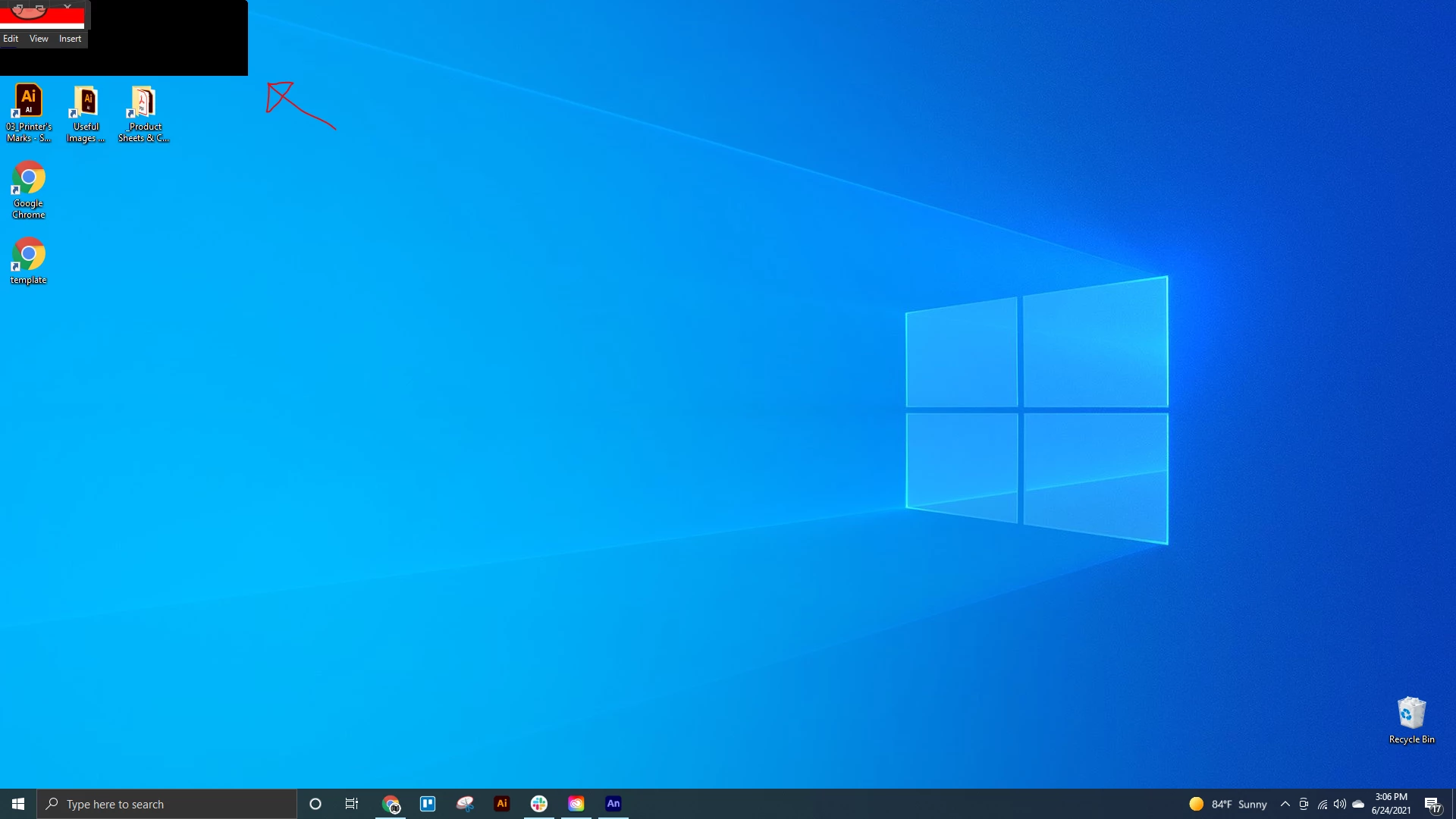
When I open Animate from anywhere or open an Animate file the window opens as shown and can't be interacted with. I can close the window from task manager but that's it.

I've already rebooted the PC and uninstalled andreinstalled Animate from Creative Cloud.

This topic is closed to new replies. Start a new post to keep the conversation going.

1 reply

kglad
Community Expert
Community Expert
Jun 25, 2021 1:40 PM UTC

shift right click the animate icon in your task bar and click move.


you can then use your arrow keys and/or mouse to move the window (though i think there might be other problems that will be more obvious once that window is moved).

Translate