Inspiring
September 13, 2021
Answered

Applying brush styles to paint brush. How do you do it?

  • September 13, 2021
  • 1 reply
  • 544 views

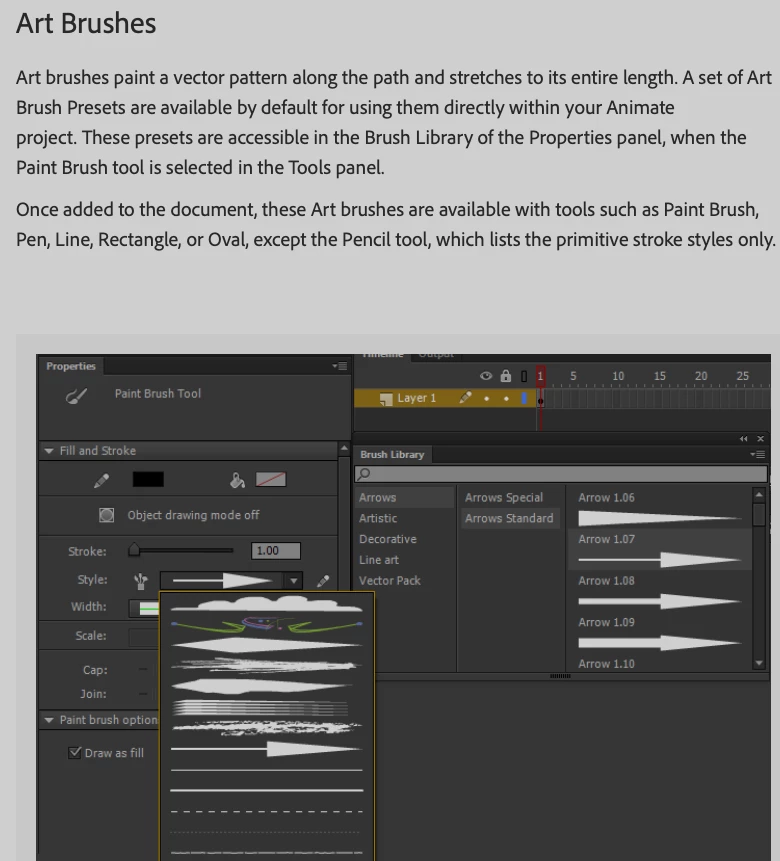
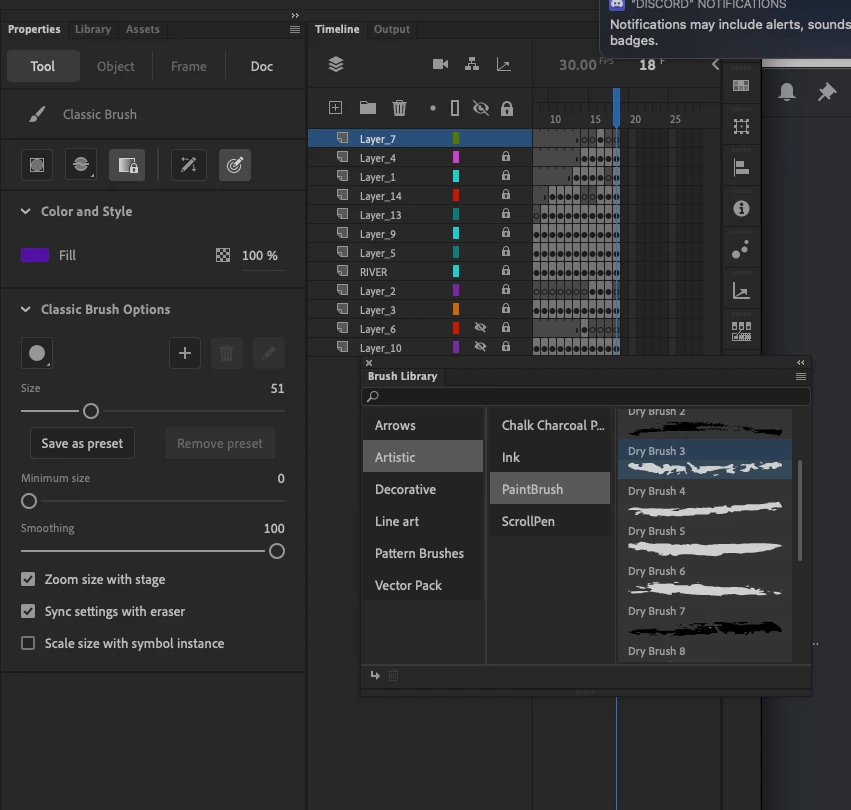
I cannot figure out how to apply the art brush styles. I've done this a while ago, but it's not apparent to me now where it is. I looked up the Adobe help, and the brush is called "Paint brush tool". Mine is called "Classic brush". Is there a paint brush tool somewhere that is different than classic brush? I don't have the style drop down, etc.


    This topic has been closed for replies.
    Correct answer Mario_CR

    Classic Brush and Paint Brush are indeed different tools. Custom brushes only work with the Paint Brush tool.

    Shortcut is the "Y" key.

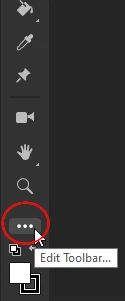
    If you don't see it, click the little 3 dots at the bottom of the toolbar to add it to your tool set.


    1 reply

    Mario_CR
    Community Expert
    Mario_CRCommunity ExpertCorrect answer
    Community Expert
    September 13, 2021

    Classic Brush and Paint Brush are indeed different tools. Custom brushes only work with the Paint Brush tool.

    Shortcut is the "Y" key.

    If you don't see it, click the little 3 dots at the bottom of the toolbar to add it to your tool set.


    Inspiring
    September 13, 2021

    There it is. Thank you!