Known Participant
November 28, 2013
Question

As3 arrange problem

  • November 28, 2013
  • 1 reply
  • 980 views

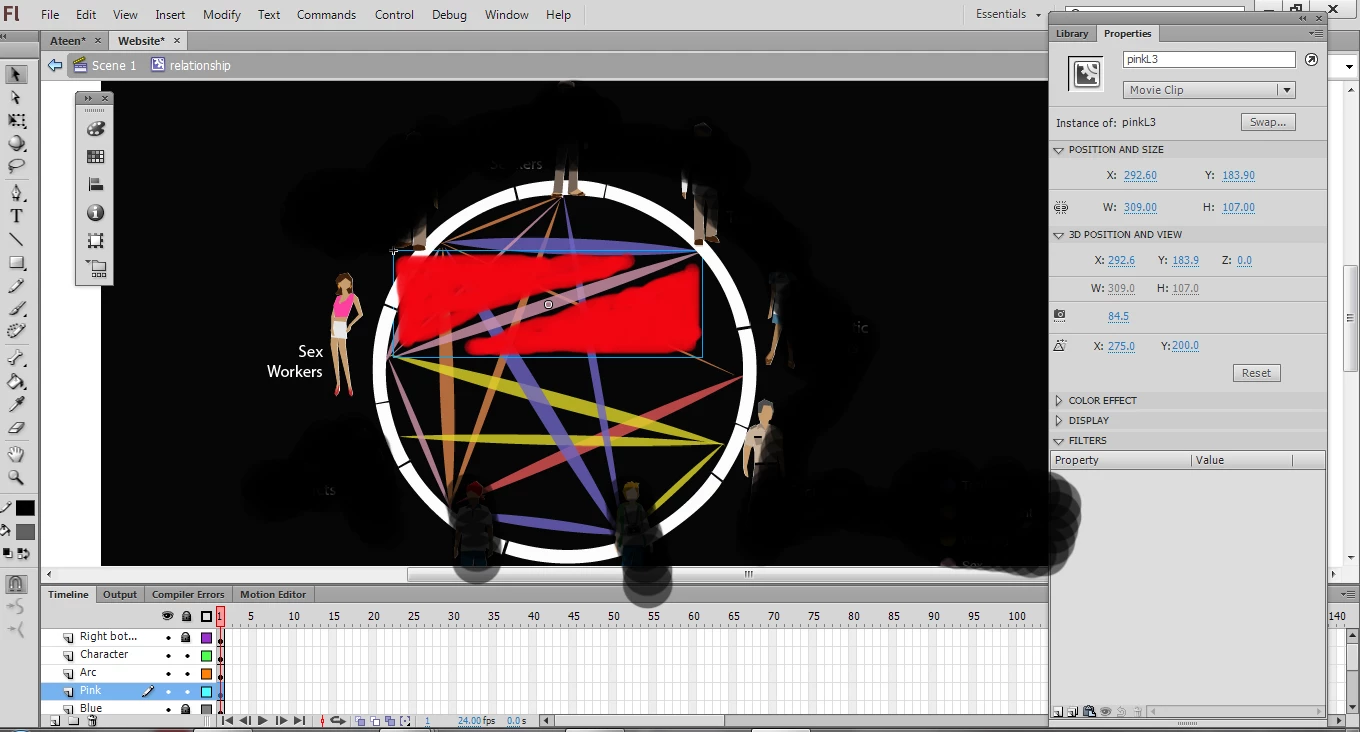
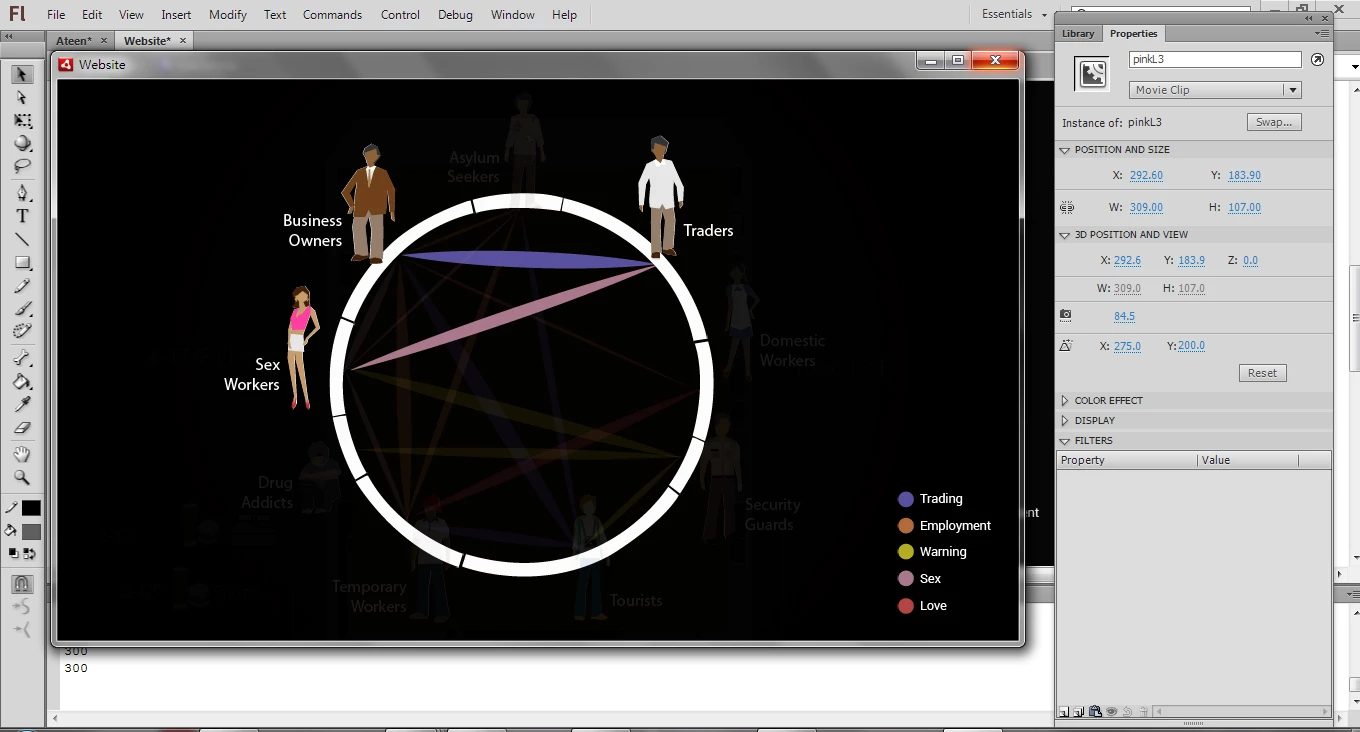
When i mouseover trader, the pink and blue area alpha are 1, the other area 's alpha will be 0.2 When the user click the pink button. it will addChild. But due to the layer order in the timeline, I only can click a little area in the pink area.  (See the photo2 bottom).  because the other area, whom alpha=0.2 overlay the pink layer. The red area in the photo2 is overlay area. How can I solve it? I want to click a whole pink area.

var alp:Number=0.1;

relationship.pinkL3.addEventListener(MouseEvent.CLICK, onClick8);

relationship.arc8.addEventListener(MouseEvent.CLICK, onRelat8);

relationship.traders.addEventListener(MouseEvent.CLICK, onRelat8);

function onRelat8 (evt:MouseEvent):void{

    relationship.blueL1.alpha=1;

          relationship.blueL2.alpha=alp;

          relationship.blueL3.alpha=alp;

          relationship.blueL4.alpha=alp;

          relationship.pinkL1.alpha=alp;

          relationship.pinkL2.alpha=alp;

          relationship.pinkL3.alpha=1;

          relationship.pinkL4.alpha=alp;

          relationship.yellowL1.alpha=alp;

          relationship.yellowL2.alpha=alp;

          relationship.yellowL3.alpha=alp;

          relationship.orangeL1.alpha=alp;

          relationship.orangeL2.alpha=alp;

          relationship.orangeL3.alpha=alp;

          relationship.orangeL4.alpha=alp;

          relationship.redL1.alpha=alp;


          relationship.businessOwners.alpha=1;

          relationship.sexWorkers.alpha=1;

          relationship.drugAddicts.alpha=alp;

          relationship.workers.alpha=alp;

          relationship.tourists.alpha=alp;

          relationship.security.alpha=alp;

          relationship.domestic.alpha=alp;

          relationship.traders.alpha=1;

          relationship.seekers.alpha=alp;

}

function onClick8(evt:MouseEvent):void{

          addChild(traderSexN);

          traderSexN.x=150;

          traderSexN.y=100;

          traderSexN.mc1.gotoAndPlay(1);

          trace("ok");

}
This topic has been closed for replies.

1 reply

Inspiring
November 28, 2013

If the general idea of your app is, that anything with a higher alpha value should always be in front of sth with a smaller one, you should write a function that will provide such service.

Known Participant
November 28, 2013

Oh that is what i want to acheive! But what kind of function. Since I have not add the Child for each area such as pink and blue. I only have put them into moiveclip and addChild movieclip Then say that

movieclip. pinkarea. addEventListenet(MouseEvent.CLICK, onClick1);

like this How can I solve this problem to make anything with a higher alpha value should always be in front of sth with a smaller one,

Inspiring
November 29, 2013

//push all the MovieClips that you want to have sorted into an Array

var mcArray:Array = [];

for (var i:uint = 0; i< this.numChildren; i++)

{

    if (getChildAt(i) is MovieClip)

    {

        mcArray.push(getChildAt(i));

    }

}

//constantly run the following function to check if the alpha values have been changed

stage.addEventListener(Event.ENTER_FRAME, sortByAlpha);

function sortByAlpha(e:Event):void

{

   mcArray.sortOn( "alpha", Array.NUMERIC );

    for (var j:uint = 0; j< mcArray.length; j++)

    {

        trace(mcArray.name +":"+mcArray.alpha);

        this.setChildIndex(mcArray,j);

    }

}