fajarlp
Participating Frequently
February 2, 2016
Answered

AS3 FLVplayback Full Screen, I got just black screen

  • February 2, 2016
  • 1 reply
  • 1771 views

Hello, I have a problem on FLVPlayback, I am using actionscript 3, AdobeFlash CS6, flashplayer 11

in this case, I have two frames, namely:

on frame 1, I fill in the code:

stop ();

fscommand ("fullscreen", "true");

toframe2.addEventListener (MouseEvent.CLICK, nextonee);

nextonee function (event: MouseEvent): void {

gotoAndStop (2);

}


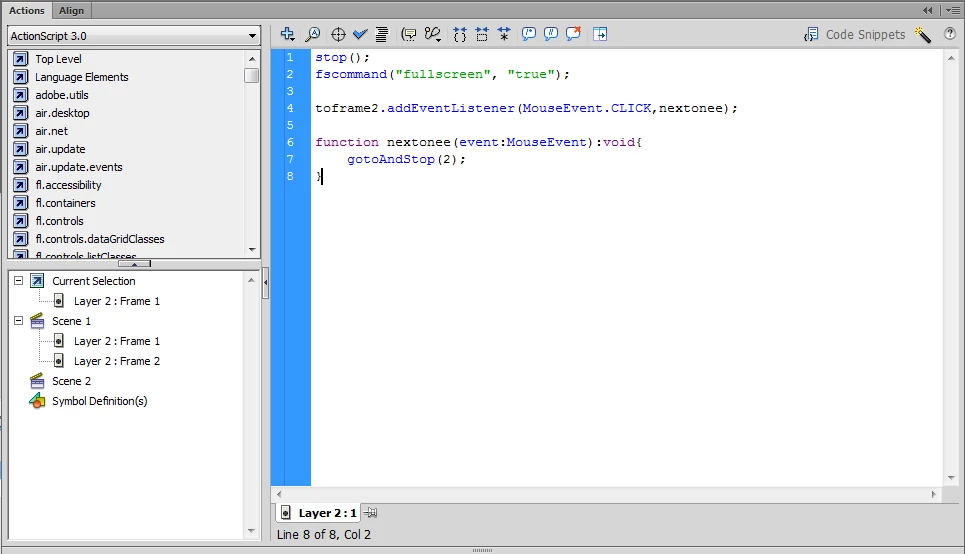
On  frame 2 is FLVPlayback with a resolution of 1280 x 720, and I resize it to 1050 x 590.60 because out of the stage.

When I publish and I run the SWF file its result is in frame 1 success and be fullscreen mode, and when I click the button to get to the frame 2,  I got was a black screen,

What is wrong? please help, thank you

This is the screenshot:
This topic has been closed for replies.
Correct answer kglad

fscommand I put on the frame 1. screenshot above is a frame 2

whether on a frame 2 also need to be added fscommand?


remove it everywhere from your file.

if you're publishing a projector or air file you should use:

stage.displayStage='fullScreen'.

if you're publish anything else, specify.

1 reply

kglad
Community Expert
Community Expert
February 2, 2016

assign your component's fullscreentakeover property to be false and if that's a web-based project, you can't initiate fullscreen without user interaction (like a mouse click).

fajarlp
fajarlpAuthor
Participating Frequently
February 2, 2016

Hallo, kglad

This is not for web. if you mean like this? if so, the results remain the same problems that only show black screen. I wrote the code In frame 2:

video1.fullScreenTakeOver = false;

if the above code is correct?

kglad
Community Expert
Community Expert
February 3, 2016

and did you remove that fscommand?