Inspiring
October 13, 2019
Question

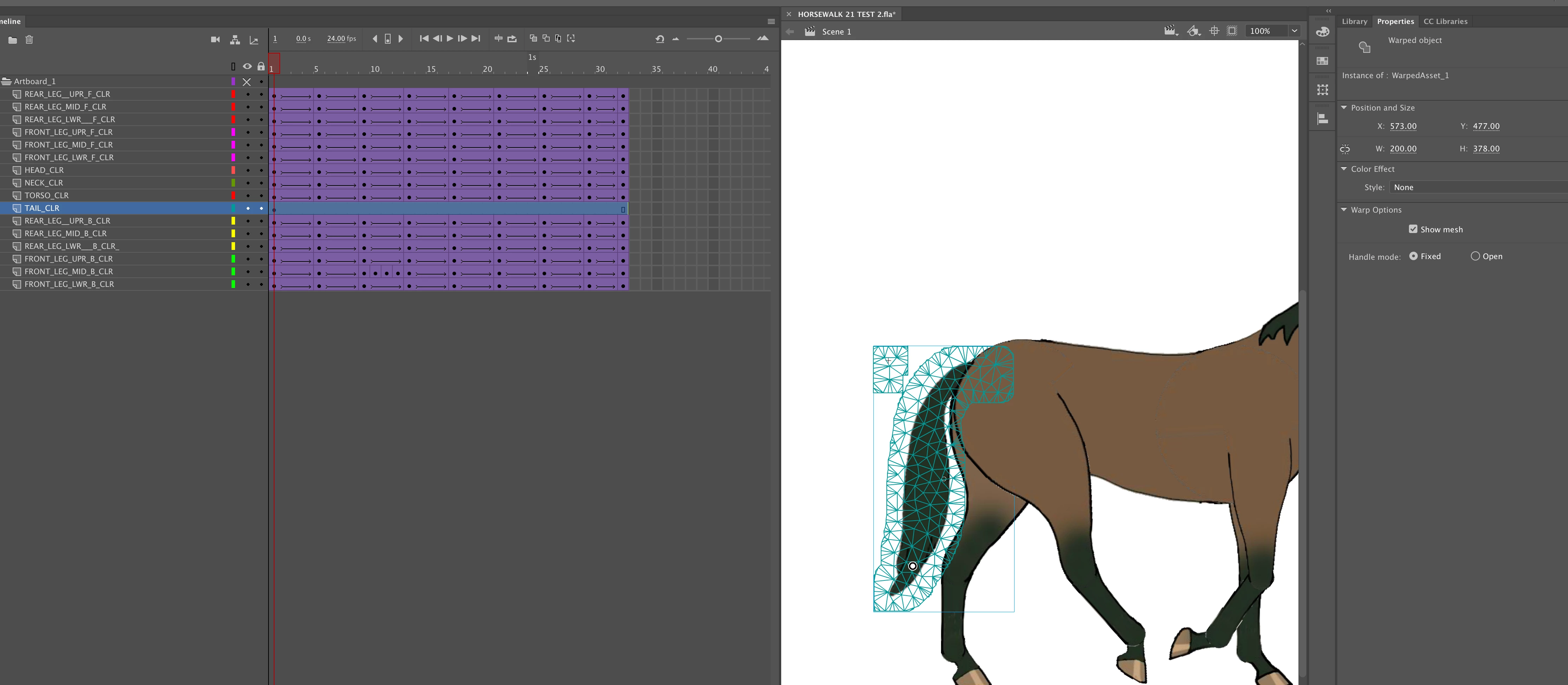
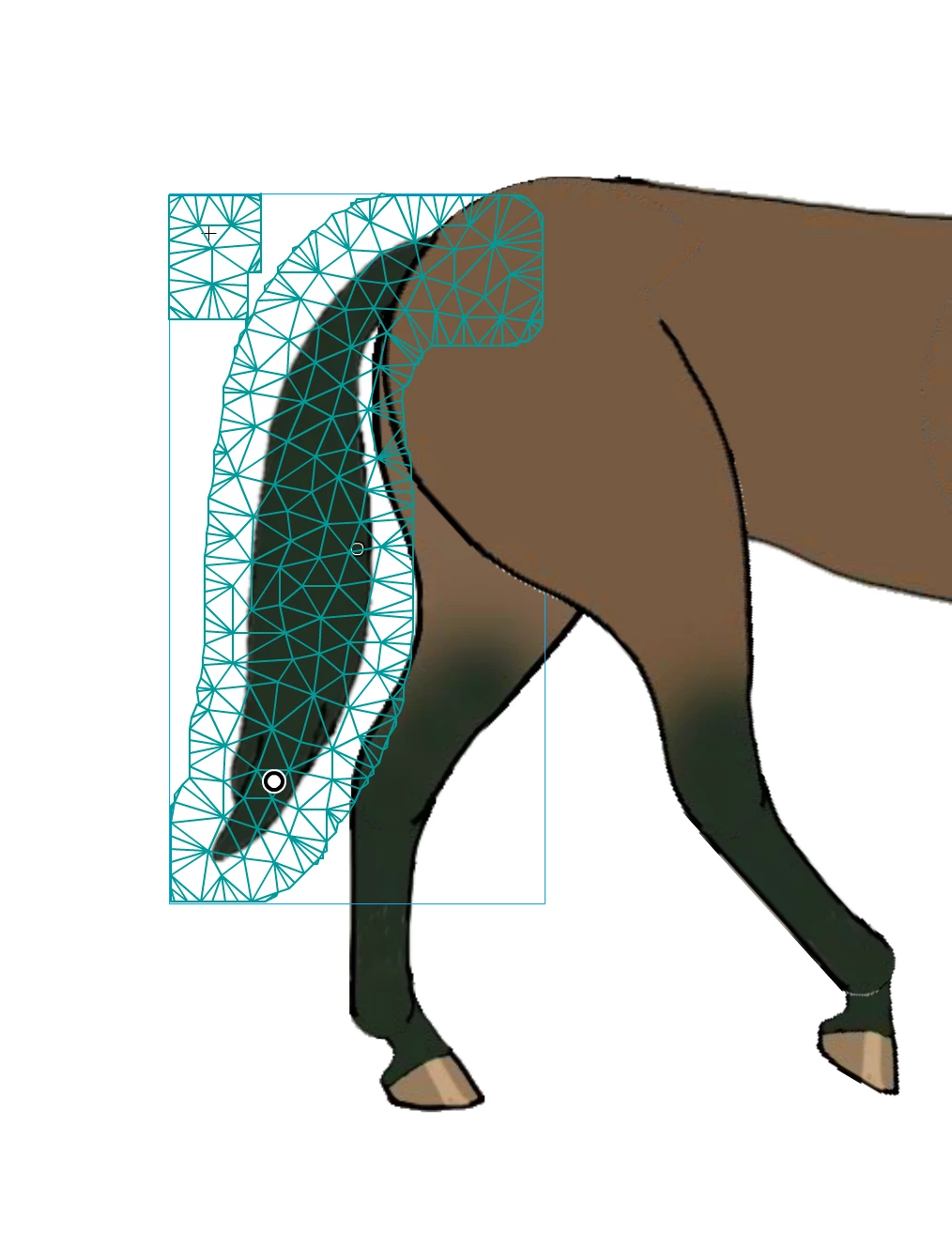
Asset Warp problem.
  • October 13, 2019
  • 2 replies
  • 248 views

I am trying to use the Asset Warp tool in Animate to animate a horse's tail. I find that the mesh extends well beyond the outline of the image. Can anyone show me how to keep the mesh within the image borders? The image of the tail was created in Photoshop, then converted into a movieclip symbol in Animate, then I converted the tail into a bitmap, so that I could use the asset warp tool on it. I am using iMac osx 10.14.2. Grateful for any help.


This topic has been closed for replies.

2 replies

toymaker1Author
Inspiring
October 20, 2019

Thanks for your advice. Your analysis is absolutely right. Since then I have worked put how to use the Asset Warp tool.


Cheers.


Inspiring
October 14, 2019

This looks to me as though there are some non-transparent pixels outside the bounds of the main artwork.  I'd suggest having a really close look at the artwork to make sure it is fully transparent around the tail.