

Participant
Oct 21, 2023 11:18 PM UTC
Answered

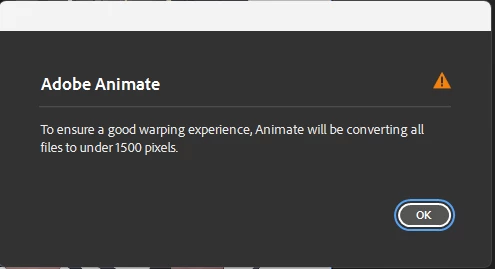
Asset Warp Tool lowering pixel count

When I use the asset warp tool on an image thats over 1500 pixels it makes me lower the pixel count, how do i override it so it doesnt change it?

 

    This topic is closed to new replies. Start a new post to keep the conversation going.
    Mario_CR
    Mario_CRCorrect answer
    Community Expert
    Oct 22, 2023 3:33 PM UTC

    You can't go around the pixel limit for warped bitmaps. If the artwork is not too complicated try converting the bitmap to vectors.

    4 replies

    Community Expert
    Oct 22, 2023 1:13 AM UTC

    I don't believe there is. 


    Translate
    Participant
    Oct 22, 2023 3:31 AM UTC

    really no way, because when i use it my image becomes very noticably pixelated

    Translate
    Mario_CR
    Community Expert
    Mario_CRCommunity ExpertCorrect answer
    Community Expert
    Oct 22, 2023 3:33 PM UTC

    You can't go around the pixel limit for warped bitmaps. If the artwork is not too complicated try converting the bitmap to vectors.

    Translate
