
Participating Frequently
February 2, 2023
Answered

Audio not exporting when exporting scene

  • February 2, 2023
  • 2 replies
  • 654 views

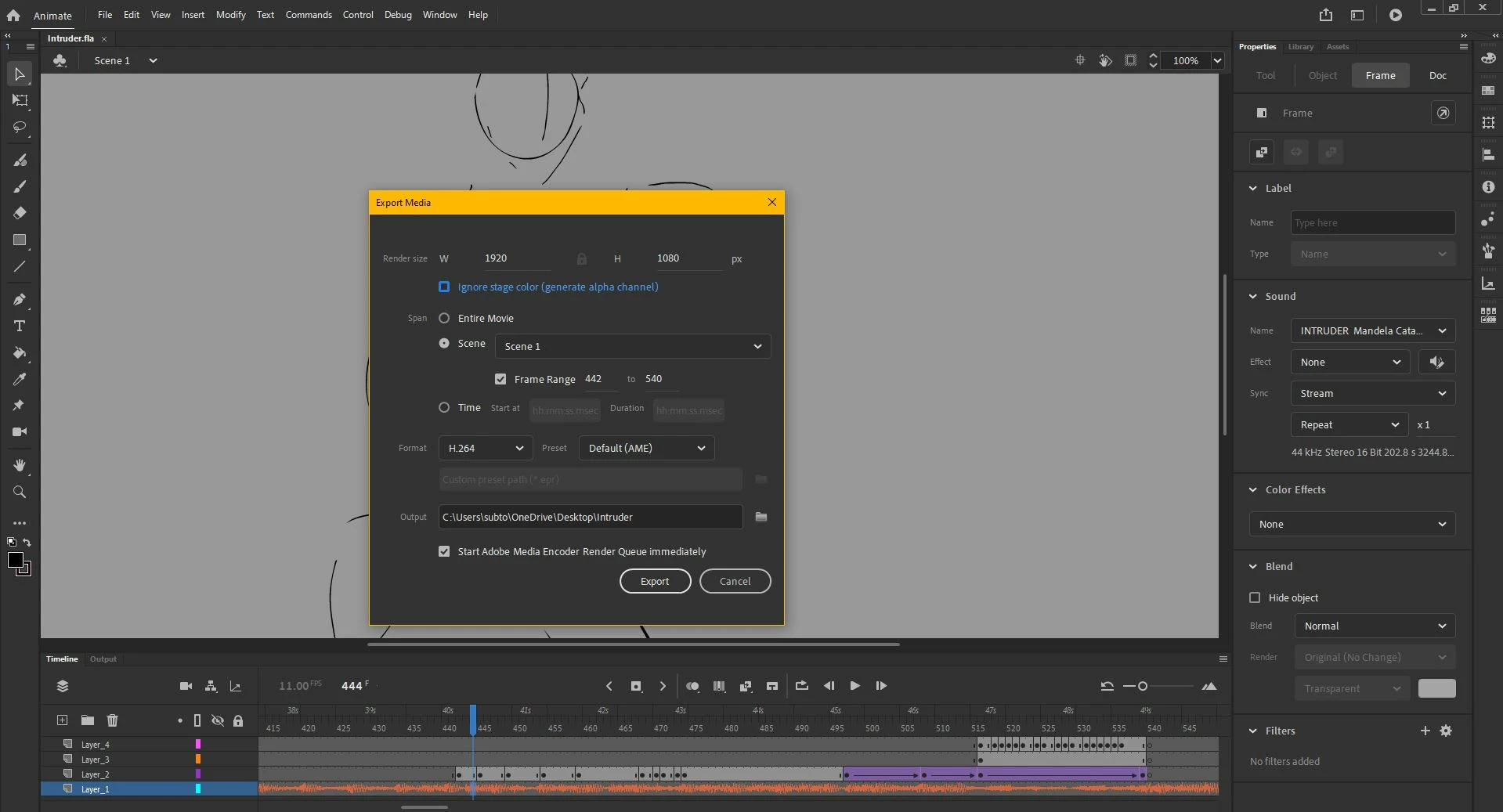
I am working on an animation, and I want to show work in progresses of the sections I have animated. However, the only way to export video/media with audio is by clicking "Entire movie" instead of being able to select the frames I want in "Scene". The movie exports with the specified frames, but the audio is not present. My audio sync is currently set to stream, so it should by all means be functional, but the clip keeps downloading as silent. This method has worked for me in the past, so I don't understand why it's doing this now. I have restarted my computer and by extension, the program. I cna't think of how else to fix this.
This topic has been closed for replies.
Correct answer Mario_CR

Yes this is a limitation of the frame range export option. Any audio that starts before your frame range will not be audible in the output regardless of your sync settings. A workaround is to split the audio layer right at the start of your range (right click > split audio), which would be frame 442 per your screenshot.

2 replies

Mario_CR
Community Expert
Mario_CRCommunity ExpertCorrect answer
Community Expert
February 2, 2023

Yes this is a limitation of the frame range export option. Any audio that starts before your frame range will not be audible in the output regardless of your sync settings. A workaround is to split the audio layer right at the start of your range (right click > split audio), which would be frame 442 per your screenshot.

Participating Frequently
February 2, 2023

This worked perfectly, thank you so much!

kglad
Community Expert
Community Expert
February 2, 2023

start your sound in frame 2 (but still with sync =  stream) and see if that fixes the export issue.