
Avi file in xfl
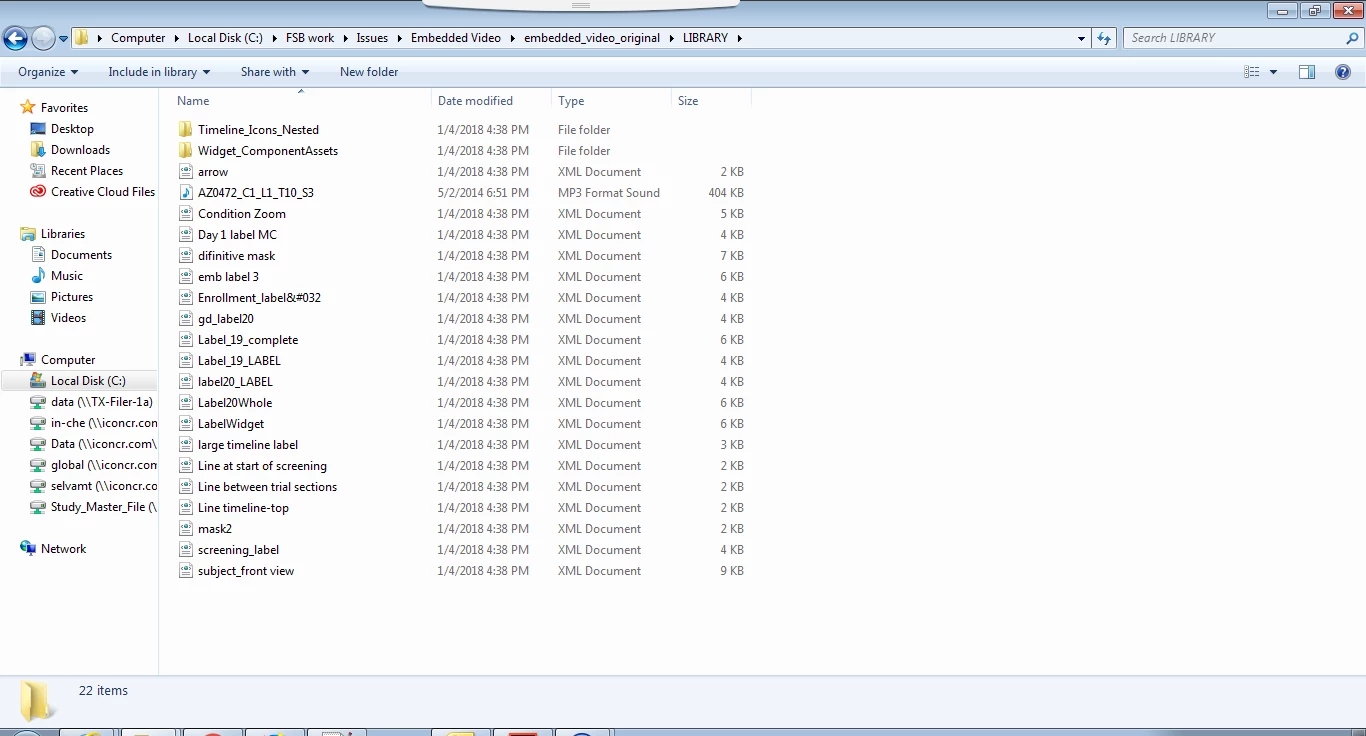
before converting to canvas , I have saved fla to xfl, i got files in xml format. After saving it to xfl, i am unable to find embedded video in the xfl files location . but if i open the xfl in animate, it is referring "lung highlighted (9s)" under ..\Library.
I have checked the DOMDOCUMENT.xml, i found below lines
<DOMVideoItem name="lung highlighted (9s)" itemID="536a1763-0000105f" sourceExternalFilepath="./LIBRARY/lung highlighted (9s).flv" sourceLastImported="1369150498" videoDataHRef="Media 6.dat" videoType="vp6 media" fps="24" channels="0" width="300" height="300" length="8.95833333333333"/>
in my component xml file, i saw below layer
<DOMLayer name="Animation Blank" color="#9933CC" parentLayerIndex="0" autoNamed="false" visible="false">
<frames>
<DOMFrame index="0" duration="193" keyMode="9728">
<elements>
<DOMVideoInstance libraryItemName="lung highlighted (9s)" selected="true" frameRight="6000" frameBottom="6000">
<matrix>
<Matrix tx="61.55" ty="-349.55"/>
</matrix>
</DOMVideoInstance>
</elements>
</DOMFrame>
</frames>
</DOMLayer>
both lines referring same file "lung highlighted (9s)" under "\library folder. but if i refer physical folder structure, i am unable to find "lung highlighted (9s)" in the folder
If i refer the same in animate, it is listing flv file and referring library folder
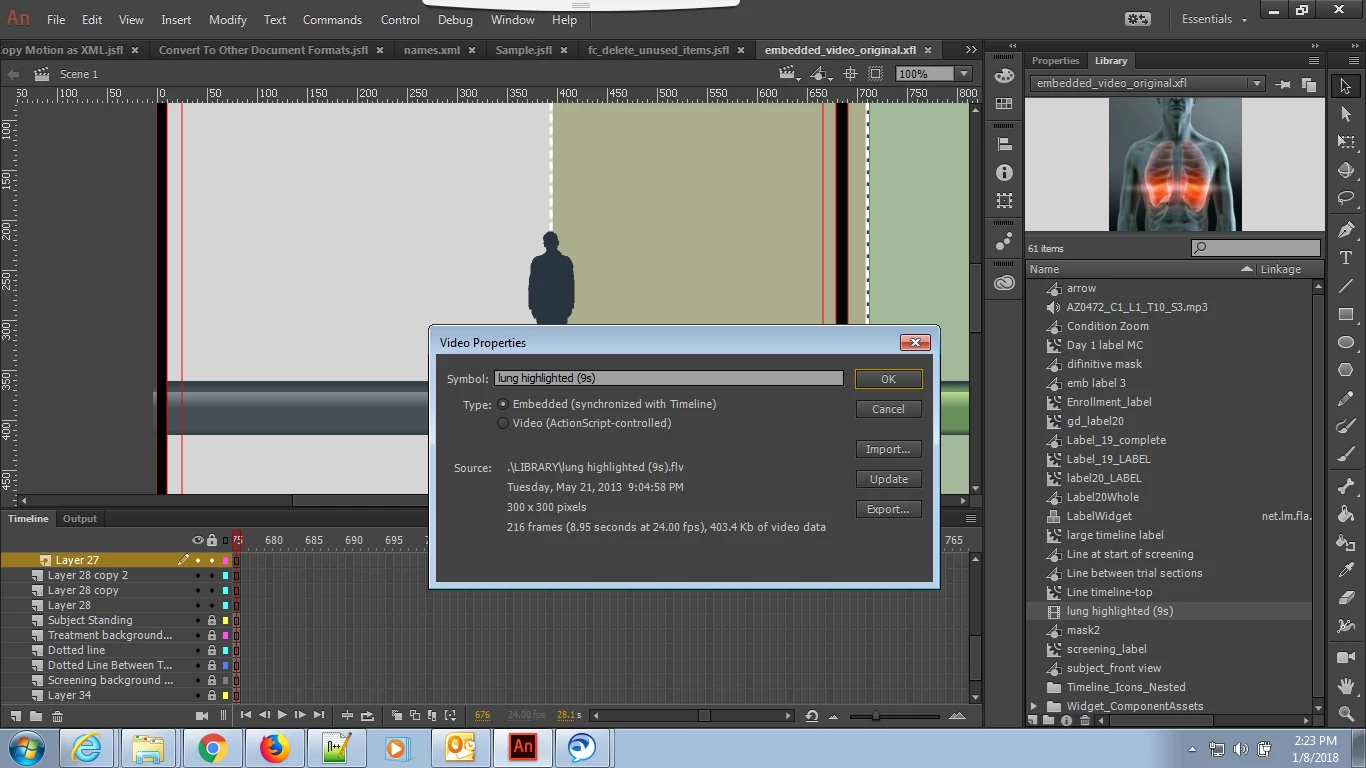
how to access lung highlighted (9s) using JSFL?


 AdChoices