Answered
Beginner 2nd exercise
Hello all, I am new with Adobe Animate, I tried to to this exercise 5 times now, but I don't get the same results. In my case the background doesn't move. How can I fix this? Example, see screenshot:
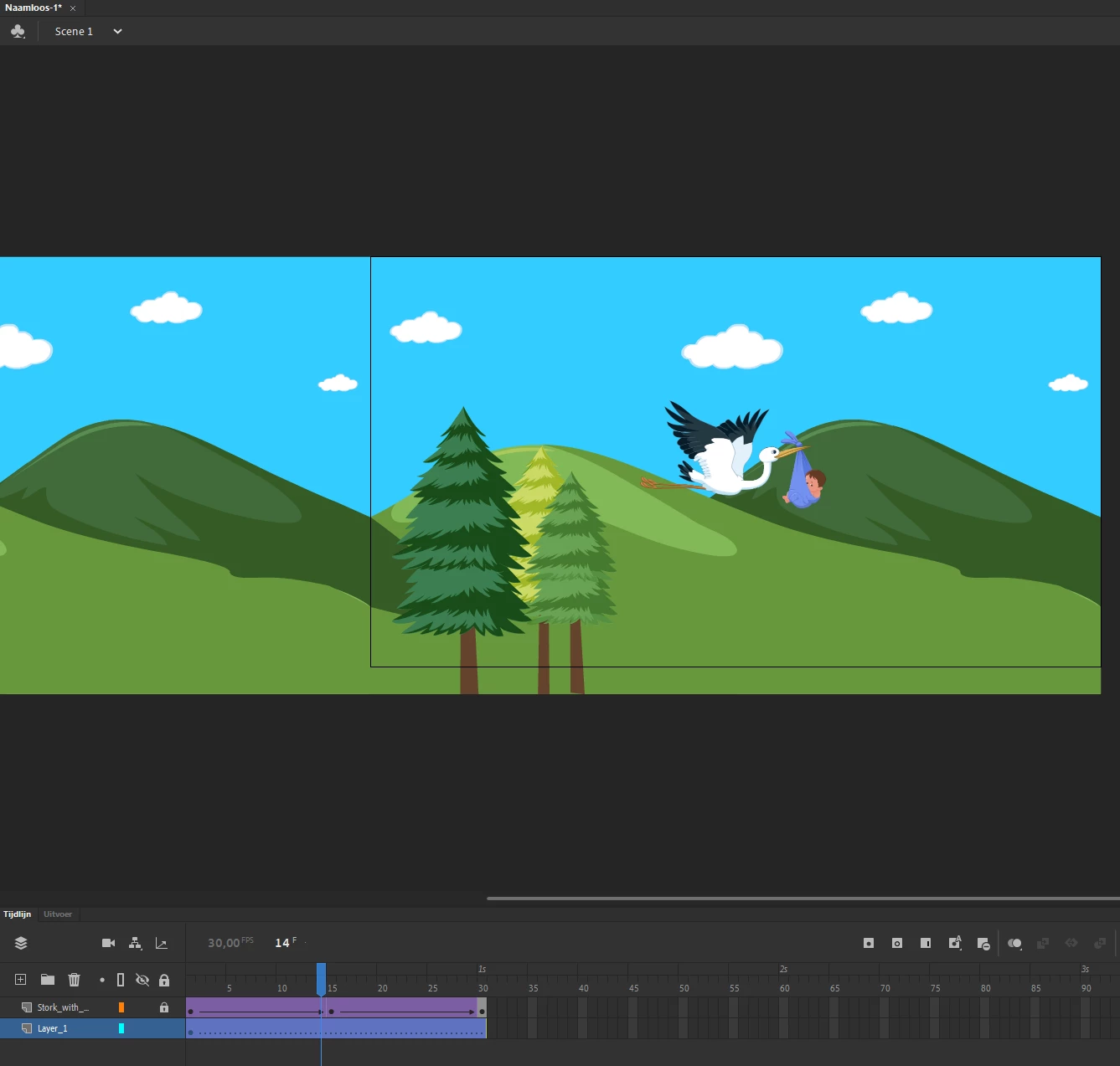
Best regard, Ahmad

Hello all, I am new with Adobe Animate, I tried to to this exercise 5 times now, but I don't get the same results. In my case the background doesn't move. How can I fix this? Example, see screenshot:
Best regard, Ahmad
Thanks again, I tried your steps, but I still get the dotted lines.
I only didn't understand point 9: 'add your keyframe to the new layer'.
whoa, after seeing your last message about not understanding why you need a 2nd keyframe, i rechecked your screenshots and see no 2nd keyframe frame in the problematic tween layers.
that's the problem. with a classic tween you need another keyframe where you make property changes (eg, position) to your on-stage object. then add your classic tween.
Already have an account? Login
Enter your E-mail address. We'll send you an e-mail with instructions to reset your password.


 AdChoices