xDeuiii
Participant
April 27, 2019
Answered

Beginner to Adobe Flash CS6

  • April 27, 2019
  • 2 replies
  • 1677 views

Just started learning Adobe Flash CS6. There's tutorial I found which teaches variables. In his example, he uses this setup (which he gave for free download):
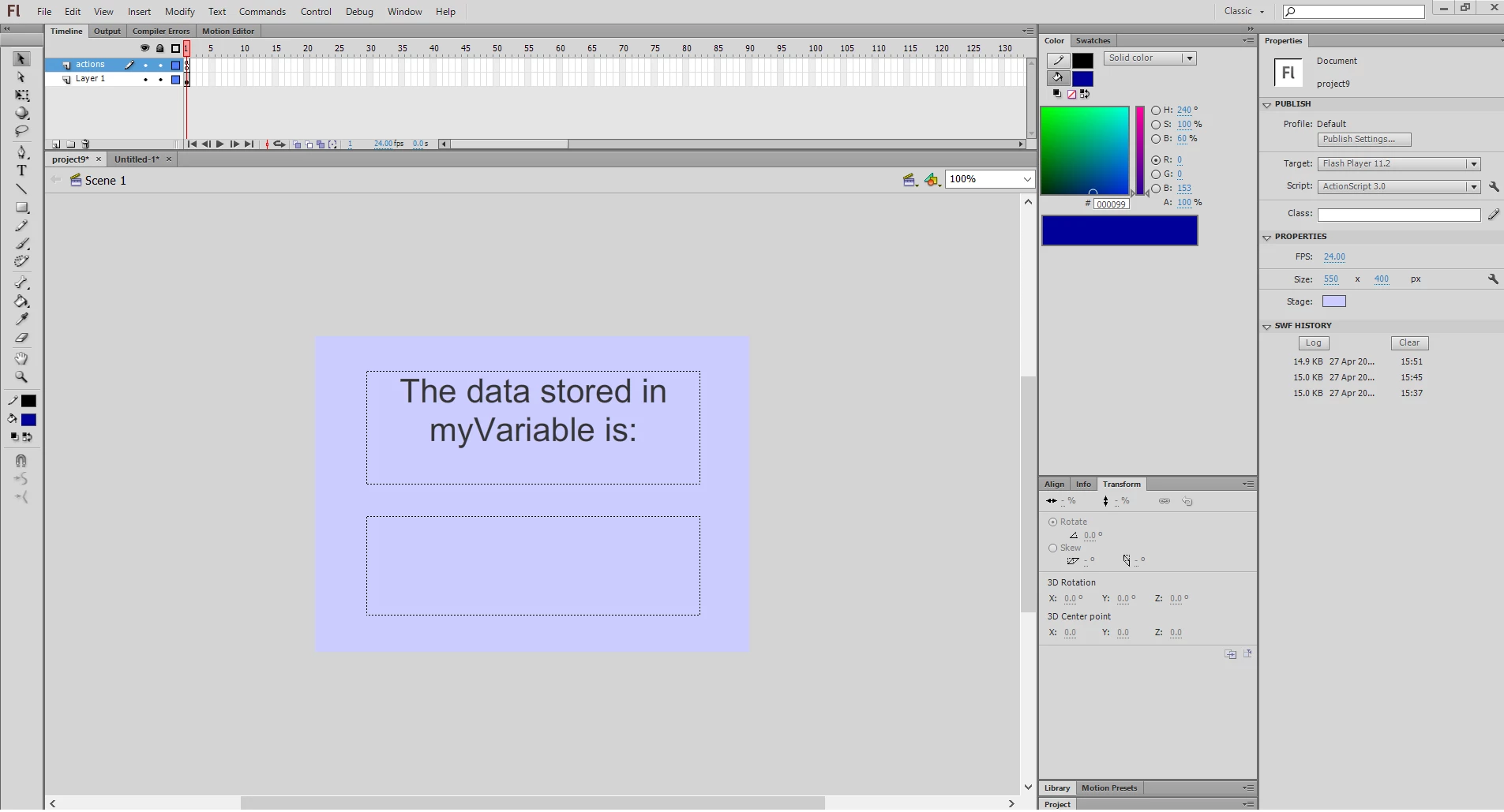
Bottom textbox has instance name "outputText".

He sets up some actionscript in the "actions" layer:

var thisVariable:int=5;

outputText.text=String(thisVariable);

When I do test, "5" correctly shows as in his tutorial.
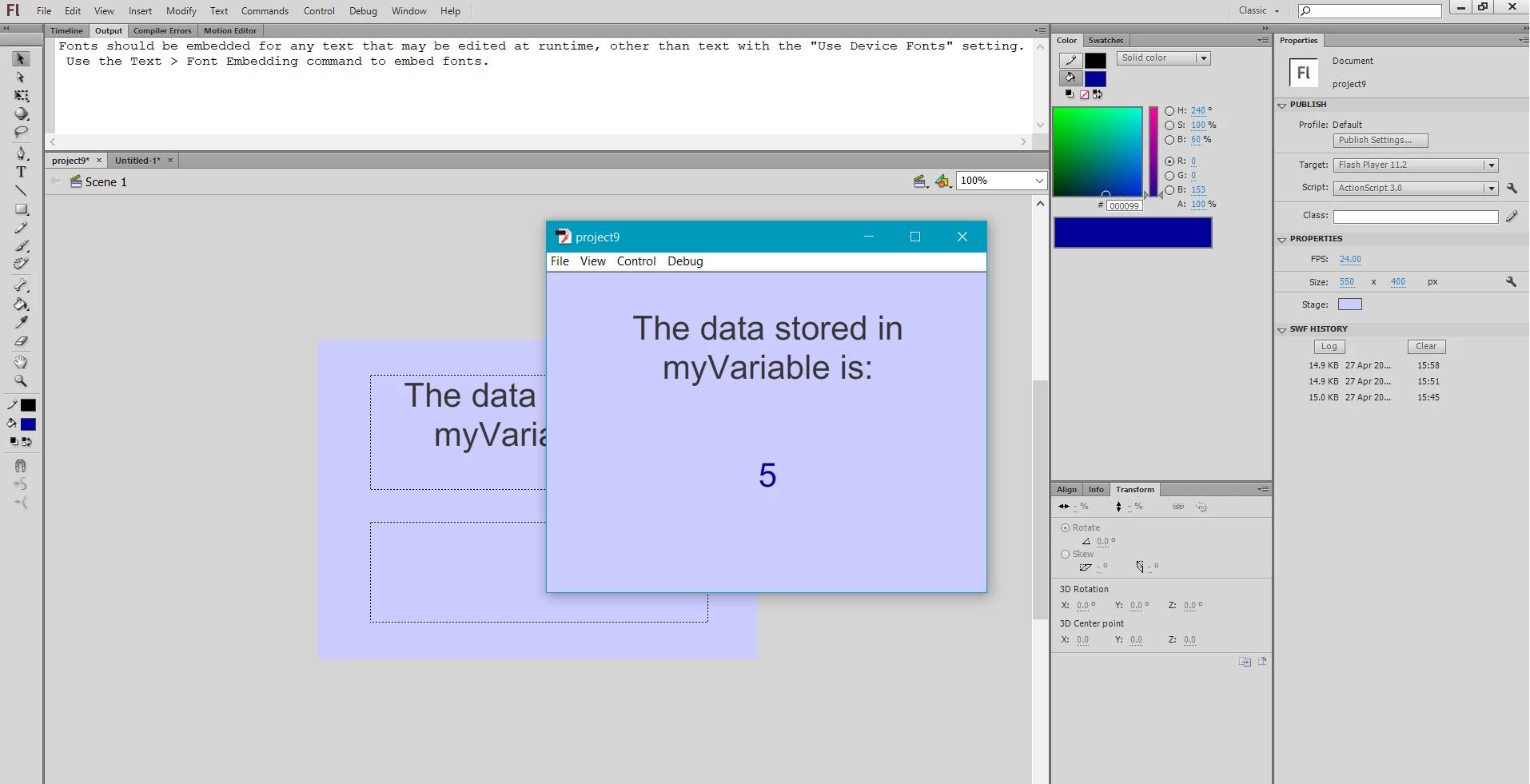
BUT. If I do the same thing in a new ActionScript 3.0 file, I do not get any output in the bottom textbox. The only time I see something is when there are the same characters in the actionscript as in the top textbox.

Example:

bottom textbox has instance name "myText"
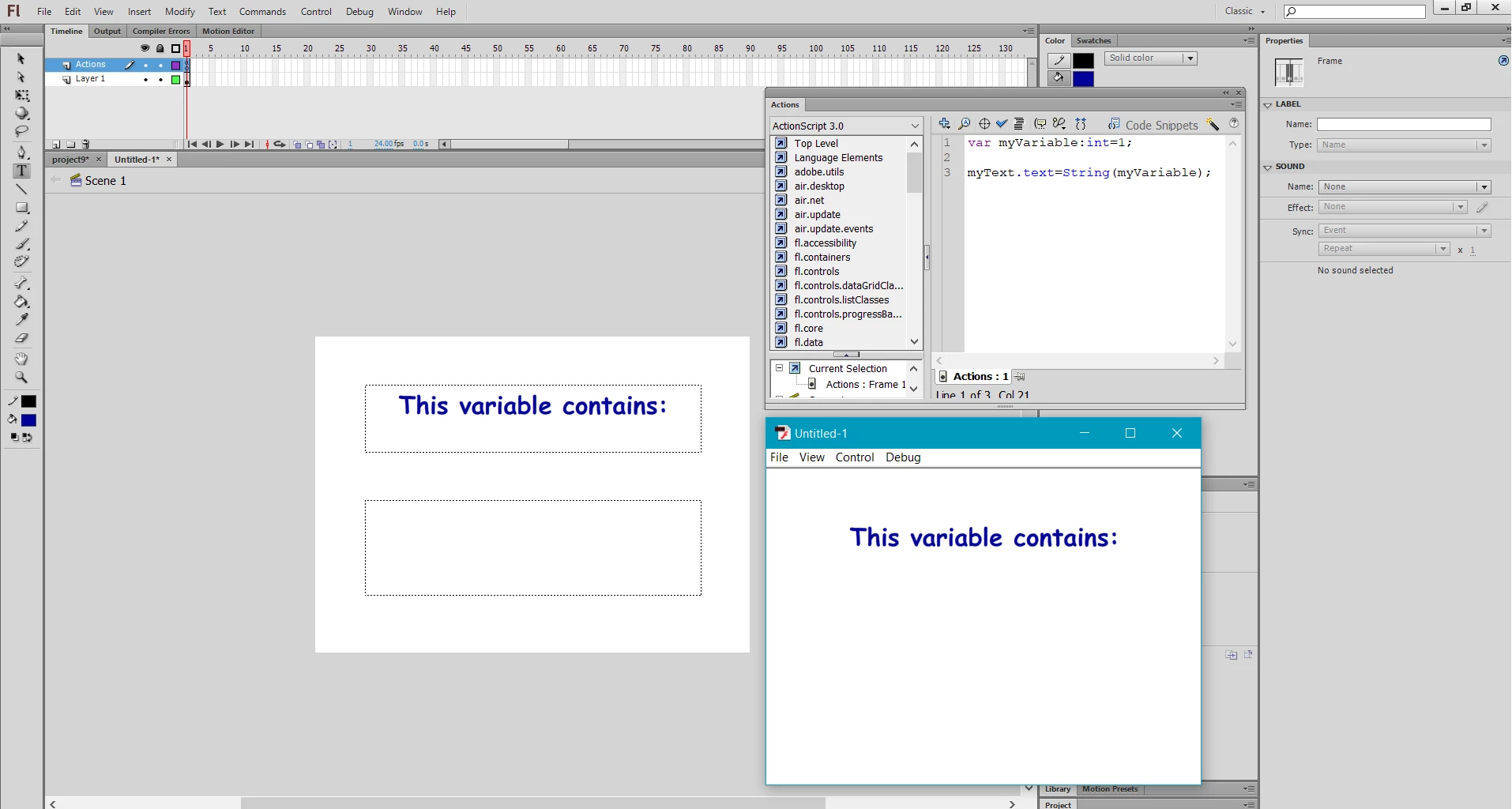
Adding number "1" in the top textbox.
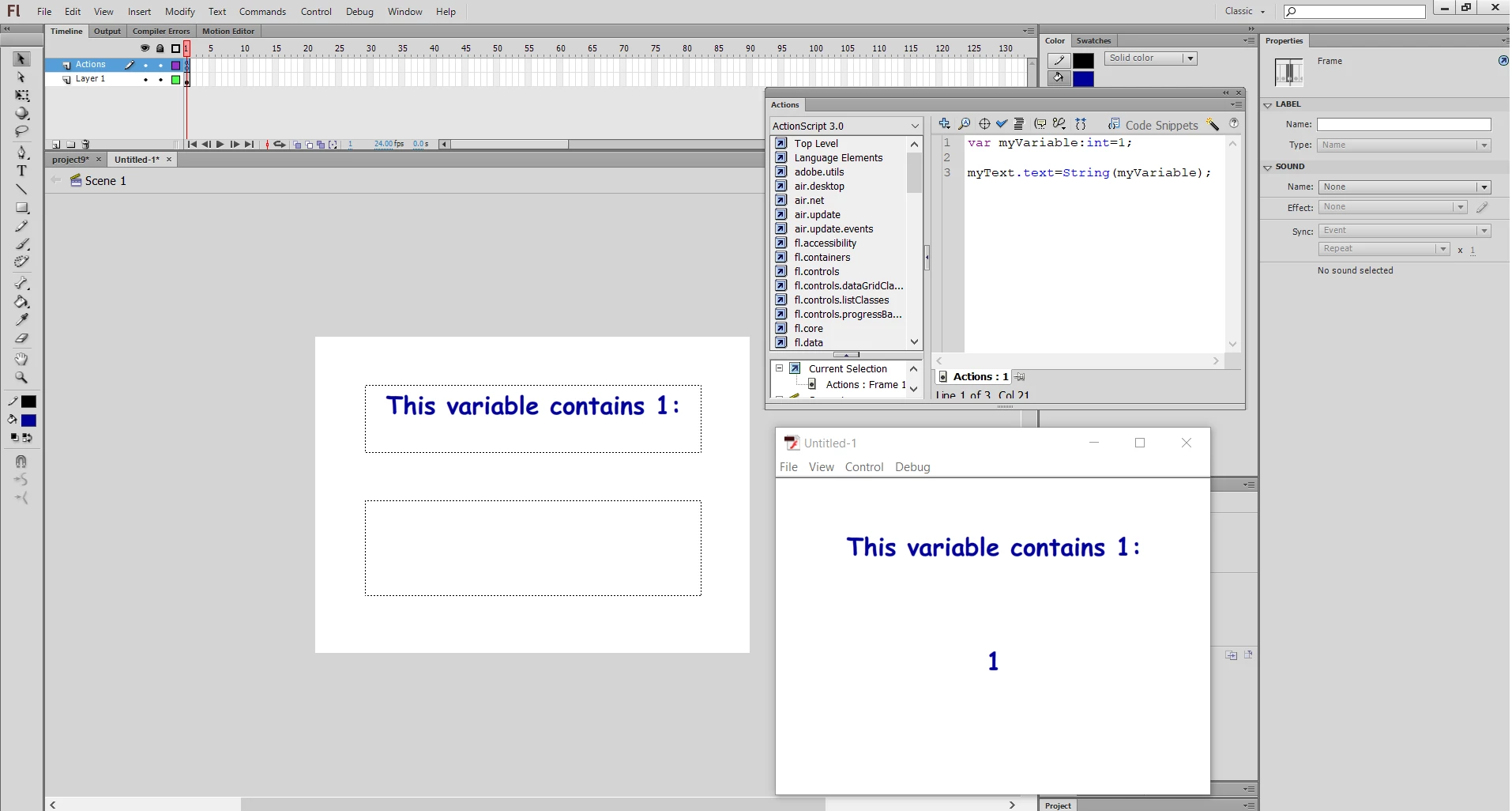
Using string instead of int
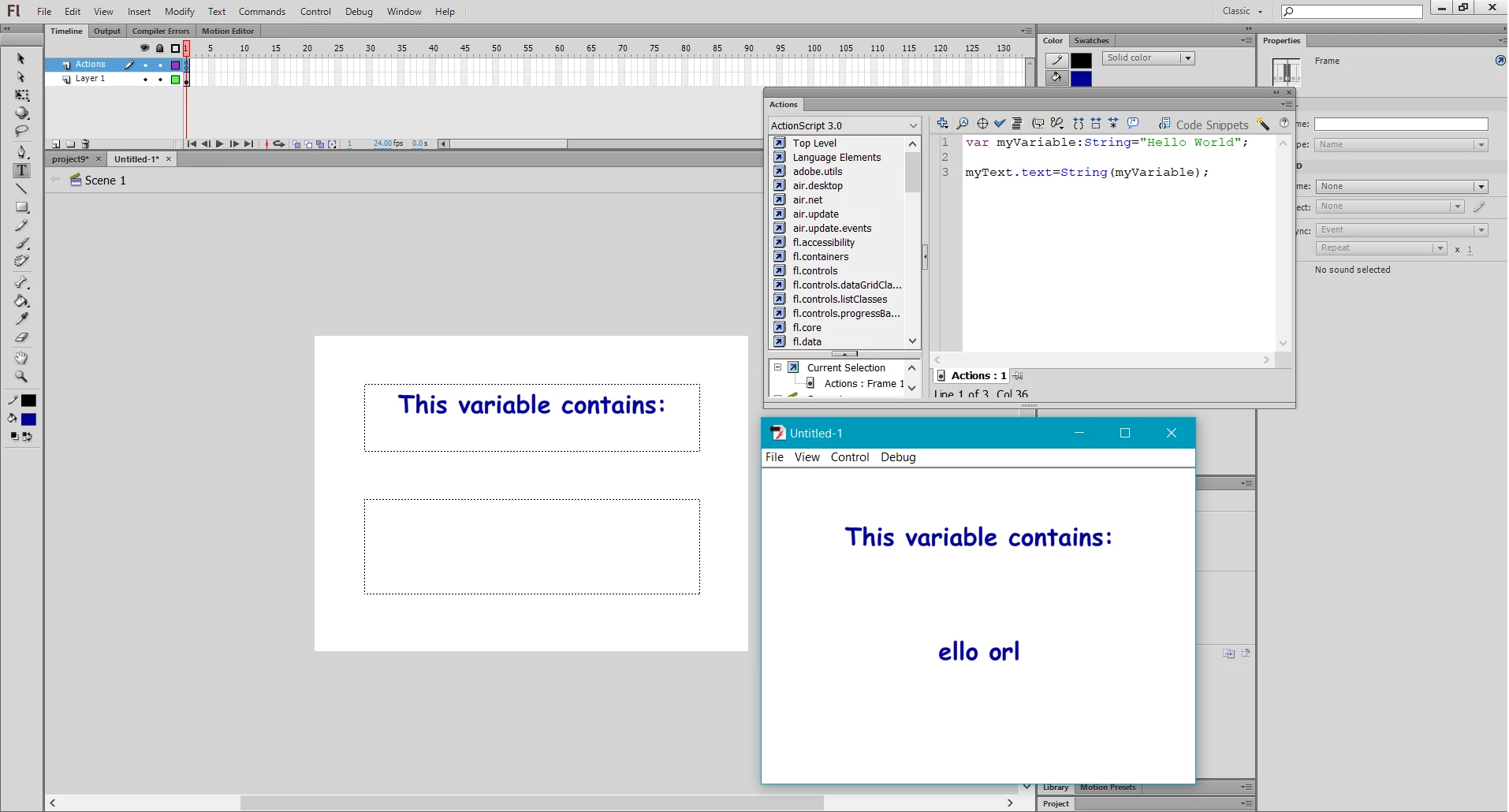
I am still very new to this. Very confused by this. Here is the original link to the tutorial. Its free on Udemy:

https://www.udemy.com/learn-adobe-flash-from-scratch/learn/lecture/2782054#overview

This topic has been closed for replies.
Correct answer kglad

you you need to embed your bottom textfield's font.

ie, there's no problem with your code.  the problem is the only characters displayed in your bottom textfield and those that are embedded (T,h,i,s,v,a,r,i,a,b,l,e,c,o,n,t,a,i,n,s,:).

2 replies

xDeuiii
xDeuiiiAuthor
Participant
April 27, 2019

I did try embedding the first time, for both boxes, didn't work. Then after trying again when seeing your answer, it worked. I realised I didn't select any character ranges the first time....

But why not embedding the font causes this? Is it some kind of feature that reminds you to embed your fonts?

And why does only the characters in the top textbox shows up if the fonts are not embedded?

kglad
Community Expert
Community Expert
April 27, 2019

static text characters are automatically embedded.  so text that contains any of the following will appear: T,h,i,s,v,a,r,i,a,b,l,e,c,o,n,t,a,i,n,s,:

(p.s when using the adobe forums, please mark helpful/correct responses, if there are any.)

kglad
Community Expert
kgladCommunity ExpertCorrect answer
Community Expert
April 27, 2019

you you need to embed your bottom textfield's font.

ie, there's no problem with your code.  the problem is the only characters displayed in your bottom textfield and those that are embedded (T,h,i,s,v,a,r,i,a,b,l,e,c,o,n,t,a,i,n,s,:).