



Bend or flex a simple object
Hey all,
I'm fairly new to Adobe Animate. I'm trying to do something that I'd think was pretty simple to pull off, but I'm having trouble getting it to work. Essentially, I'm trying to animate a rectangle bending and then springing back.


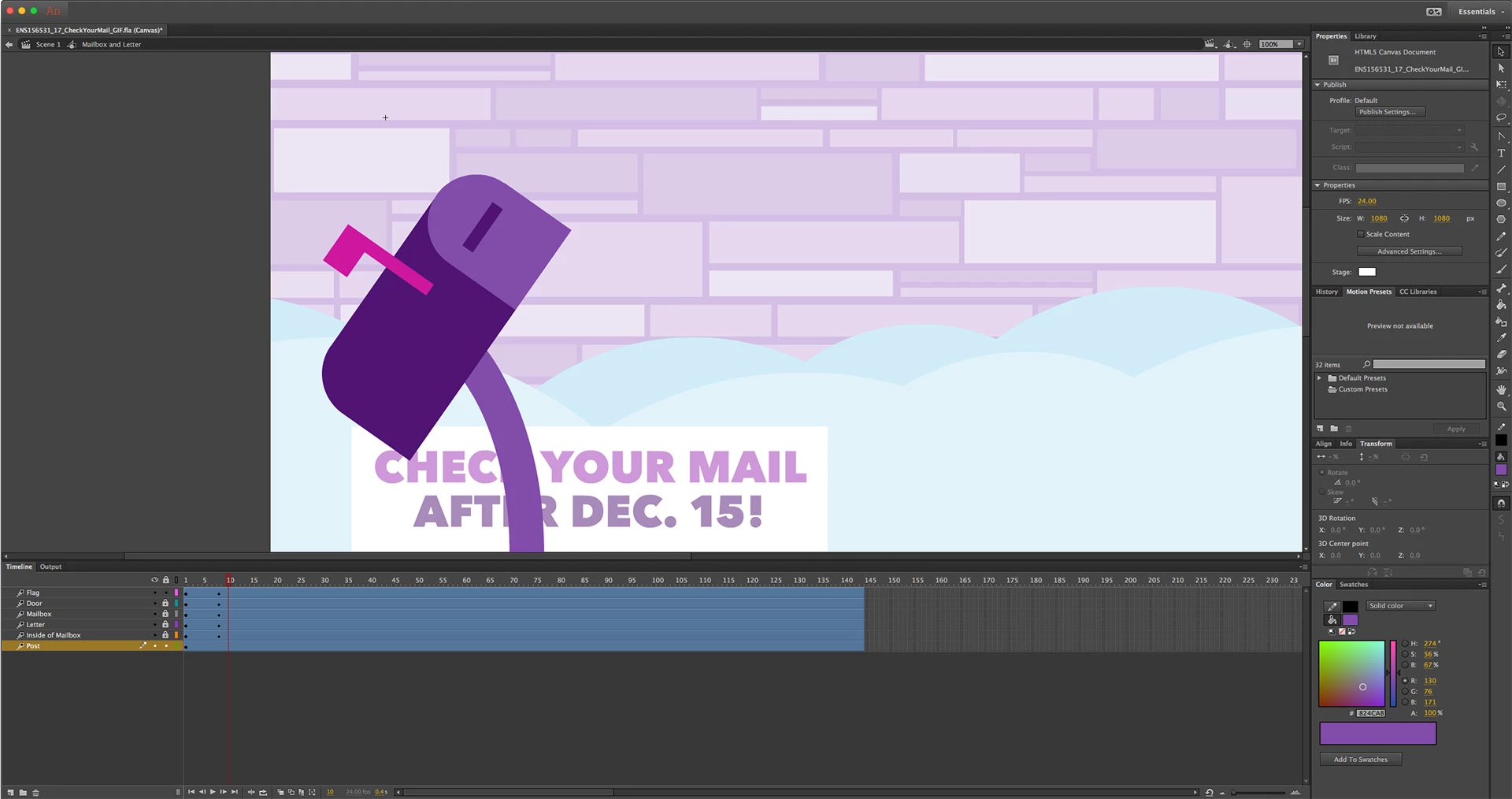
The first 2 images show where I'm at so far, with the last showing where I want to end up. Where I'm stuck is that to get the curve I want, I'm using the Subselection Tool to move the top 2 corner points of my post's rectangle. I've already set up curved anchor points on the bottom 2 corners of the rectangle to it curves when I move the top 2 corners. However, I can't get the curve to animate; it just snaps into place when I hit the 8th frame (where my keyframe is).
Right now, the rectangle is set up as a symbol (graphic). In order to access the points with the Subselection Tool, I have to double-click into the symbol, but then I can't set up a motion tween because it's not considered a symbol when I double-click into it.
I wanted to use a motion tween to try to achieve a nice, smooth motion for the bend. If I have to, I can try to animate it frame by frame, but I figure that won't look nearly as smooth. Can anyone help me figure out a simple way to do this? This seems like such a basic thing to do, yet I haven't been able to find a guide on how to do it anywhere.

 AdChoices