


bitmap keeps redding out?
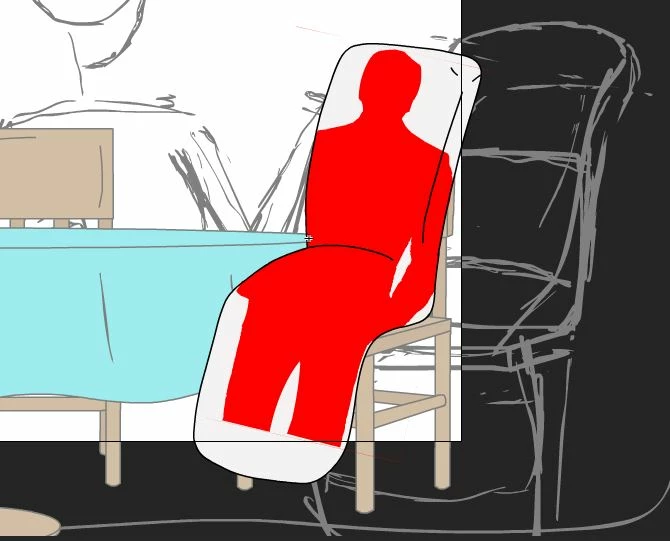
Hey guys, so I've had issues with bitmaps being corrupted and chainging to all red before, and thought i had solved this issue by always saving multiple files as adobe sometimes corrupts. No big deal, thats life. However I'm trying to make an object with a photo realistic immage that warps and changes shape with it and every time i save it, even in multiple locations, it always opens back up with the bitmap immage turned to all red. Can someone please tell me whats happening here.
The steps I took >create 3 layered image, 1st layer lines, 2nt layer bitmap phot image that i use asset warp on, and 3rd layer as background color. >I convert the bitmap immage to bitmap (redundant but when i load it in from teh library it becomes an object?) I then use the magic wand tool to sellect and delete the white square that forms around it after i conver the object to bitmap, then use the asset warp to to create points and warp the image to what i want, then save.
 AdChoices