Friendly_brain0101
Participating Frequently
March 8, 2022
Answered

Blank Error when exporting video files

  • March 8, 2022
  • 2 replies
  • 2347 views

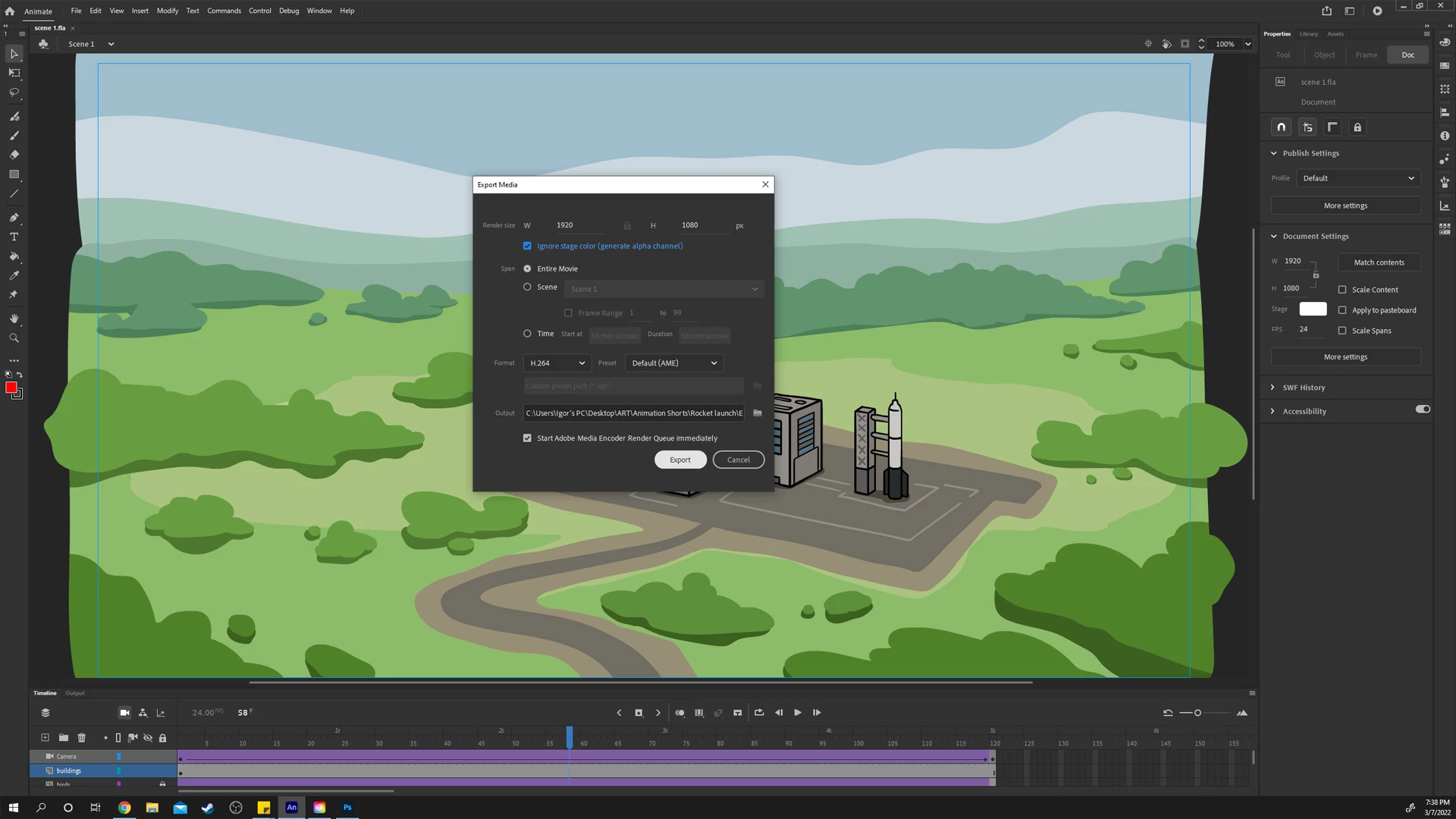
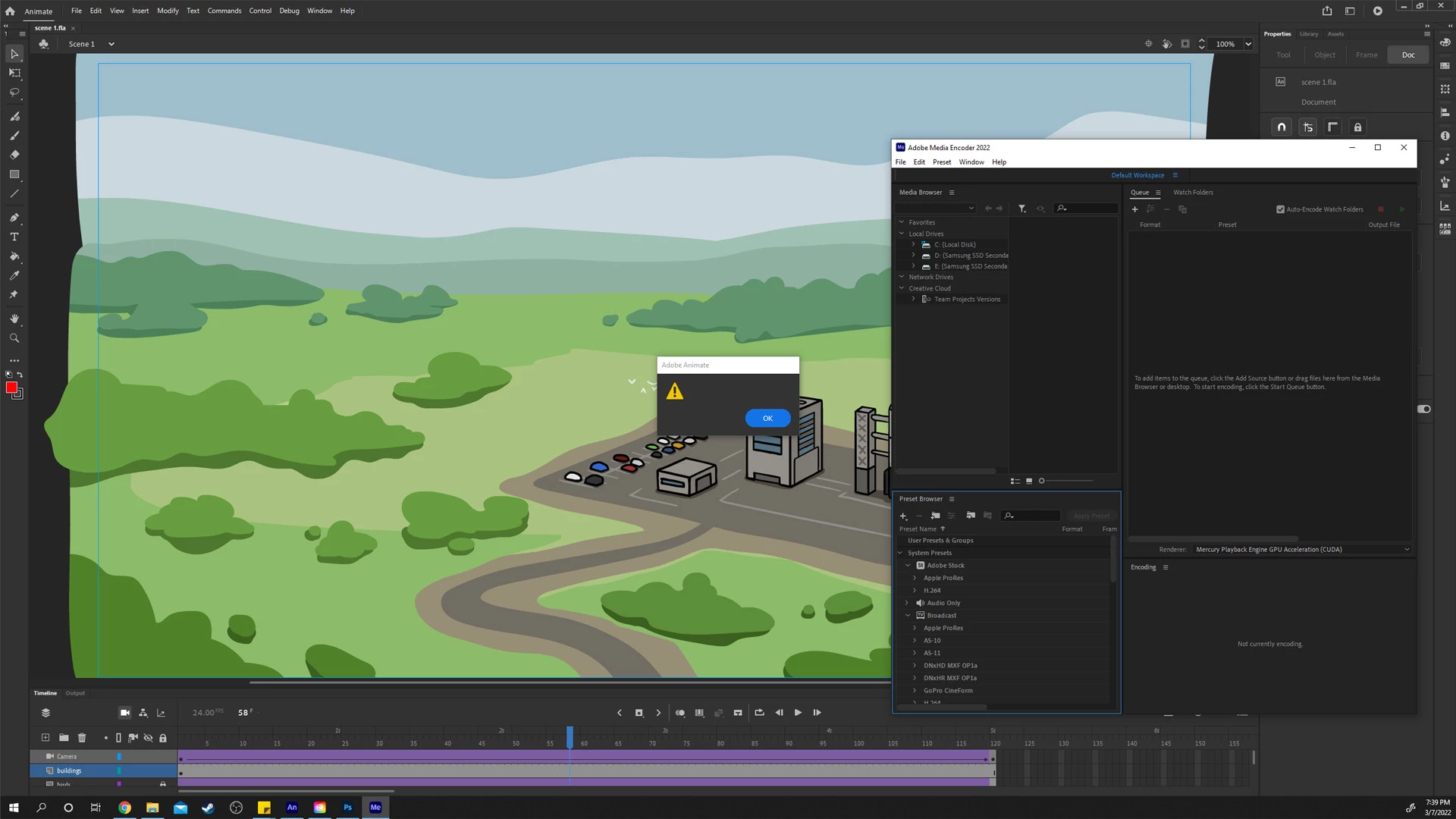
I'm working on an animation and I noticed when trying to export it (regardless of scene length, or even moving frames) I get a blank error upon the media encoder popping up. No exported file appears, just the blank error. I've tried resetting prefrences, running older versions of both the encoder and animate, but no luck.


I've tried to export in quicktime and that sort of worked (horribly choppy quality) and I would prefer to export it in a usable format.


I've exported stuff successfully years ago but this is a different computer, with different windows, and different versions of adobe programs.


Any help would be appriciated, Thanks!
This topic has been closed for replies.
Correct answer Mario_CR

No, no luck changing between either settings for preferences.


I'm pretty much convinced it's an AME issue at this point, since exporting with quicktime bypasses it and while the render is missing like 80% of the frames and is choppier than a stop motion rendition of tetris, it still exports it.


Trying other exporting settings just results in a blank error per usual.


I'm pretty much convinced it's an AME issue at this point, since exporting with quicktime bypasses it and while the render is missing like 80% of the frames and is choppier than a stop motion rendition of tetris, it still exports it.


The quicktime export is frame based so it doesn't actually drop any frames, it's just that, since it's a lossless format, is too heavy to be viewed on a video player in realtime. You can take that Quicktime MOV and transcode it to a compressed format like MP4 by dropping it onto AME which is a common workaround.

2 replies

n. tilcheff
Legend
March 10, 2022

Export a PNG sequence and then assemble that into MP4 in Premiere:

https://community.adobe.com/t5/animate-discussions/export-issue-stops-mid-export/td-p/10424361


Nick - Character Designer and Animator, Flash user since 1998 | Member of the Flanimate Power Tools team - extensions for character animation
Friendly_brain0101
Participating Frequently
March 10, 2022

Thanks for the suggestion but to be completely honest it seems like an overly complex workaround and would take up more time then I'm willing to spend on exporting a single scene let alone 20+.


I could just transfer the files to my 2013 macbook and export them from that, but would rather avoid that for obvious reasons. I posted here to see if I can get this error resolved and in the process help anyone else that runs across the same issue in the future.

kglad
Community Expert
Community Expert
March 8, 2022

untick start ame render queue immediately to see if you can get the source into ame without an error.

Friendly_brain0101
Participating Frequently
March 9, 2022

Just tried it, unfortunmatly the blank error still comes up.

kglad
Community Expert
Community Expert
March 9, 2022

create a new directory on your desktop

save your fla in that new directory

retry exporting a video


if that fails, create a new fla with a simple tween and export a video.  any problem?