
Bone Tool not laying out armature points (FIXED)
So, I'm currently working on an Animate project for my Multimedia course, and thus far on previous Animate projects, I haven't had issues with the Bone Tool, but for whatever reason, the program is not letting me lay down points for the skeleton on my movie clip graphic, and this has been happening since I started it, last night.
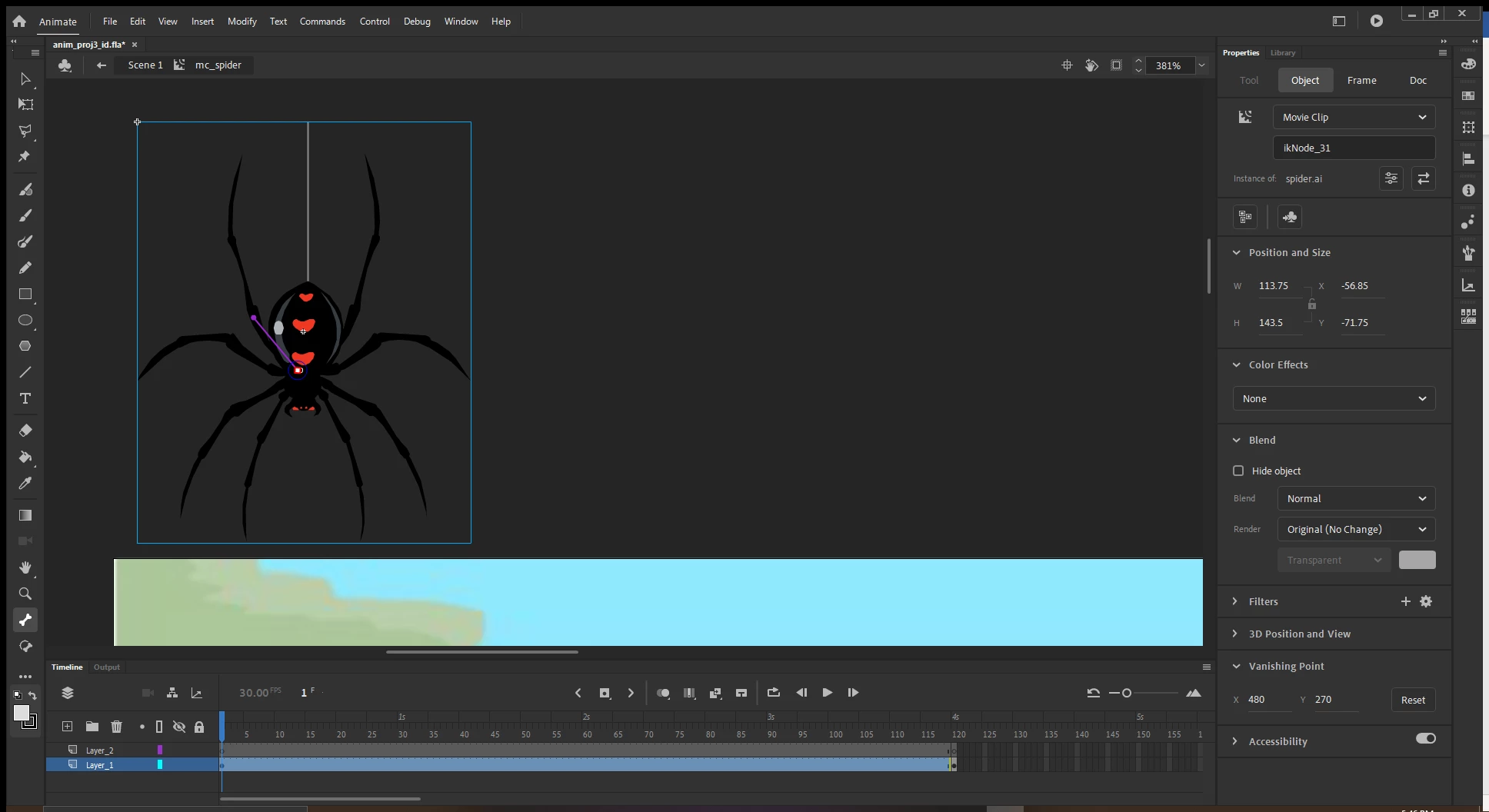
I'll give some background. I've taken an .ai file, imported it into Animate (with the Maintain editable paths and effects and Single Animate layer) options turned on, converted it to a movie clip graphic, as instructed in my project steps. After converting it, I've double-clicked on the image to isolate it, and as I'm attempting to lay out the bone tool on the image, I'm clicking and dragging, but the mouse pointer has a circle with a line through it, which I'm assuming means that I cannot, and it will not lay down any armature points for the skeleton. It's extremely frustrating because I'm simply following the directions given. I would email my professor about it but it's due tonight and I figured it'd be easier to get an outside opinion.
I've included the screenshot of what I'm doing in Animate, and here are the steps given:
12. Make the spider a movie clip symbol, mc_spider.
13. Double-click the spider to edit the movie clip symbol.
14. On the first layer, insert a Keyframe on frame 120. (This will be the length of the spider animation.)
15. On frame one, zoom in on the spider image. Select the bone tool and starting from the “heart” shape on the back behind the head, draw bone armatures that connect two rear legs and two for legs only. (See figure one.)
16. If necessary, make sure there is a keyframe on frame 120 on the Armature layer.
17. About every 20 frames, use the selection tool and change the shape of the spider’s legs
Any help or advice would be greatly appreciated
 AdChoices