



CeruleanInferno
Participant
Apr 1, 2021 6:38 AM UTC
Question

Brush strokes shifting when drawn + disappearing
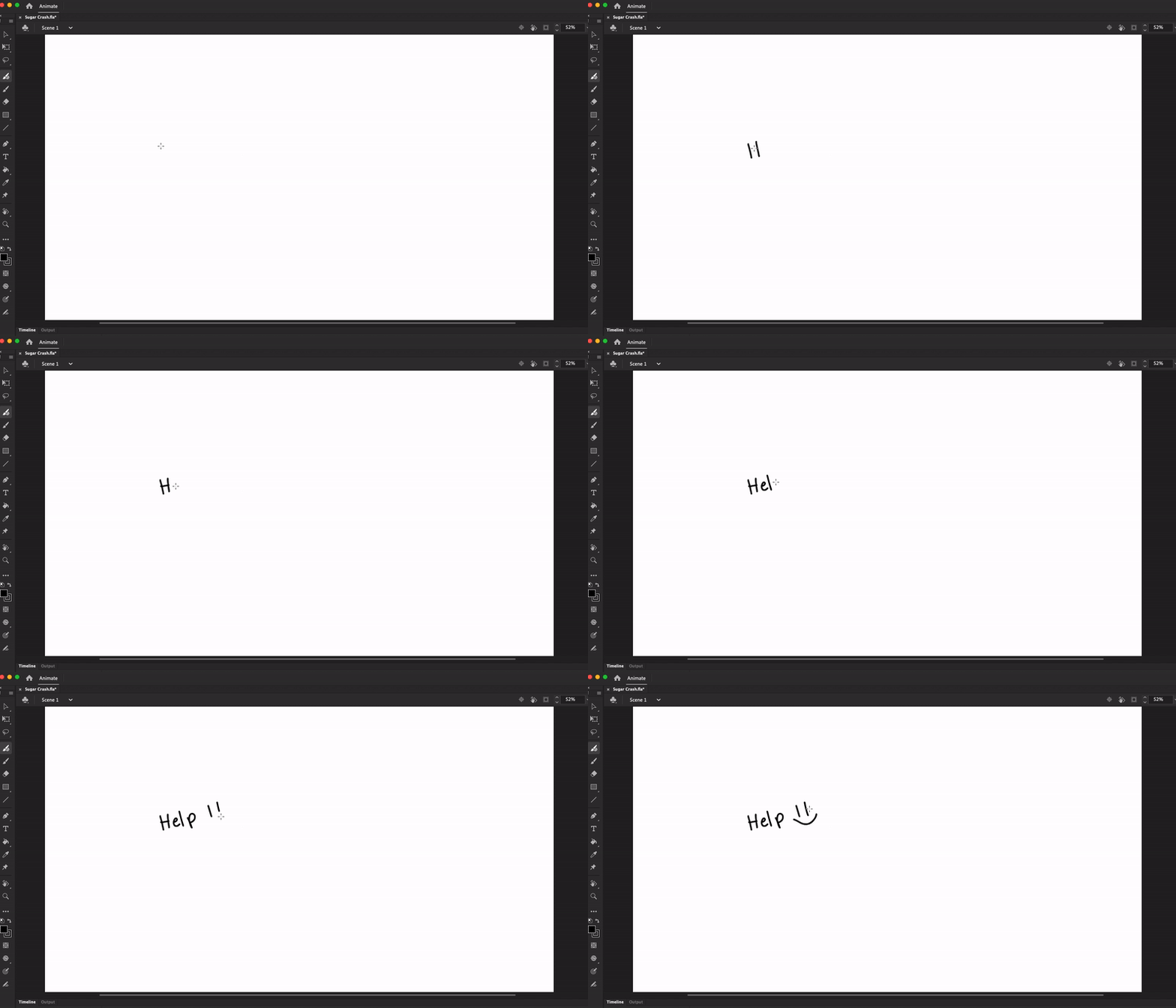
 

Whenever I draw lines, the strokes shift to the left a little and vanish in some cases. I had to redraw part of the 'H' in the above gif as an example. Does anyone know how to fix this?

I use a Mac OS X and a Watcom Cintiq 16. This problem does not show up in any other program (photoshop, illustrator...) aside from animate. I'm using the latest version 21.0.4. I also recently uninstalled and redownloaded the Watcom driver, but the problem persists. 


This topic is closed to new replies. Start a new post to keep the conversation going.

6 replies

Inspiring
Sep 10, 2023 1:27 AM UTC

has there ever been a solution to this?

Translate
Mario_CR
Community Expert
Community Expert
Sep 10, 2023 11:35 AM UTC

Are you on Windows or Mac?

Translate
_keyframer
Community Expert
Community Expert
Apr 1, 2021 11:20 PM UTC

Hmm you've done everything right in terms of troubleshooting.

Have you tried calibrating or recalibrating your Cintiq?

Translate
Animator and content creator for Animate CC
CeruleanInferno
Participant
Apr 2, 2021 2:31 PM UTC

I recalibrated the tablet, but the strokes continue to shift slightly. However, it's exclusive to the Animate program so I don't the Cintiq is the issue. 

Translate
_keyframer
Community Expert
Community Expert
Apr 2, 2021 2:40 PM UTC

What's your screen mode settings in AnCC?

Translate
Animator and content creator for Animate CC