


Question
Brush tool acting weird with rougher, jagged lines
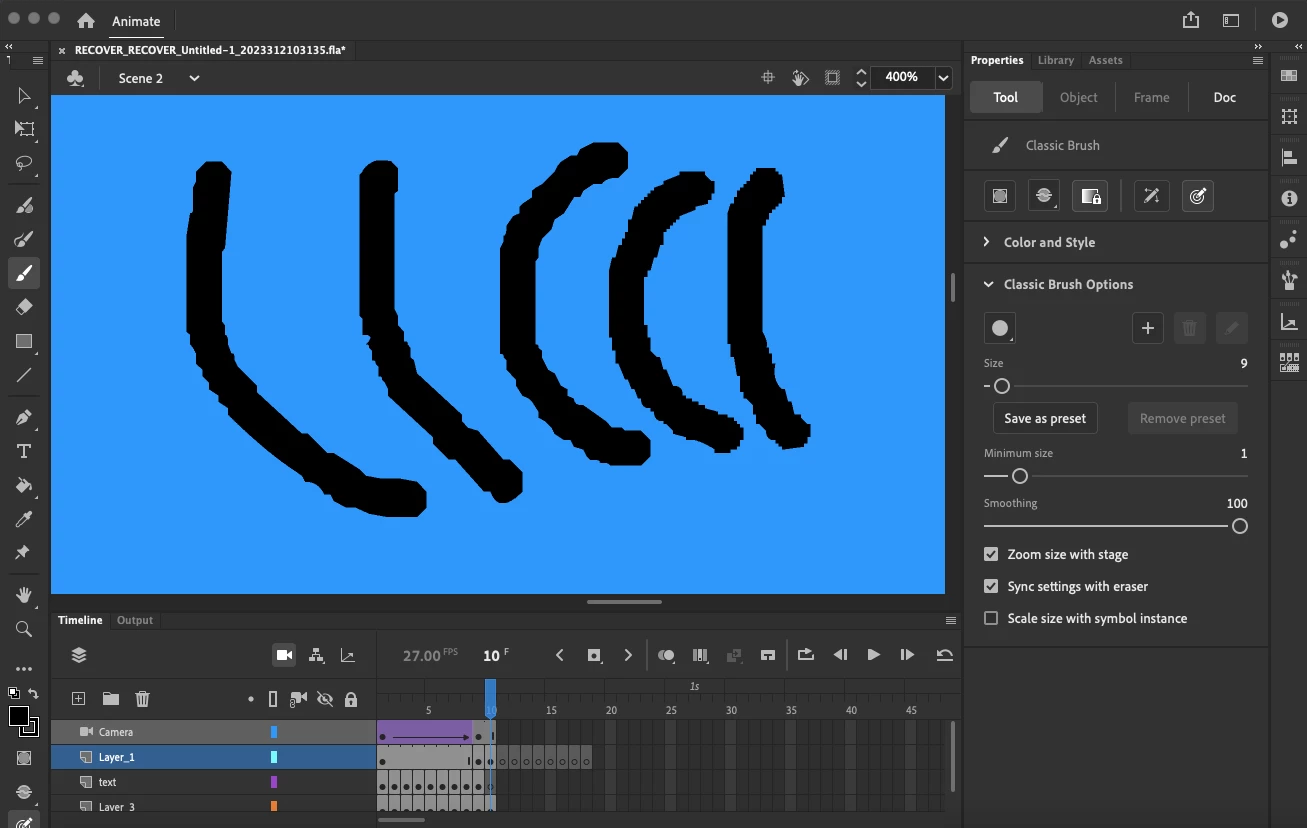
Hi guys, I've been using Adobe Animate for a while now and for whatever reason my brush tool has started suddenly making jaggedy, pixelated lines instead of the smoothed lines I'm used to. It's been really frustrating trying to work around the problem and I can't figure out a way to fix it, I've tried setting smoothing to 0, changed preview mode, restarted the app (version 23.0) and updated my mac's operating system (It's a macbook air, OS 12.6.5) but nothing seems to work.
Below's an example of the jagged, uneven lines my brush is making. Any help would be much appreciated.
 AdChoices