

Brush Tool Lagging
Hi. The problem I have is that whenever I draw on my tablet using the brush tool in Animate CC, it doesn't draw everything that I'm trying to draw even though my pen touched my tablet every time.
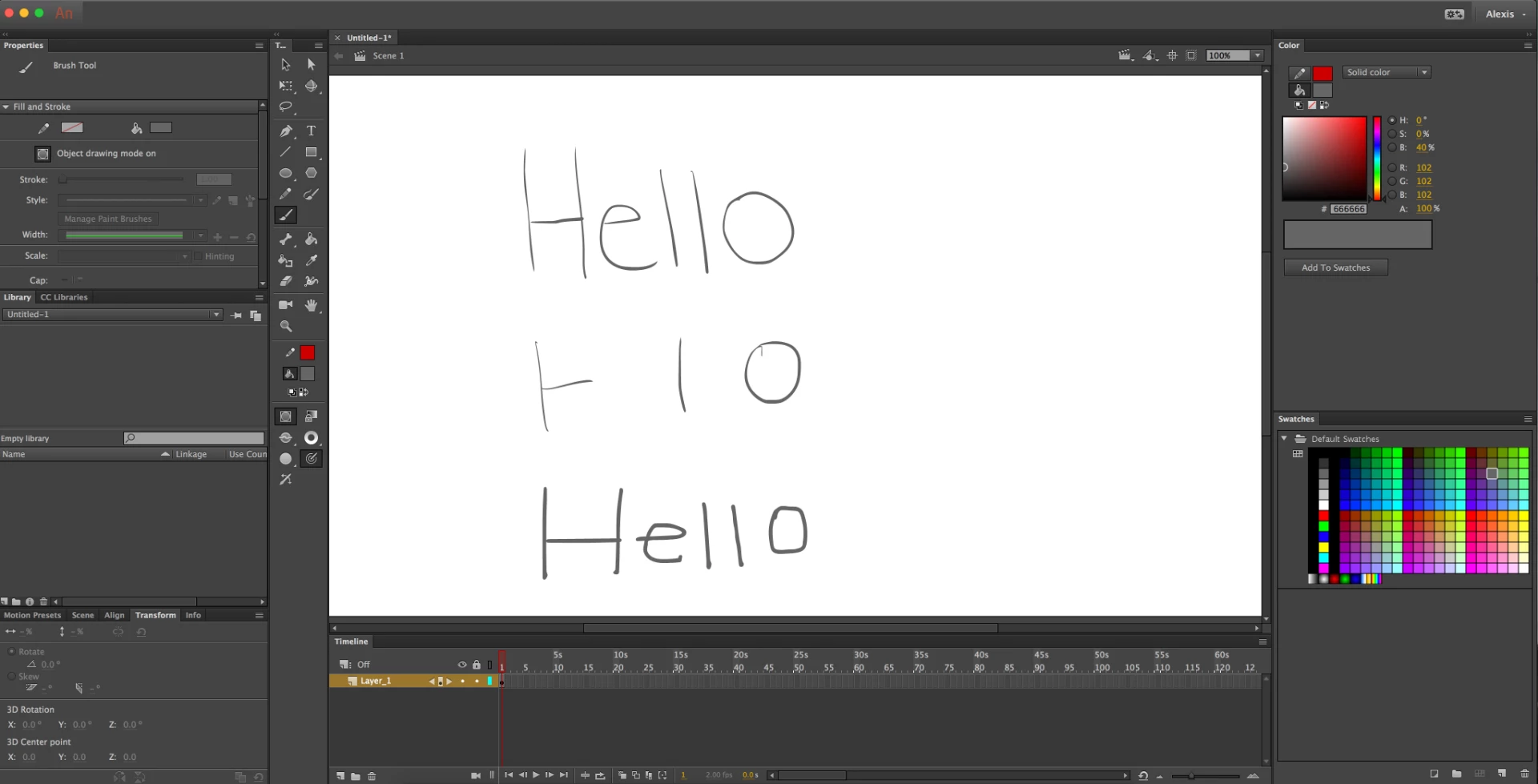
When I draw a line, I can see it taking a while to render out. Here's a screenshot of what I'm talking about. The first 'Hello' is when I write super slow so the brush tool has time to render. The second 'Hello' is me writing at a normal speed. And the third 'Hello' is writing at a normal speed with my mouse.
When I draw in Animate CC, my pen touches my tablet for everything, but it doesn't respond in the program. For the second 'Hello', I had drawn the rest of the 'H', the 'e', and the 'l', but it doesn't show up. And when I undo, it undos everything as though I never drew those letters but my pen did touch my tablet. The only way I'm able to make sure that everything gets drawn is if I draw super slow. And when I draw I can see the brush line rendering, and thats when I can draw the next line. But when I draw at a fast speed with my mouse it responds normally. I want to be able to draw at a normal speed instead of drawing super slow.
It's possible that it could be my tablet that's the problem, but I've used Animate CC before and it worked fine. It started having problems only after I downloaded the tablet program so I would be able to have pressure sensitivity in my tablet pen. Maybe it's the tablet program? I have an old drawing tablet plugged into my iMac, but I don't think that would be the problem since it was working before on my drawing tablet.
Here's some info:
Updated version of Animate CC
iMac retna with macOS High Sierra
Monoprice Graphic Drawing Tablet MP1060-HA60


 AdChoices