
Bug: Sample color and click immediately follows
MacOS 11.5.2
Animate 21.0.8
Steps:
-Make a filled shape.
-Go to color and choose linear gradient
-Double-click the color on this tool.
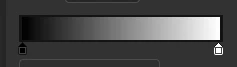
-A color swatch panel comes up
-If you place your cursor over the document, it becomes the sample tool
-Click to sample the color on your filled shape.
A click on the document immediately follows, which means any tool you had selected will perform it's operation. For example, it is the fill tool was selected, and you attempt to sample the color on the shape you drew and that layer is unlocked, then it will not only sample the color, but it will also fill the shape with the gradient. Even worse off, this is not even the current color you sampled, but the previous linear gradient before the sampled color that was applied to it.


 AdChoices