
Participant
October 3, 2018
Answered

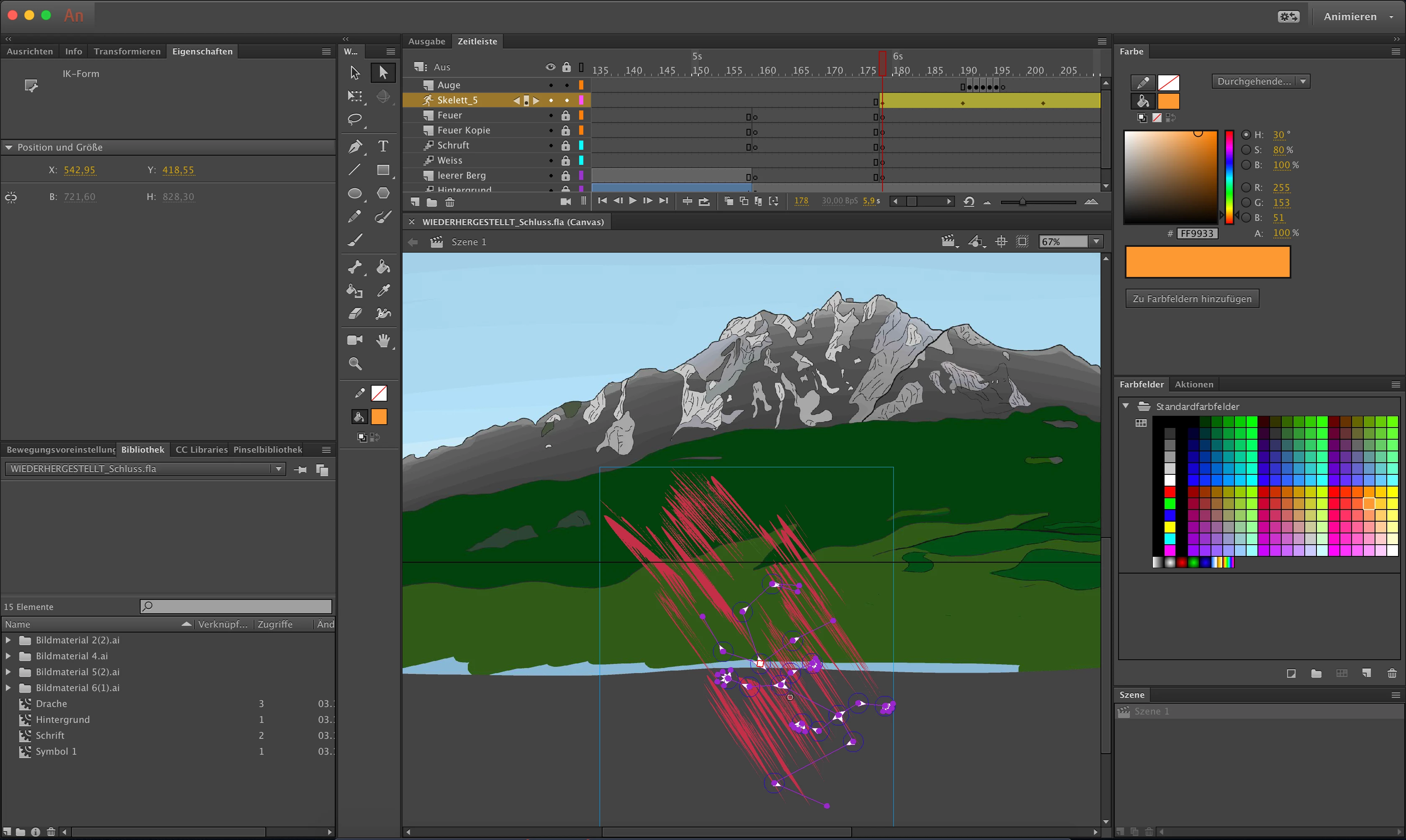
Bug with the bone animator tool

  • October 3, 2018
  • 1 reply
  • 624 views

Hello everyone

I'm working on a project for school. I encountered a problem with Adobe Animate CC. The moment I made a new bone for the skeleton, the program automatically

distorted my picture. I can't reverse this, because this scribble is freezing the program every time I try to move or change it.

This topic has been closed for replies.
Correct answer Preran

Not the exact answer to your question, but are you following the process mentioned in these docs?

https://theblog.adobe.com/mysteries-of-the-bone-tool/

Create realistic movement in your animated characters |

Thanks,

Preran

1 reply

Preran
Community Manager
PreranCommunity ManagerCorrect answer
Community Manager
October 11, 2018

Not the exact answer to your question, but are you following the process mentioned in these docs?

https://theblog.adobe.com/mysteries-of-the-bone-tool/

Create realistic movement in your animated characters |

Thanks,

Preran

mara_ares
Participant
May 14, 2021

The bone tool has been working really bad in the last 2 years. I have been teaching animation sice 2009, I am an animator myself. What is wrong with this tool? the armature is moving itself. I put the bone and it changes place (after me doing nothing). It is impossible to use this tool lately. Is also very hard to select a bone or the whole armature sometimes. I just can't. Again: I have used Flash since 2000. This is very annoying. Is Adobe planning to solve this problem or should we migrate to Spine 2D?