Known Participant
February 4, 2018
Answered

Can anyone point me in the direction of a tutorial on creating a user controlled playhead slider in an HTML5 canvas document?

  • February 4, 2018
  • 4 replies
  • 1203 views

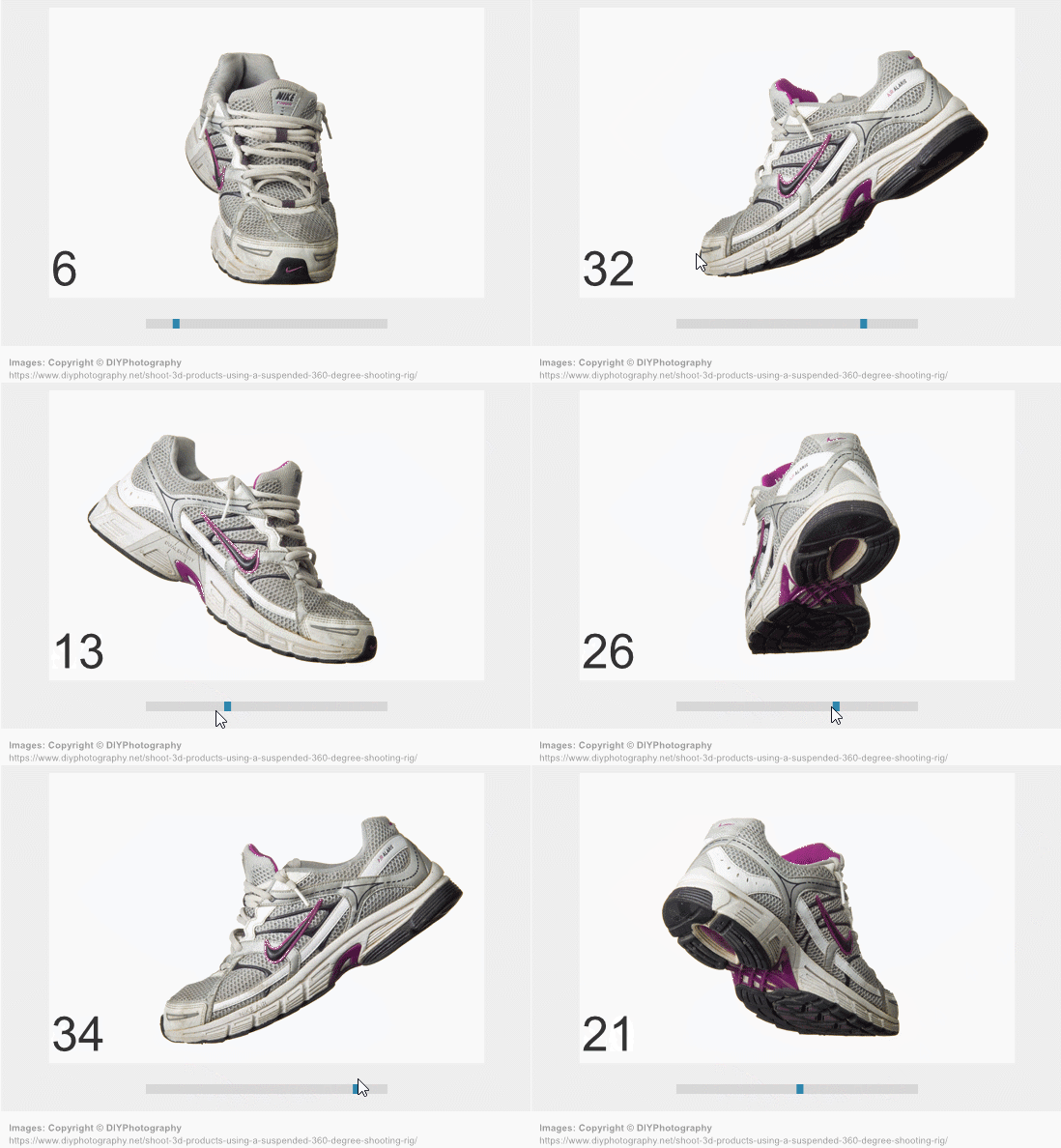
I am creating a linear animation that I would like the user to be able to control with a slider (i.e. a control that allows them to advance (or rewind) frames by sliding a symbol back and forth along a horizontal line).  Thank you 

    This topic has been closed for replies.
    Correct answer JoãoCésar17023019

    If it's not too late and if you don't mind, I'd like to leave a suggestion.

    Preview:

    FLA download:

    animate_cc_html5_frame_slider.zip - Google Drive

    Code:

    var that = this;

    this.button = this.slider.button;

    this.bar = this.slider.bar;

    this.buttonWidth = this.button.nominalBounds.width;

    this.barWidth = this.bar.nominalBounds.width;

    this.speedX = 0;

    this.friction = 0.95;

    this.isDragging = false;

    this.bar.on("mousedown", function(evt)

    {

        that.anim.stop();


        that.clickedX = stage.mouseX - that.slider.x;

        that.button.x = that.clickedX;

        that.isDragging = true;

    });

    stage.on("stagemouseup", function(e)

    {

        that.isDragging = false;

        that.anim.play();

    });

    createjs.Ticker.on("tick", function(e)

    {

        if (that.isDragging)

        {

            that.speedX = (stage.mouseX - that.slider.x) - that.clickedX;

            that.dragSlide();

        }

        else

            that.autoSlide();


        that.speedX *= that.friction;

        that.button.x += that.speedX;


        that.button.x = that.clamp(that.button.x, that.bar.x + that.buttonWidth * 0.5, that.barWidth - that.buttonWidth * 0.5);  


        that.clickedX = stage.mouseX - that.slider.x;


    });

    this.dragSlide = function()

    {

        that.anim.gotoAndStop(Math.floor(that.anim.timeline.duration * that.button.x / that.barWidth));

    };

    this.autoSlide = function()

    {

        that.button.x = (that.barWidth * that.anim.timeline.position) / that.anim.timeline.duration;

    };

    this.clamp = function(value, min, max)

    {

        if (value < min)

            return min;

        else if (value > max)

            return max;

        else

            return value;

    };

    I hope it helps.

    Regards,

    JC

    4 replies

    photogyulai
    Inspiring
    February 7, 2018

    Okay here is my slider version... it is just a few line... a commented the script to help re use

    https://drive.google.com/file/d/1U5VJaSvZvM6L_U6xdeudMYCHffCMCd2M/view?usp=sharinghttp://

    JoãoCésar17023019
    Community Expert
    Community Expert
    February 7, 2018

    Thank you!

    Please keep it up!

    photogyulai
    Inspiring
    February 6, 2018

    some months ago i had the same need!

    so i created one slider  >> please visit:

    http://www.fotobetyar.hu/fejlesztesek-2017-proba/ http://www.fotobetyar.hu/fejlesztesek-2017-proba/?et_fb=1

    here you can see a vertical slider!

    i can send fla any time if any one wish

    Advantages:

    it is simple and you can move the slider in the canvas (in the fla file) and dont have to recalibrate the numbers/positions

    Disadvantages:

    didnt work on android (iphone?!)

    if you go to full screen, and the canvas is responsive >> the slider size changes and start to behave weird!

    I have to test JoãoCésar  solution (thanks btw)

    keep goin! JoaoCesar

    photogyulai
    Inspiring
    February 6, 2018

    okay i tested Joao sample fla

    i have some problems >> if i dont put "this.stop();"  script on every frame of the animation >> after i drag the slider it wont stop after i let go the mouse button... it plays.

    i did not test on android yet

    but this version have the same problem as mine: if you go to full screen it going nuts!

    hold on i upload my version, it is more simple, more easy to re use!

    JoãoCésar17023019
    Community Expert
    Community Expert
    February 7, 2018

    Hi, photogyulai!

    You got some pretty cool graphics in your app. Congrats!

    The code is intentionally set to play when the mouse is up. The idea is to get the slider behaving like a video player would.

    And, yeah, this is just a simple demonstration to give the OP some direction. I didn't consider responsive scaling and anything else more advanced.

    JoãoCésar17023019
    Community Expert
    JoãoCésar17023019Community ExpertCorrect answer
    Community Expert
    February 6, 2018

    If it's not too late and if you don't mind, I'd like to leave a suggestion.

    Preview:

    FLA download:

    animate_cc_html5_frame_slider.zip - Google Drive

    Code:

    var that = this;

    this.button = this.slider.button;

    this.bar = this.slider.bar;

    this.buttonWidth = this.button.nominalBounds.width;

    this.barWidth = this.bar.nominalBounds.width;

    this.speedX = 0;

    this.friction = 0.95;

    this.isDragging = false;

    this.bar.on("mousedown", function(evt)

    {

        that.anim.stop();


        that.clickedX = stage.mouseX - that.slider.x;

        that.button.x = that.clickedX;

        that.isDragging = true;

    });

    stage.on("stagemouseup", function(e)

    {

        that.isDragging = false;

        that.anim.play();

    });

    createjs.Ticker.on("tick", function(e)

    {

        if (that.isDragging)

        {

            that.speedX = (stage.mouseX - that.slider.x) - that.clickedX;

            that.dragSlide();

        }

        else

            that.autoSlide();


        that.speedX *= that.friction;

        that.button.x += that.speedX;


        that.button.x = that.clamp(that.button.x, that.bar.x + that.buttonWidth * 0.5, that.barWidth - that.buttonWidth * 0.5);  


        that.clickedX = stage.mouseX - that.slider.x;


    });

    this.dragSlide = function()

    {

        that.anim.gotoAndStop(Math.floor(that.anim.timeline.duration * that.button.x / that.barWidth));

    };

    this.autoSlide = function()

    {

        that.button.x = (that.barWidth * that.anim.timeline.position) / that.anim.timeline.duration;

    };

    this.clamp = function(value, min, max)

    {

        if (value < min)

            return min;

        else if (value > max)

            return max;

        else

            return value;

    };

    I hope it helps.
    Regards,

    JC

    Grim_1Author
    Known Participant
    February 7, 2018

    Hey man thanks - this sample is exactly what I'm looking for!  I'm going to take a look at the file and the code, but with my limited skill set it's going to take me a bit to digest.  I really appreciate it.  Going to mark this as correct based on the sample and assuming the code is correct.  Thank you!!!

    JoãoCésar17023019
    Community Expert
    Community Expert
    February 7, 2018

    Excellent!

    You're welcome!

    kglad
    Community Expert
    Community Expert
    February 5, 2018

    google an as3 one.  the code will be almost the same except for obvious (if you understand basic createjs/javascript) changes.

    Grim_1Author
    Known Participant
    February 6, 2018

    Thanks kglad.  You've helped me before I think.  But my understanding of createjs/javascript is zero so I'm looking for basically step by step details. 

    kglad
    Community Expert
    Community Expert
    February 6, 2018

    google that.  it's your best chance to get the code without paying anyone.

    you can get help here for free but doing all your work for you is more than i do for free.  if you want to hire me, send me a private email.

    you can also wait.  someone else me see this and do this for you.