Participant
Nov 13, 2016 5:53 PM UTC
Answered

Can't paste copied motion onto new tween

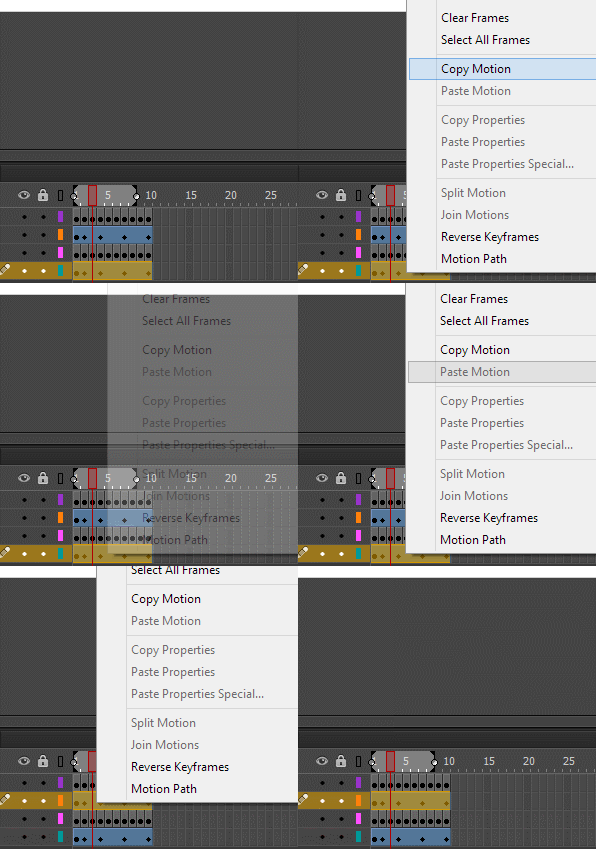
I can't figure out why but I can't paste a copied motion onto a new motion. Both layers are motion tweens but after I copy the motion from one and go to paste it on the blank motion tween, it doesn't let me. The paste motion option is greyed out. Neither layers are locked so I'm confused as to what I'm doing wrong. The things on both layers are movieclip symbols as they're meant to be.

Any help would be great, thank you.

kglad
kgladCorrect answer
Community Expert
Nov 13, 2016 7:04 PM UTC

I've highlighted the entire thing and clicked "copy motion" is there a more direct way to do it? I'm definitely clicking copy motion..

Here's a gif of what I'm doing, maybe I am just doing this wrong. It was working fine yesterday but I'm still new to Animate.


that looks correct (though i can't determine if you actually click 'Copy Motion').

try closing and reopening animate.

13 replies

Participant
Mar 8, 2025 6:13 PM UTC

I had this problem in 2025. So if anybody has trouble with the "Paste Motion" greyed out. I had to click on the object on the stage that I wanted to copy and click on the object on the stage that I wanted to paste, this changes your layer to a different color than your motion tween, and then right click the layer to "Paste Motion". This process helped me get past the problem original OP had but only 9 years later. haha Hope this helps any future Animators!

Translate
kglad
Community Expert
Community Expert
Mar 8, 2025 6:41 PM UTC

anything's possible 

Translate
kglad
Community Expert
Community Expert
Nov 13, 2016 6:14 PM UTC

create a new layer

copy the one movieclip that you want to tween from the problematic layer to the new layer

paste your tween onto that new layer.

Translate
beksAuthor
Participant
Nov 13, 2016 6:17 PM UTC

Unfortunately still didn't work, the option is still greyed out

Translate
kglad
Community Expert
Community Expert
Nov 13, 2016 6:24 PM UTC

after copying your motion, if you immediately right click (over the layer with the copied motion), do you see paste motion?

Translate