danip52928494
Known Participant
January 27, 2017
Question

CAN'T RUN AN AIR TEST-MOVIE WITHOUT THE DEBUGGER!

  • January 27, 2017
  • 2 replies
  • 1779 views

Hello,

I asked about this issue before, yet no one was been able to answer it.

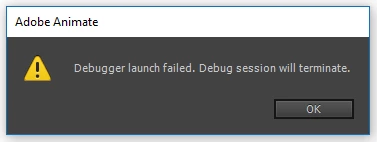
Basically what happens is when I test a movie in flash (it has a class file attached to it) on AIR for Desktop, it will try to run it, afterward it will just tell me there's a problem with the debugger. I have tried installing the debugger before, it didn't work so I tried uninstalling it, and this is the result.

Can't test a movie that runs on any AIR software at all (only when testing a movie inside Animate)

I don't know what causes this problem or how to fix this, perhaps it happens because the debug version of flash player is not installed and it gets Animate CC confused.

Please help me fix this,

Thank you in advance!

269d8aa97da34bc981324f9a2c996a76.png

This topic has been closed for replies.

2 replies

Community Expert
January 28, 2017

Try the keyboard shortcut "command + enter" for mac or "control + enter" for PC.

kglad
Community Expert
Community Expert
January 27, 2017

what if you test movie in animate?  any errors?

danip52928494
Known Participant
January 28, 2017

Yeah, this is the output.

kglad
Community Expert
Community Expert
January 29, 2017

Nope, same stuff


suspend anything that checks for file creation.  eg, av, antimalware and anti-adware.

retry publishing

if that fails:

uninstall everything cc including preferences, https://helpx.adobe.com/creative-cloud/help/uninstall-remove-app.html

then uninstall the cc desktop app, https://helpx.adobe.com/creative-cloud/help/uninstall-creative-cloud-desktop-app.html

clean your computer of cc files per http://www.adobe.com/support/contact/cscleanertool.html

restart your computer (don't skip this)

reinstall the cc desktop app, https://creative.adobe.com/products/creative-cloud.

use the desktop app to install your cc programs/trials