Participant
October 20, 2025
Answered

Can't use the brushes from the Brush library

  • October 20, 2025
  • 1 reply
  • 149 views

Hello! I am trying to use the brushes in the brush library, but when I double click to add to the document, it doesn't do anything. I've looked up tutorials but they're all older and from when Animate had a different UI. Could someone help me with this? Thanks!

    Correct answer Mario_CR

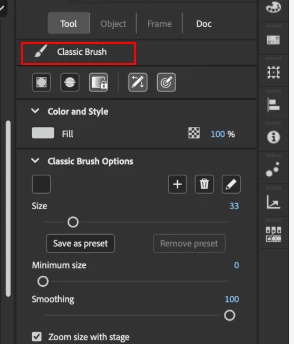
    That's the Classic Brush, you can see its name on the Properties panel:


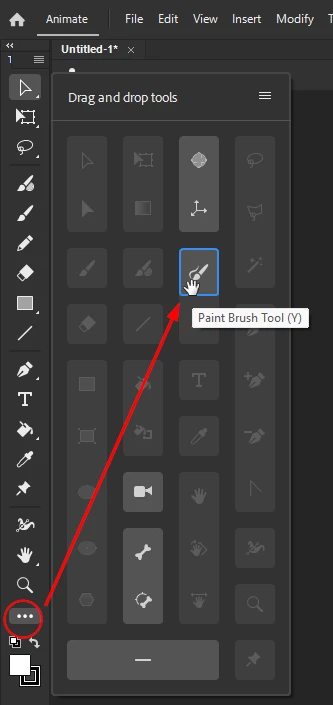
    The Paintbrush tool shortcut is (Y), It's hidden by default in the toolbar. To use it, click the 3 dots at the bottom of the panel, locate the tool and drag and drop it onto the toolbar.


    1 reply

    Mario_CR
    Community Expert
    Community Expert
    October 20, 2025

    Have the Paintbrush tool selected first. That's the only tool that supports custom brushes.

    Participant
    October 20, 2025

    I do have the paintbrush tool selected, but it still doesn't work.

    Mario_CR
    Community Expert
    Mario_CRCommunity ExpertCorrect answer
    Community Expert
    October 20, 2025

    That's the Classic Brush, you can see its name on the Properties panel:


    The Paintbrush tool shortcut is (Y), It's hidden by default in the toolbar. To use it, click the 3 dots at the bottom of the panel, locate the tool and drag and drop it onto the toolbar.