
Participant
October 22, 2024
Question

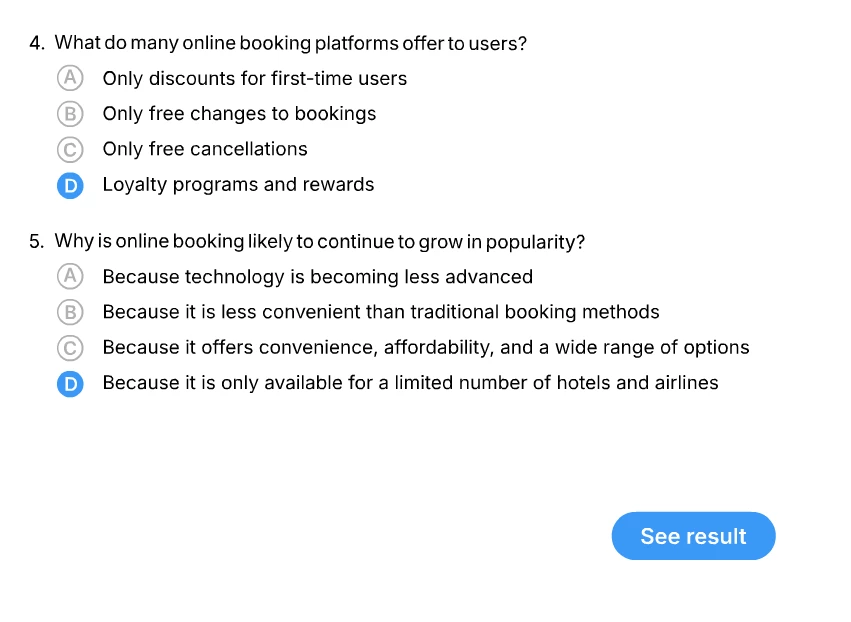
Can We make Radio Button from scratch in animate by using Movie Clip?
  • October 22, 2024
  • 2 replies
  • 409 views

What the best way to make this working like a radio button?

 

    This topic has been closed for replies.

    2 replies

    JoãoCésar17023019
    Community Expert
    Community Expert
    October 22, 2024

    Hi.


    Adding to k's answer, is it AS3 or HTML5 Canvas?

    Regards,

    JC

    Participant
    October 23, 2024

    It's Actionscript 3

    kglad
    Community Expert
    Community Expert
    October 23, 2024

    what problem are you having?

    kglad
    Community Expert
    Community Expert
    October 22, 2024

    yes.


    create your graphics and use code to control their behavior.

    Participant
    October 23, 2024

    I'm using this code but it doesn't work when question (in this case movie clip) is more than one. How can we fix this and not have any error?

    import flash.events.MouseEvent;

    stop();


    var Pilihan1:MovieClip = MovieClip(this.getChildByName("Pilihan1"));


    Pilihan1.addEventListener(MouseEvent.MOUSE_OVER, mouseOverHandler);
    Pilihan1.addEventListener(MouseEvent.MOUSE_OUT, mouseOutHandler);
    Pilihan1.addEventListener(MouseEvent.CLICK, mouseClickHandler);


    function mouseOverHandler(e:MouseEvent){
    if(e.target.currentFrame<3){
    e.target.gotoAndStop(2);
    }
    }

    function mouseOutHandler(e:MouseEvent){
    if(e.target.currentFrame<3){
    e.target.gotoAndStop(1);
    }
    }

    function mouseClickHandler(e:MouseEvent){
    e.target.gotoAndStop(3);
    Pilihan1.removeEventListener(MouseEvent.MOUSE_OVER, mouseOverHandler);
    Pilihan1.removeEventListener(MouseEvent.MOUSE_OUT, mouseOutHandler);
    Pilihan1.removeEventListener(MouseEvent.CLICK, mouseClickHandler);
    }

    kglad
    Community Expert
    Community Expert
    October 23, 2024
    import flash.events.MouseEvent;
     
    stop();


    //var Pilihan1:MovieClip = MovieClip(this.getChildByName("Pilihan1"));  <-superfluous
    var pilihanA:Array =[Pilihan1,Pilihan2,Pilihan3];  // <- list all the buttons in the family
     
     
    for(var i:int=0;i<3;i++){
    pilihanA[i].addEventListener(MouseEvent.MOUSE_OVER, mouseOverHandler);
    pilihanA[i].addEventListener(MouseEvent.MOUSE_OUT, mouseOutHandler);
    pilihanA[i].addEventListener(MouseEvent.CLICK, mouseClickHandler);
    }
     
     
    function mouseOverHandler(e:MouseEvent){
    if(e.target.currentFrame<3){
    e.target.gotoAndStop(2);
    }
    }
     
    function mouseOutHandler(e:MouseEvent){
    if(e.target.currentFrame<3){
    e.target.gotoAndStop(1);
    }
    }
     
    function mouseClickHandler(e:MouseEvent){
    for(var i:int=0;i<3;i++){
    pilihanA[i].gotoAndStop(1);
    }
    e.target.gotoAndStop(3);
    Pilihan1.removeEventListener(MouseEvent.MOUSE_OVER, mouseOverHandler);
    Pilihan1.removeEventListener(MouseEvent.MOUSE_OUT, mouseOutHandler);
    Pilihan1.removeEventListener(MouseEvent.CLICK, mouseClickHandler);
    }