


Participant
June 13, 2022
Answered

Cannot export mp4 from Animate with custom aspect ratio

  • June 13, 2022
  • 1 reply
  • 615 views

I am trying to export an animation (to video) from Adobe Animate that is 1080x1920 for use in Instagram stories...
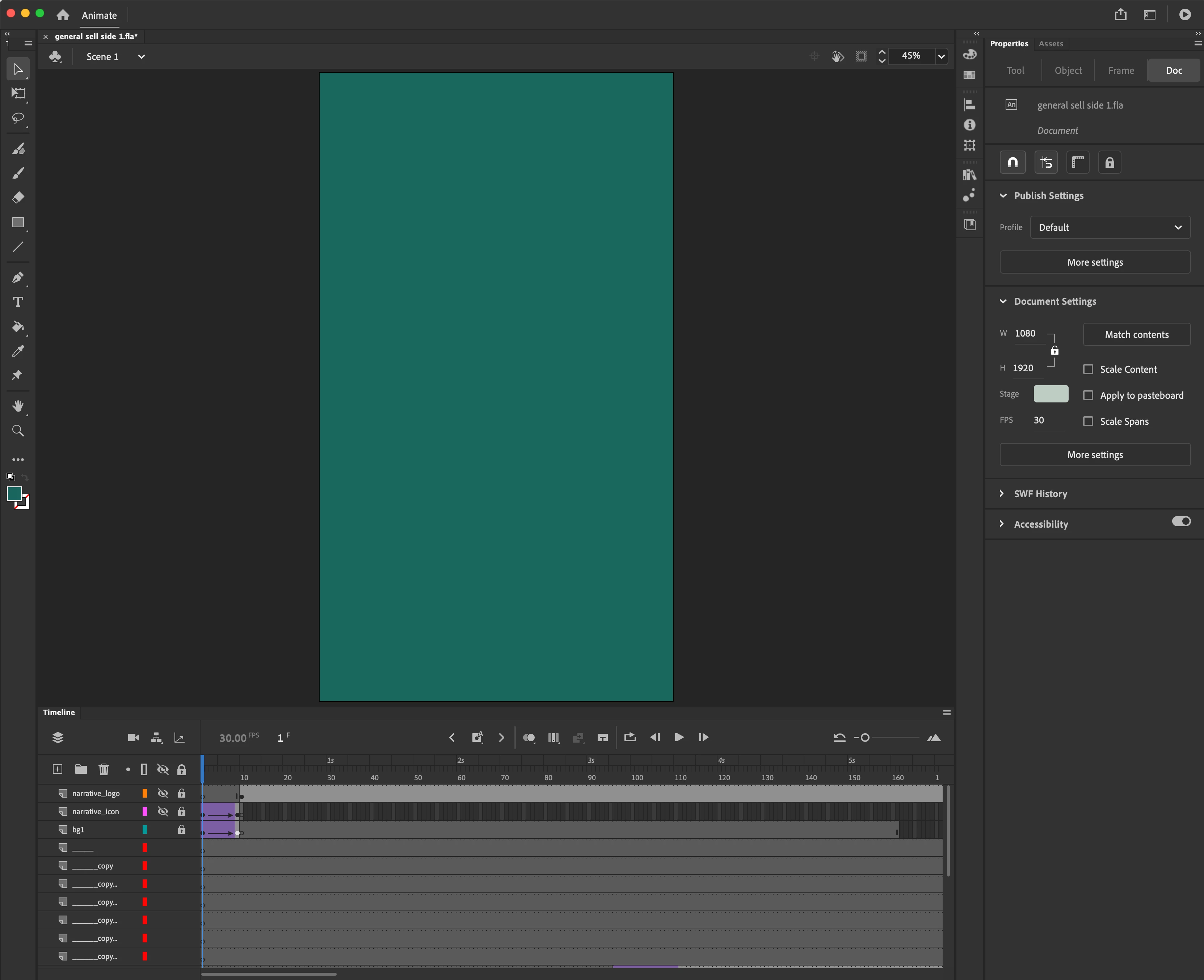
 

But when I export this animation to video - the mp4 I get back has black bars on the sides...



I don't want the black bars on the sides. I just want the 1080x1920.

Any help would be apprciated!

    Correct answer Mario_CR

    Try exporting it again with this preset: H.264 / Match Source (High Bitrate)

    1 reply

    Mario_CR
    Community Expert
    Community Expert
    June 14, 2022

    The black bars might just be from the video player. What are the dimensions of the file in Finder? Does it say the video is 1080×1920 or does it show another value entirely? Have you try uploading it to IG to see how it looks? Let us know.

    Participant
    June 14, 2022

    Thanks for the feedback. Just checked and the dimensions are 1920x1080 - the oppposite of what I'm looking for.

    Mario_CR
    Community Expert
    Mario_CRCommunity ExpertCorrect answer
    Community Expert
    June 14, 2022

    Try exporting it again with this preset: H.264 / Match Source (High Bitrate)