
Participant
March 8, 2025
Question

Change the width and length of a rectangle symbol that is tilted

  • March 8, 2025
  • 2 replies
  • 213 views

I apologize if this is an obvious solution, I am very new at Animate and would appreciate help.

I have a symbol that is just a simple rectangle, however it is tilted, so the box around the rectangle symbol is not lined up with the actual rectangle. 
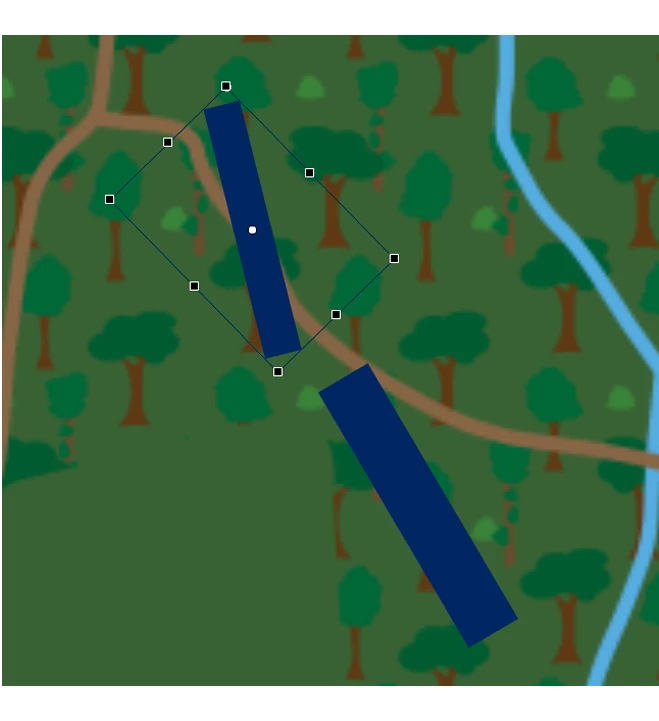
I want to make the rectangle shorter and fatter so that it lines up with the one below it, but when I try to edit the size it skews it.
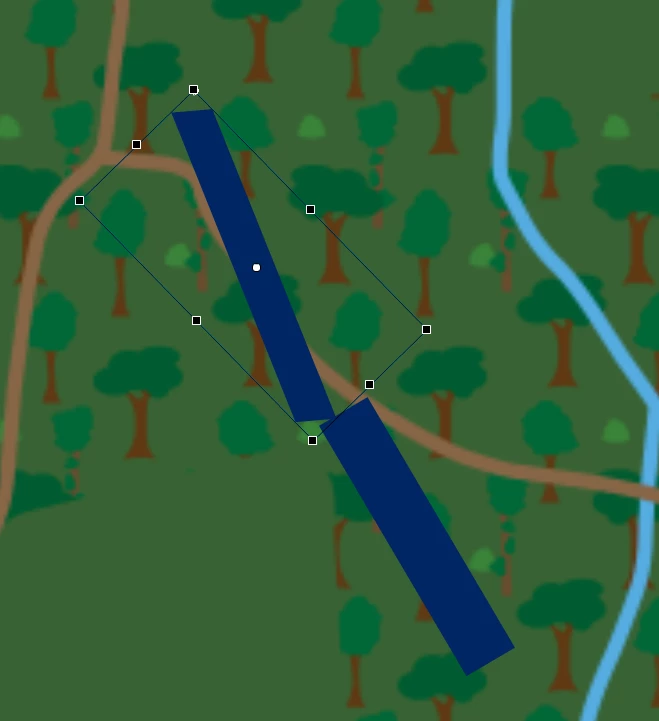
Is there a way to change the actual dimensions of a shape within a symbol? or do I have to just make sure the shape is parallel with the stage before I make it into a symbol? Thank you!

    2 replies

    JoãoCésar17023019
    Community Expert
    Community Expert
    March 8, 2025

    Hi.


    You need to define an axis aligned bounding box before rotating the shape, bitmap, symbol or group. For example: draw a rectangle using the Rectangle Primitive Tool or turn a "raw" rectangle shape into a object drawing or symbol and then apply the rotation.

    This article from EDAPT should give you more details:
    https://flash-powertools.com/understanding-symbol-registration/

    Regards,

    JC

    kglad
    Community Expert
    Community Expert
    March 8, 2025

    unrotate it

    change size

    rerotate it

    Participant
    March 8, 2025

    when I rotate the symbol the box doesn't change its orientation. its still skewed