
Inspiring
January 6, 2017
Answered

Clip is repeating and not stopping

  • January 6, 2017
  • 1 reply
  • 210 views

Hi I new to flash

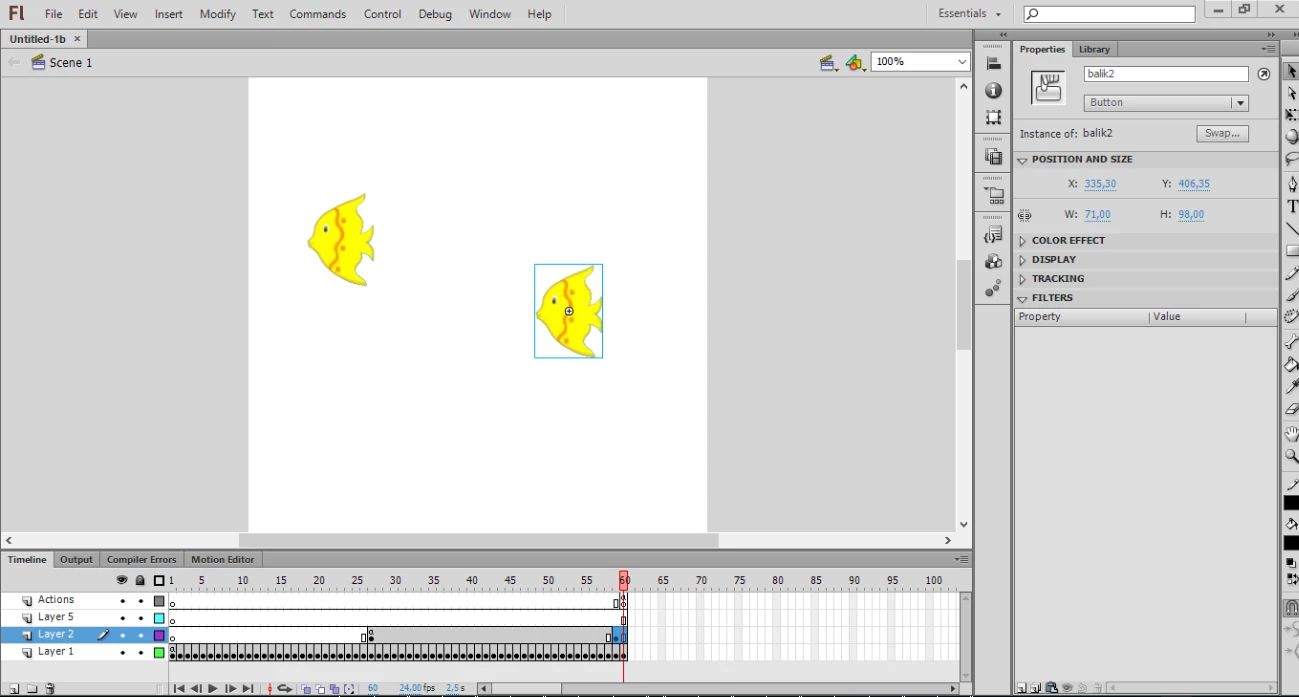
I made a memory game.There is a some fish's in a game,moveing randomly then stop.And player has try remember first ones.I created fish to button.So it's not movie clip.

Fishs is appear perfectly but not stop.And I use "stop();" within the last frame but it's didnt work.How I can stop this. ??

I use this code For fish one ..

var xsekseni:Number=10;

var ysekseni:Number=14;

var speedy:Number=75;

stage.addEventListener(Event.ENTER_FRAME,bhareket);

function bhareket(oly:Event) {

    balik1.x+=xsekseni;

    balik1.y+=ysekseni;

    if ((balik1.x>=stage.stageWidth-balik1.width/2)|| (balik1.x <= balik1.width/2 )) {

        xsekseni*=-1;

    }

    if ((balik1.y>=stage.stageHeight-balik1.height/2)|| (balik1.y <= balik1.height/2 )) {

        ysekseni*=-1;

    }

}

var MovieArray:Array = [balik1];

for (var j:uint = 0; j < MovieArray.length; j++) {

MovieArray.x = Math.floor( Math.random()*(stage.stageWidth - MovieArray.width) );

MovieArray.y = Math.floor( Math.random()*(stage.stageHeight - MovieArray.height) );

}

function MovieRandomPositon():void {

MovieRandomPositon();

}

For fish 2 ..

var mvkk:Array = [balik2];

for (var i:uint = 0; i < mvkk.length; i++) {

mvkk.x = Math.floor( Math.random()*(stage.stageWidth - mvkk.width) );

mvkk.y = Math.floor( Math.random()*(stage.stageHeight - mvkk.height) );

}

function MovieR():void {

MovieR();

}

var xekseni:Number=10;

var yekseni:Number=7;

var speed:Number=75;

stage.addEventListener(Event.ENTER_FRAME,hareket);

function hareket(oly:Event) {

    balik2.x+=xekseni;

    balik2.y+=yekseni;

    if ((balik2.x>=stage.stageWidth-balik2.width/2)|| (balik2.x <= balik2.width/2 )) {

        xekseni*=-1;

    }

    if ((balik2.y>=stage.stageHeight-balik2.height/2)|| (balik2.y <= balik2.height/2 )) {

        yekseni*=-1;

    }

}
This topic has been closed for replies.
Correct answer Ned Murphy

A stop() command is a timeline command, meaning it stops the timeline at the frame where it currently is.  It does not stop code from processing.

I cannot tell easily from reading your code which objects you are trying to stop, but if it involves those which change position via the ENTER_FRAME event, then what you need to do is remove that listener (or have a control in the listener's event handler function) in order to stop the action it creates...

stage.removeEventListener(Event.ENTER_FRAME,hareket);

The following function is a waste of space...

function MovieR():void {

MovieR();

}

1 reply

Ned Murphy
Ned MurphyCorrect answer
Legend
January 6, 2017

A stop() command is a timeline command, meaning it stops the timeline at the frame where it currently is.  It does not stop code from processing.

I cannot tell easily from reading your code which objects you are trying to stop, but if it involves those which change position via the ENTER_FRAME event, then what you need to do is remove that listener (or have a control in the listener's event handler function) in order to stop the action it creates...

stage.removeEventListener(Event.ENTER_FRAME,hareket);

The following function is a waste of space...

function MovieR():void {

MovieR();

}