Participant
Aug 16, 2022 1:15 AM UTC
Answered

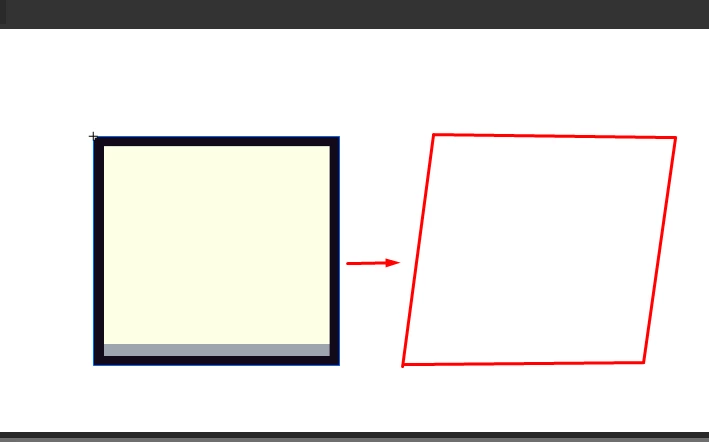
Como eu faço isso?

Eu estou tentando deixar o meu objeto assim, mas eu nao sei como faz.

    This topic is closed to new replies. Start a new post to keep the conversation going.
    JoãoCésar17023019
    JoãoCésar17023019Correct answer
    Community Expert
    Aug 16, 2022 9:44 AM UTC

    Olá, Matheus!


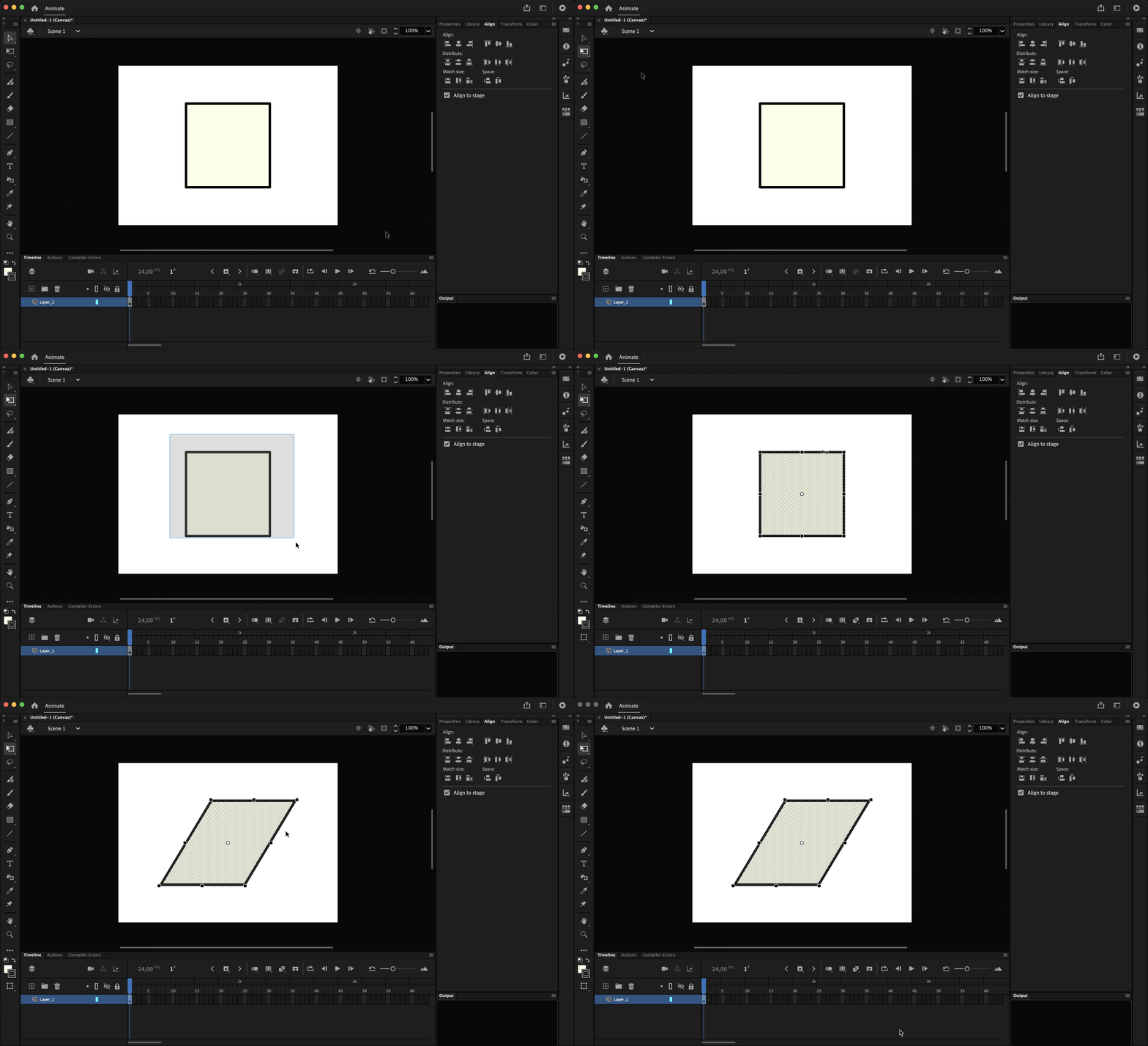
    - Pick the Free Transform Tool (Q);

    - Select the shape;

    - Hover the mouse cursor over one of the horizontal edges of the bounding box;

    - Press and drag to the left or to the right to skew the shape.


    Demonstration:


    I hope it helps.


    Regards,

    JC

    2 replies

    Participant
    Aug 16, 2022 1:19 AM UTC

    É no Adobe Animate, esqueci de especificar o programa.

    Translate
    JoãoCésar17023019
    Community Expert
    JoãoCésar17023019Community ExpertCorrect answer
    Community Expert
    Aug 16, 2022 9:44 AM UTC

    Olá, Matheus!


    - Pick the Free Transform Tool (Q);

    - Select the shape;

    - Hover the mouse cursor over one of the horizontal edges of the bounding box;

    - Press and drag to the left or to the right to skew the shape.


    Demonstration:


    I hope it helps.


    Regards,

    JC

    Translate