
February 1, 2016
Answered

Content not properly shown in scrollpane

  • February 1, 2016
  • 2 replies
  • 402 views

My content is not fully shown in the scrollpane. It only display half of my content in the scrollpane.
The content and the scrollpane is in movie clip.
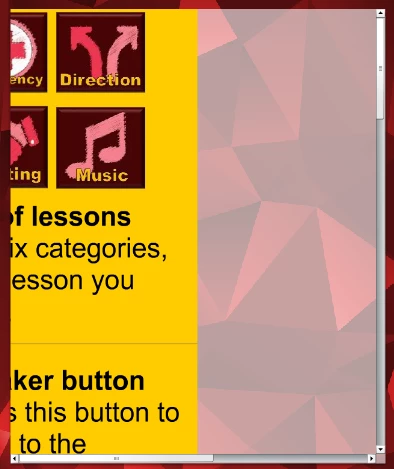

I have linked the content to the scrollpane with the following code.

sPane.source = quickGuideContent;

I use Adobe Flash CS5 and AIR for Android.

Anyone know how to fix this?

Thanks in advance.

This topic has been closed for replies.
Correct answer kglad

change quickGuideContent's reg point to the upper left corner.

or assign the sPane source to be an empty movieclip and use addChild to add the guide and then assign its x property to .5 * its width.

2 replies

February 2, 2016

Thank you very much. It really works 

kglad
Community Expert
Community Expert
February 2, 2016

you're welcome.

kglad
Community Expert
kgladCommunity ExpertCorrect answer
Community Expert
February 1, 2016

change quickGuideContent's reg point to the upper left corner.

or assign the sPane source to be an empty movieclip and use addChild to add the guide and then assign its x property to .5 * its width.