eugener2418576
Inspiring
September 17, 2018
Answered

Controlling multiple clicks

  • September 17, 2018
  • 2 replies
  • 480 views

Hi there,

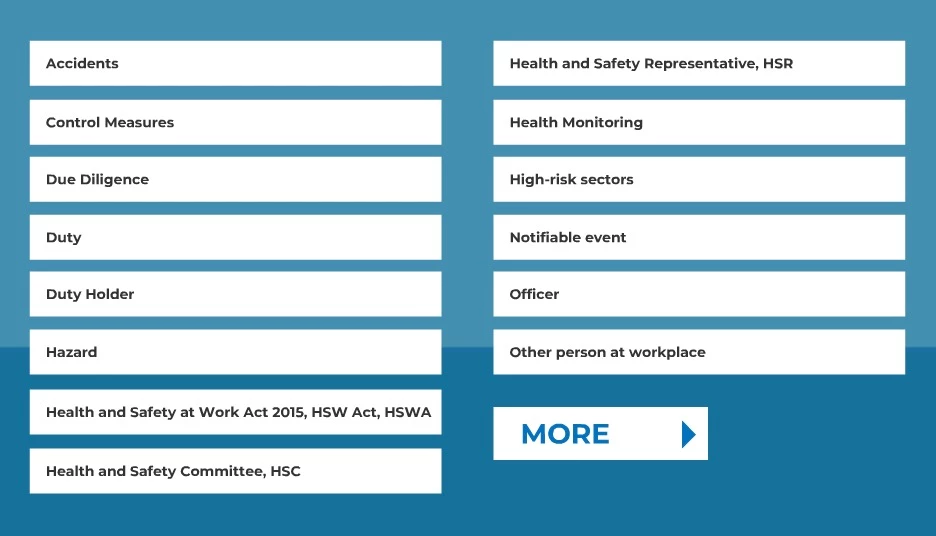
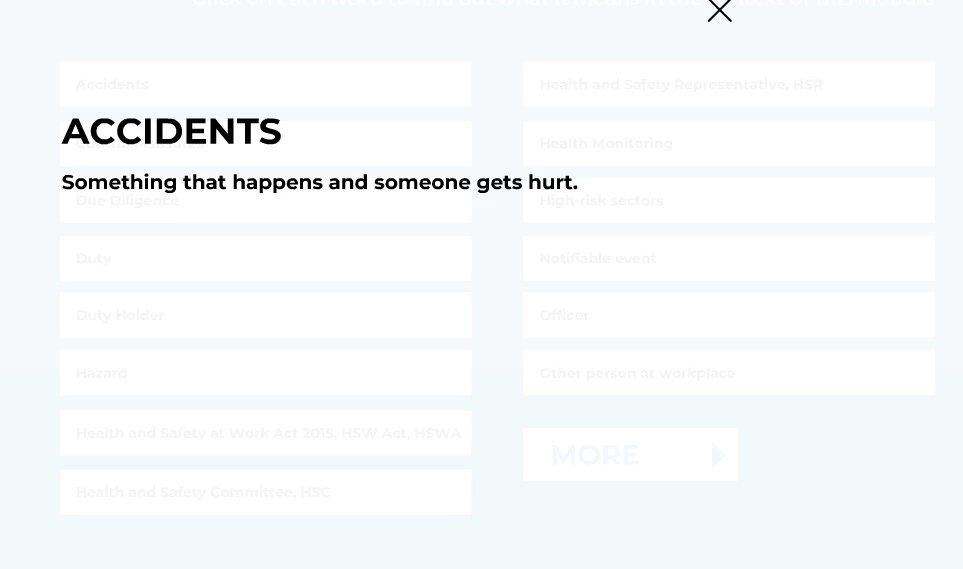
I can pretty easily make a button and then when the user clicks the button, it opens a new window with a description of that button.

But what if I had 30 buttons or more and I wanted to be able to open (and close) all 30 buttons at different times?

I'm wondering if there's a better way to do it than making my timeline an absolute mess - with some nice automated code possibly?

Here are my buttons.

Thanks in advance!

This topic has been closed for replies.
Correct answer JoãoCésar17023019

Sure.

Here is:

JavaScript code:

Main timeline code:

this.setButtons = function(container)

{

    container.on("click", function(e)

    {

          var buttonIndex = e.currentTarget.getChildIndex(e.target);

          exportRoot.popup.gotoAndStop(buttonIndex + 1 + container.children.length * exportRoot.buttons.currentFrame);

          exportRoot.popup.closeButton.on("click", exportRoot.dismissPopup);

          exportRoot.popup.rec.on("click", exportRoot.dismissPopup);

    });

}

this.dismissPopup = function(e)

{

    exportRoot.popup.gotoAndStop(0);

}

Popup code:

this.stop();

Buttons code (frame 0):

this.stop();

if (!this.moreButton.hasEventListener("click"))

    this.moreButton.on("click", function(e){this.gotoAndStop(this.currentFrame + 1);}, this);

exportRoot.setButtons(this.buttonsGrid);

Buttons code (frame 1):

if (!this.backButton.hasEventListener("click"))

    this.backButton.on("click", function(e){this.gotoAndStop(this.currentFrame - 1);}, this);

exportRoot.setButtons(this.buttonsGrid1);

FLA download:

animate_cc_html5_buttons_and_popups.zip - Google Drive

Regards,

JC

2 replies

Legend
September 17, 2018

eugener2418576  wrote

But what if I had 30 buttons or more and I wanted to be able to open (and close) all 30 buttons at different times?

Are you saying you want users to be able to have all 30 buttons open at the same time?

eugener2418576
Inspiring
September 17, 2018

Hey Clay - sorry for the confusion.

So it should work like a 'normal' user interface should.

You click on the button and a description of that button appears. Then you click the 'X' button and it takes you back to the screen with the 30 buttons and the original button I clicked should be highlighted as clicked.

I hope that explains it better.

Cheers

JoãoCésar17023019
Community Expert
Community Expert
September 17, 2018

Hi.

It can easily be achieved if you put all buttons in a container and then add a single click listener to the container itself. Then you get the current clicked button using the target property.

And of course the general structure must favor the interactivity that we want to achieve.

I'll assume you're using AS3. If not, please let me know.

AS3 code:

Main timeline code:

import flash.display.DisplayObjectContainer;

import flash.events.MouseEvent;

import flash.display.DisplayObject;

function setButtons(container:DisplayObjectContainer):void

{

     container.addEventListener(MouseEvent.CLICK, function(e:MouseEvent):void

     {

          var buttonIndex:uint = (e.currentTarget as DisplayObjectContainer).getChildIndex(e.target as DisplayObject);

          popup.gotoAndStop(buttonIndex + 2 + (container.numChildren * (buttons.currentFrame - 1)));

          popup.closeButton.addEventListener(MouseEvent.CLICK, dismissPopup);

          popup.rec.addEventListener(MouseEvent.CLICK, dismissPopup);

     });

}

function dismissPopup(e:MouseEvent):void

{

     popup.gotoAndStop(1);

}

Popup code:

stop();

Buttons code (frame 1):

import flash.events.MouseEvent;

stop();

moreButton.addEventListener(MouseEvent.CLICK, function(e:MouseEvent):void{nextFrame();});

MovieClip(root).setButtons(buttonsGrid);

Buttons code (frame 2):

backButton.addEventListener(MouseEvent.CLICK, function(e:MouseEvent):void{prevFrame();});

MovieClip(root).setButtons(buttonsGrid1);

FLA download:

animate_cc_as3_buttons_and_popups.zip - Google Drive

I hope this helps.

Regards,

JC

eugener2418576
Inspiring
September 17, 2018

Hey JC,

Great! Using that target attribute again.

I'm using Html5 Canvas - could you draft up some code for that for me please?

I'll try it for myself in the mean time

Cheers!

JoãoCésar17023019
Community Expert
JoãoCésar17023019Community ExpertCorrect answer
Community Expert
September 18, 2018

Sure.

Here is:

JavaScript code:

Main timeline code:

this.setButtons = function(container)

{

    container.on("click", function(e)

    {

          var buttonIndex = e.currentTarget.getChildIndex(e.target);

          exportRoot.popup.gotoAndStop(buttonIndex + 1 + container.children.length * exportRoot.buttons.currentFrame);

          exportRoot.popup.closeButton.on("click", exportRoot.dismissPopup);

          exportRoot.popup.rec.on("click", exportRoot.dismissPopup);

    });

}

this.dismissPopup = function(e)

{

    exportRoot.popup.gotoAndStop(0);

}

Popup code:

this.stop();

Buttons code (frame 0):

this.stop();

if (!this.moreButton.hasEventListener("click"))

    this.moreButton.on("click", function(e){this.gotoAndStop(this.currentFrame + 1);}, this);

exportRoot.setButtons(this.buttonsGrid);

Buttons code (frame 1):

if (!this.backButton.hasEventListener("click"))

    this.backButton.on("click", function(e){this.gotoAndStop(this.currentFrame - 1);}, this);

exportRoot.setButtons(this.buttonsGrid1);

FLA download:

animate_cc_html5_buttons_and_popups.zip - Google Drive

Regards,

JC