SpookyHollows
Participating Frequently
September 18, 2017
Answered

Copy movement tweens not working?

  • September 18, 2017
  • 1 reply
  • 416 views

Ok, I'm back here again. After an Animate CC update, I can't seem to use the movement tween method I normally would.
When making animated episodes, I like to put a black bar for subtitles, and keep it static while the animation and movements continue on, etc.

Before the update I would make my motion tween for my camera, and then copy the motion & paste it on my subtitles bar layer..which would work just fine.
But now it doesn't seem to work? o.O
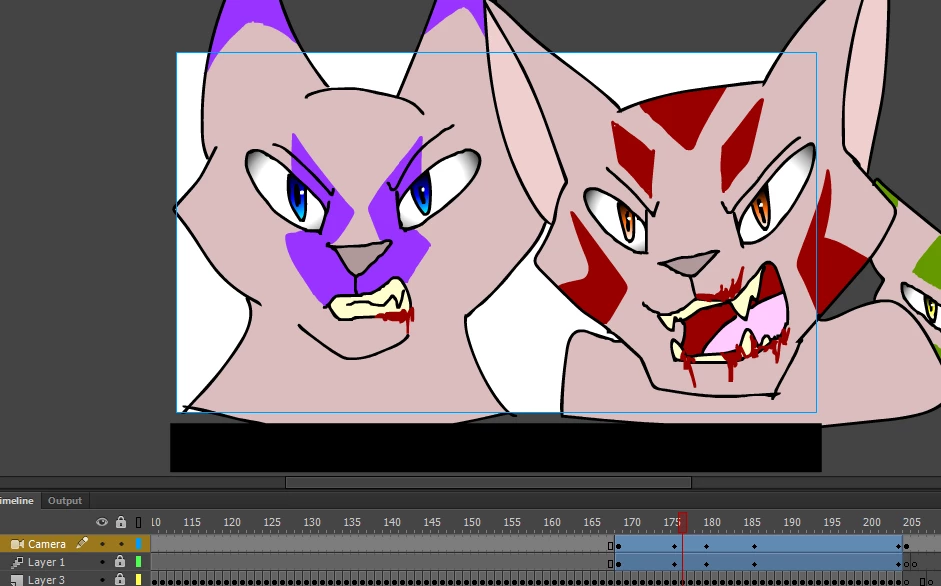
No idea what's going on, maybe the update broke it. But if someone knows how to fix this, that'd be awesome. Because no matter what I do, the bar always slides out of view. XD

(And if you tell me a method that has to do with coding or scripting...then instruct me on how to do it, because I am not good at that stuff)

    This topic has been closed for replies.
    Correct answer Colin Holgate

    The bar does move around a bit. Not as much as it would without doing the copy and paste motion.

    An upcoming version of Animate has a better solution, but I can't tell you about that! In fact, ignore this line.

    My earlier script solution also seems to not work, so you may need to way an unknown amount of time. Or message Mohan to see about being on the prerelease.  Mohanaraj

    1 reply

    Colin Holgate
    Colin HolgateCorrect answer
    Inspiring
    September 18, 2017

    The bar does move around a bit. Not as much as it would without doing the copy and paste motion.

    An upcoming version of Animate has a better solution, but I can't tell you about that! In fact, ignore this line.

    My earlier script solution also seems to not work, so you may need to way an unknown amount of time. Or message Mohan to see about being on the prerelease.  Mohanaraj