
corrupted file Adobe Animate
Hello!
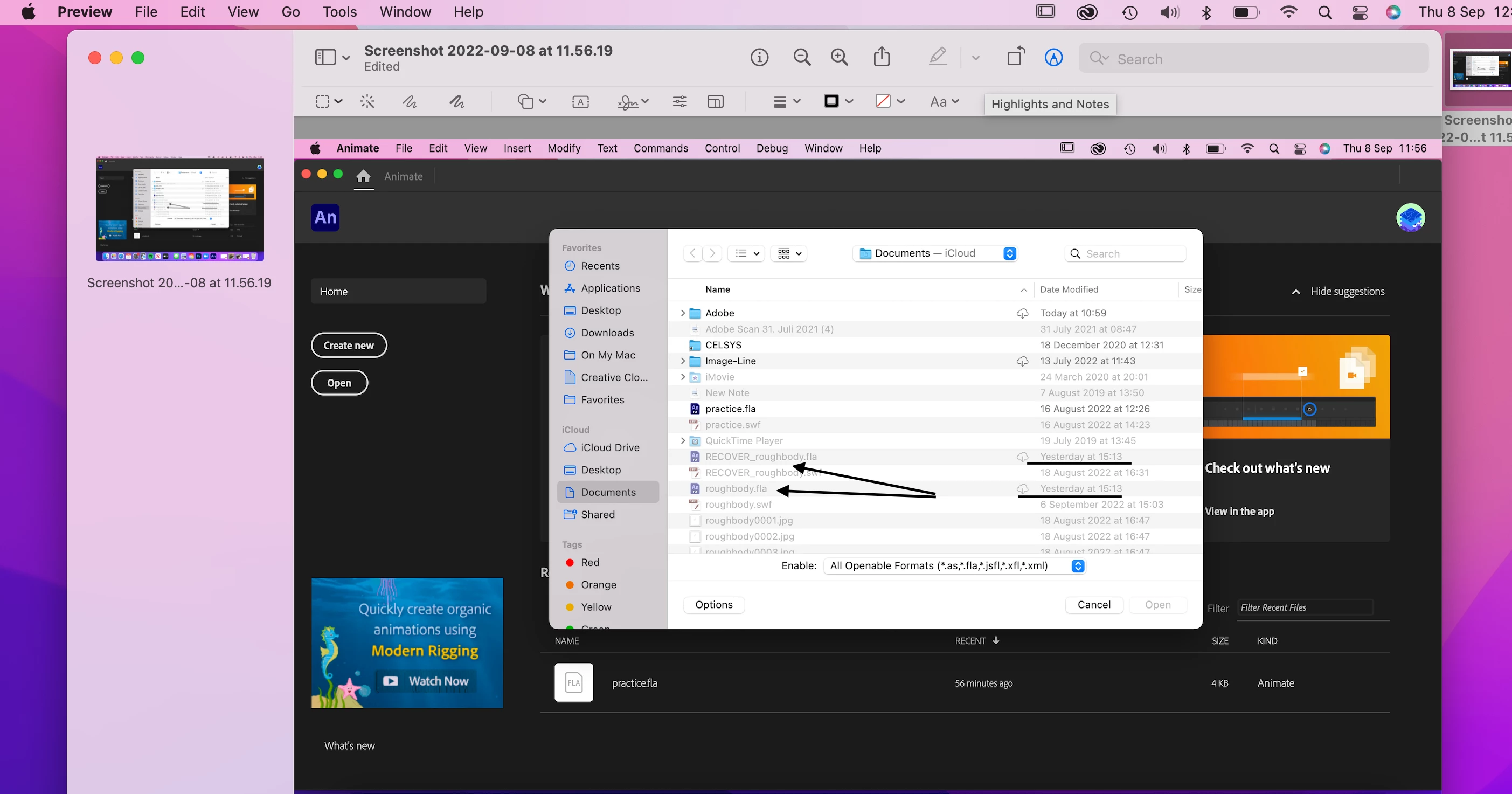
I have been working on an animation in adobe animate 2022. When I try to retrieve the file I click on my recents but the file that I have been working on was not there. To retrieve my file I clicked open but could not click into my file. A tab popped up informing me of a file corruption, sometimes this occurs, but all I have to do is restart the application but this time when I restarted Adobe animate I could not access the file I have been working on for so long.
The file is called roughbody.fla
I worked on it yesterday 15:13. I think there has been an attempt to recover this file that is why there is another file called RECOVER_roughbody.fla. I believe this is also my file. I hope this makes sense.
If anyone knows how to help me retrieve this file please do get in touch.
Thank you,
Bili


 AdChoices