
Answered
Create HTML5 file that doesn't link to external JS website https://code.createjs.com/createjs-2015.11.26.min.js
Thank you for looking into this.
My school Learning Managment System doesn't allow me to upload HTML5 file produced by Adobe Animate that contains link to external website such as https://code.createjs.com/createjs-2015.11.26.min.js
I've a solution to remove the link by editing the index.html and link it to a new file I created called "createjs-2015.11.26.min.js", which I saved from https://code.createjs.com/createjs-2015.11.26.min.js
Following is the details of how I did it
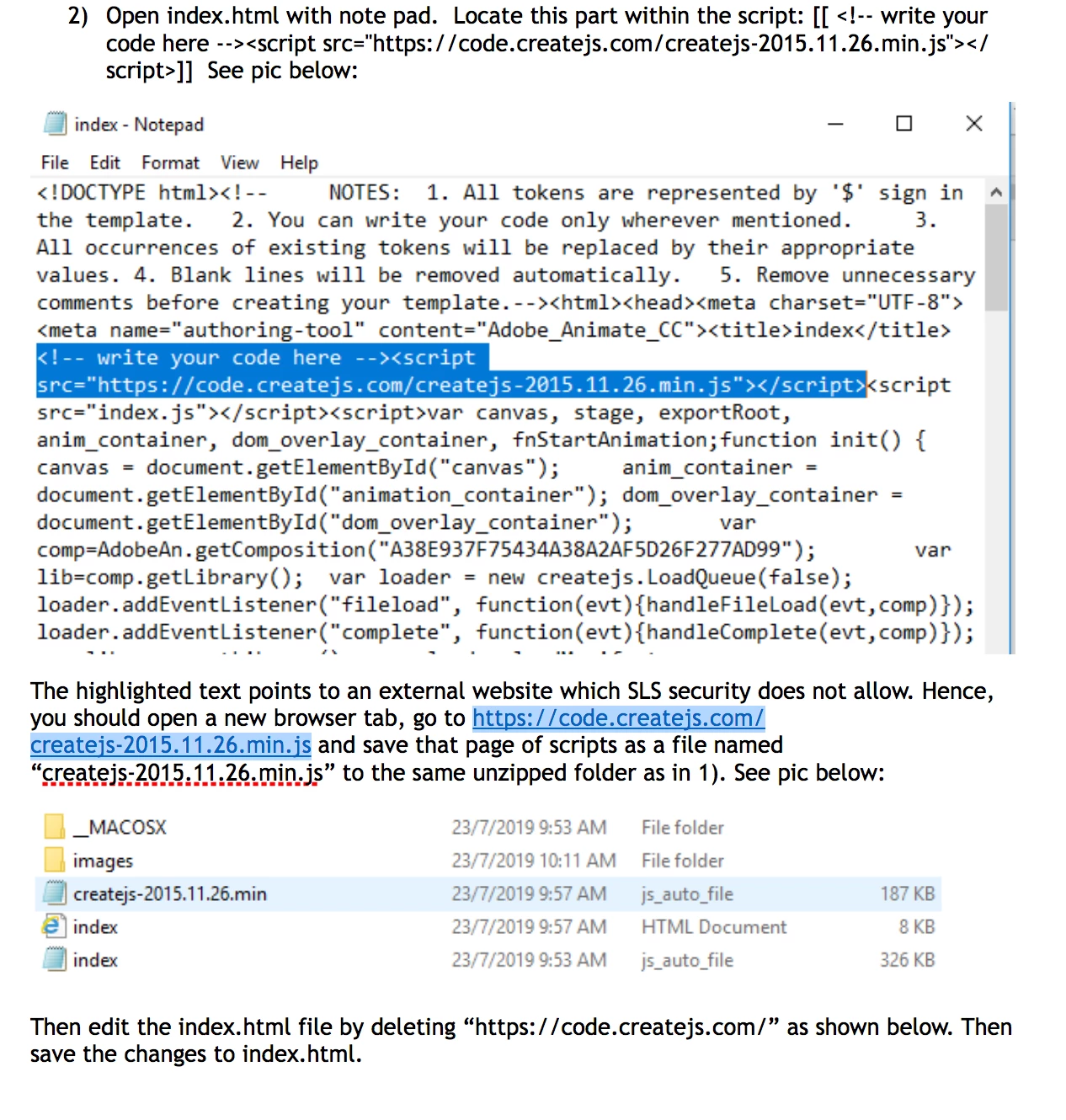
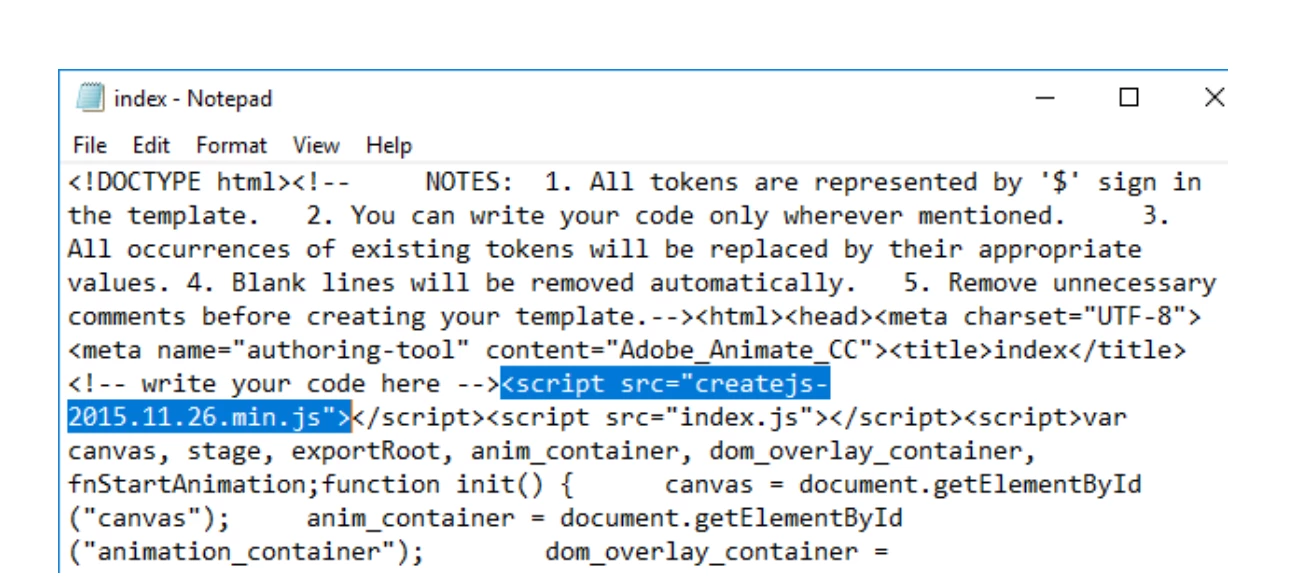
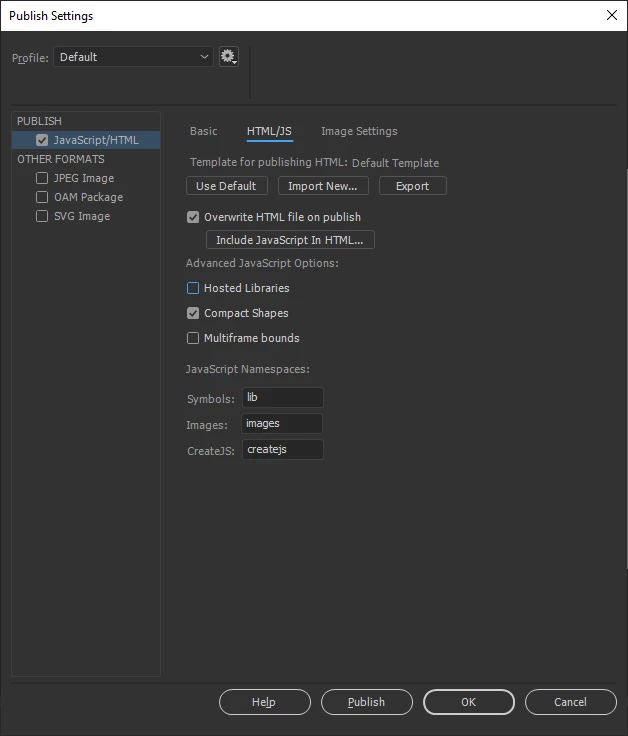
The above method works but my question is: Is there a way in Adobe Animate setting that I can ask Adobe Animate to produce the HTML5 file that doesn't link to external JS website like https://code.createjs.com/createjs-2015.11.26.min.js ?
Thank you


 AdChoices