
Participant
November 22, 2019
Answered

Creating mp4 from a Looping animate file won't loop

  • November 22, 2019
  • 2 replies
  • 3029 views

Hello!

I have an animate file that I've attached the following script to:

/* if (!this.looped) this.looped = 1;
if (this.looped++ == 10) this.stop();*/


It loops 10 times as a .swf, but I'm trying to get it to do the same as an MP4. Is that possible?

I've exported it into Media Encoder and it creates the mp4, but it only plays once. I've pulled the .swf into After Effects and exported it through Media Encoder and again, it just plays once.
 

This topic has been closed for replies.
Correct answer Colin Holgate

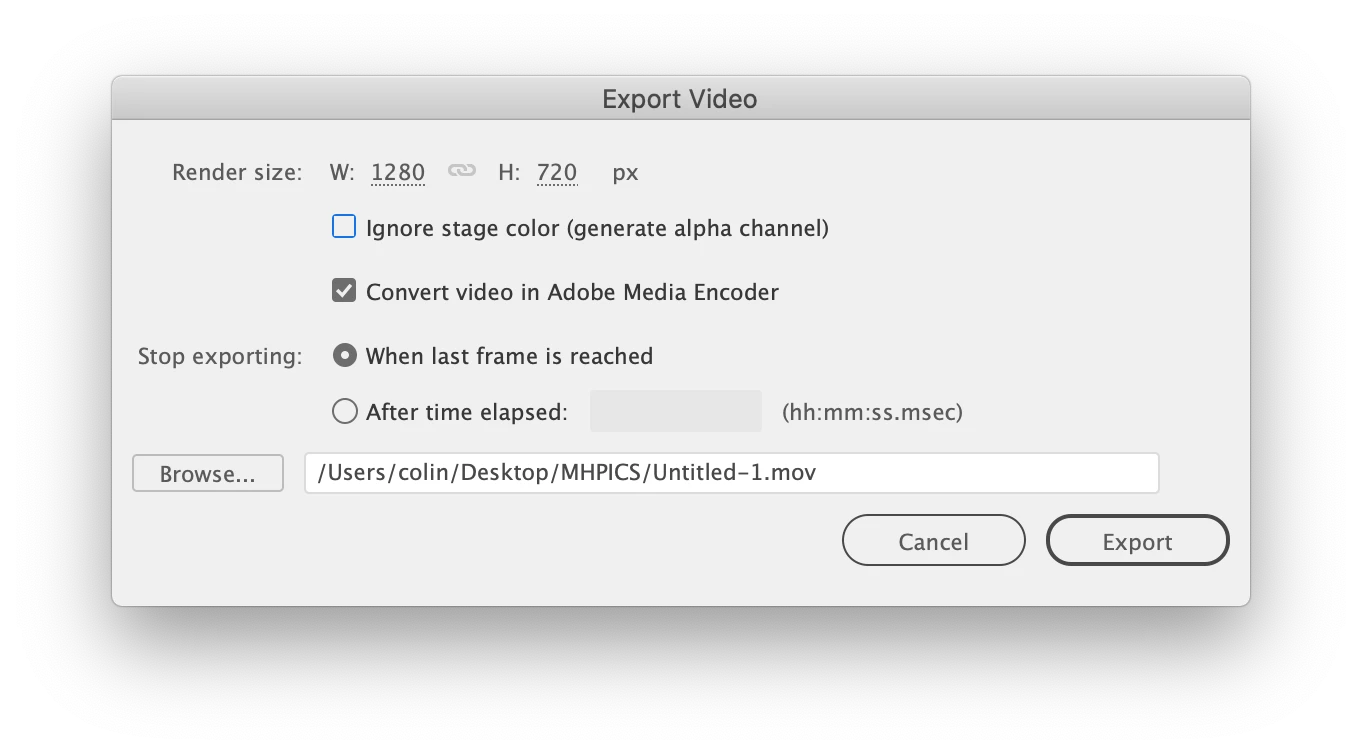
It looks like Animate 2020 dropped a feature. If you can install 2019 you can set the export to video to end after a certain time. That way if you have an animtion that is 5 seconds long that you want to loop 10 times, you just set the After time elapsed value to 50 seconds.


2 replies

Colin Holgate
Colin HolgateCorrect answer
Inspiring
November 22, 2019

It looks like Animate 2020 dropped a feature. If you can install 2019 you can set the export to video to end after a certain time. That way if you have an animtion that is 5 seconds long that you want to loop 10 times, you just set the After time elapsed value to 50 seconds.


Participant
November 24, 2019

What a shame. That is exactly what I was looking for, and of course! I upgraded to 2020 last week. Thank you for your help. I created a work around by pulling the animation into PP, repeating the clip 10 times and going from there. It's clumsy, but it works.


Thanks again for everybody's help with this. I really appreciate it.

Joseph Labrecque
Community Expert
Community Expert
November 22, 2019

That isn't how MP4 works - so not possible. 

Participant
November 22, 2019

OK. That makes sense. I just kinda hoped there was a work around. Thanks!


Inspiring
November 22, 2019

Easiest option is just to loop your SWF in After Effects, then render that out.