
Inspiring
March 11, 2022
Answered

Crosshairs/Reticle and Export Issues

  • March 11, 2022
  • 2 replies
  • 543 views

I'm seeing this weird reticle thing show up on my stage:

I'm pretty sure it's the reason why my exports are cutting off. 

It's all the way out here

And this is what my export preview looks like. 
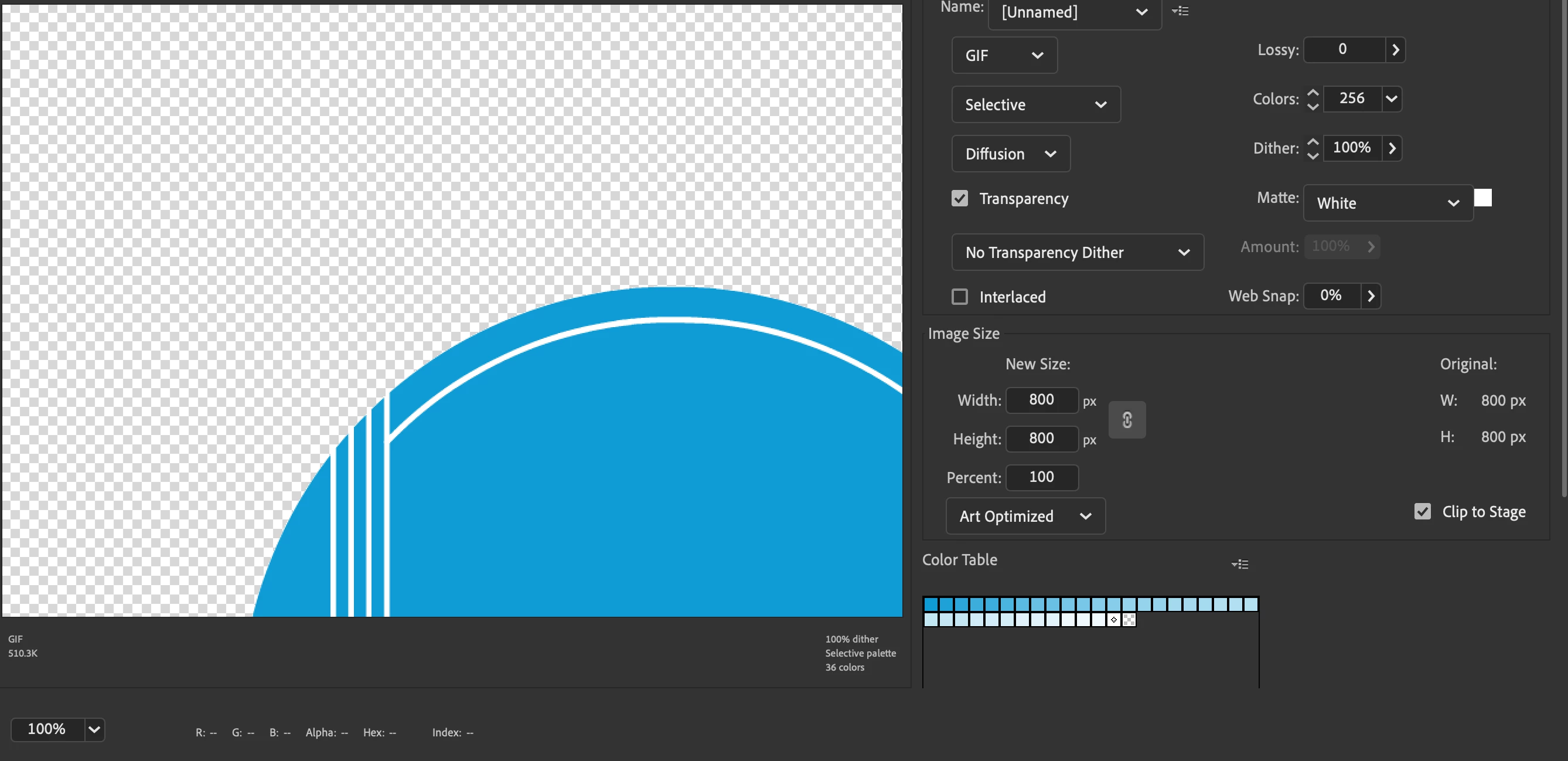
Any idea what that little mark is or what my issue is with the export?

    This topic has been closed for replies.
    Correct answer Alyssa5CFD

    Thanks to n.tilcheff for helping! Turns out the problem was that the element on the MAIN timeline was set as a movie element and not a graphic. Even though all the internal elements were graphics. 

    2 replies

    Alyssa5CFDAuthorCorrect answer
    Inspiring
    March 18, 2022

    Thanks to n.tilcheff for helping! Turns out the problem was that the element on the MAIN timeline was set as a movie element and not a graphic. Even though all the internal elements were graphics. 

    n. tilcheff
    Legend
    March 11, 2022

    The + mark is called the Registration Point and is the 0,0 point of the local coordinate system of a symbol.

    Run export from the main timeline and not from inside of the symbol.

    (Adjust stage dimensions and symbols size the way you want them.)


    You can find in-depth information about symbol registration here.


    Nick - Character Designer and Animator, Flash user since 1998 | Member of the Flanimate Power Tools team - extensions for character animation
    Inspiring
    March 11, 2022

    That fixes the export issue, but now none of my symbols move 😕😕 I unknowingly did all of my tweens and such within the clip group. 

    n. tilcheff
    Legend
    March 11, 2022

    Give that container enough frames to have the time to move on the main timeline.

    If it is a Movie Clip click on it and convert it to Graphic in Properties.

    This will make the internal timeline play and sync with the main timeline.


    Working inside a container is exactly how it should be done. Good practice tells us to not animate on the main timeline, so you have not made a mistake there.


    Is this your first time using Animate?


    Nick - Character Designer and Animator, Flash user since 1998 | Member of the Flanimate Power Tools team - extensions for character animation