CodeDeveloperOM
Inspiring
December 30, 2021
Answered

currentFrame ?? canvas html

  • December 30, 2021
  • 1 reply
  • 1184 views

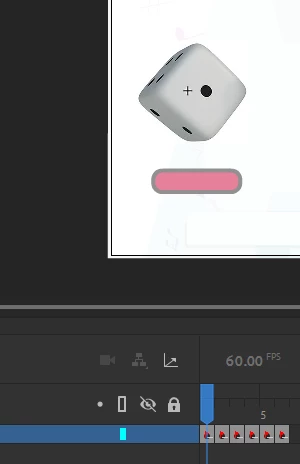
I have a movie clip "Dice"
It has 5 frames 

Command not executed "currentFrame "


fl_total(e);

function fl_total(e) {
if (this.Dice.currentFrame == 0) {
total = +1;
} else if (this.Dice.currentFrame == 1) {
total = +2;
} else if (this.Dice.currentFrame == 2) {
total = +2;
}

}


    This topic has been closed for replies.
    Correct answer JoãoCésar17023019

    @JoãoCésar17023019 


    Hi.


    Sorry for the delay and thanks for the file you sent to me.


    I'm not sure if this is what you want, but here is a possible solution:

    var root = this;
    var total = 0;
    
    function fl_d()
    {
    	this.Dice.play();
    	this.but.visible = true;
    	this.boy.gotoAndStop(0);
    }
    
    function fl_MouseClickHandler()
    {
    	this.Dice.stop();
    	this.but.visible = false;
    	total = this.Dice.currentFrame + 1;
    		
    	if (total == 1)
    	{
    		this.boy.targetFrame = 21;
    		this.boy.play();
    	}
    	else if (total == 2)
    	{
    		this.boy.targetFrame = 39;
    		this.boy.play();
    	}
    }
    
    function fl_tickHandler()
    {
    	if (this.boy.currentFrame === this.boy.targetFrame)
    		this.boy.stop();
    }
    
    this.stop();
    this.Dice.stop();
    this.but.visible = false;
    this.boy.stop();
    this.Dice.addEventListener("click", fl_d.bind(this));
    this.but.addEventListener("click", fl_MouseClickHandler.bind(this));
    createjs.Ticker.on("tick", fl_tickHandler, this);


    One of the reasons your code didn't work is that you were checking the boy's current frame on click only and you should be checking for it constantly.


    I hope this helps.


    Regards,

    JC

    1 reply

    JoãoCésar17023019
    Community Expert
    Community Expert
    December 30, 2021

    Hi.


    Is fl_total an event handler function?


    Anyway, log the value of the this keyword to the console to check if it really refers to the current timeline as you may expect.


    Regards,

    JC

    CodeDeveloperOM
    Inspiring
    January 2, 2022

    @JoãoCésar17023019 


    this.stop();
    var root = this;

    var total = 0;
    this.Dice.stop();
    this.but.visible = false;
    console.log(total);
    this.boy.stop();

    var frameNumber = this.currentFrame;

    this.Dice.addEventListener("click", fl_d.bind(this));
    function fl_d() {
    this.Dice.play();
    this.but.visible = true;
    }

    this.but.addEventListener("click", fl_MouseClickHandler.bind(this));
    function fl_MouseClickHandler() {
    this.Dice.stop();

    this.but.visible = false;
    total = total + this.Dice.currentFrame + 1;
    console.log(total);


    if (total == 1) {
    this.boy.play();

    if (this.boy.frameNumber == 21) { /////The stop (boy)is not executed ??
    this.boy.stop();
    console.log(this.boy.currentFrame);
    }


    } else if (total == 2) {
    this.boy.play();

    if (this.boy.frameNumber == 39) { ////The stop (boy)is not executed ??
    this.boy.stop();
    console.log(this.boy.currentFrame);
    }
    }
    }


    JoãoCésar17023019
    Community Expert
    Community Expert
    January 2, 2022

    You're checking for a property called frameNumber on the boy instance, but as far as I can tell you didn't add this property to boy.


    You should be checking for the currentFrame property instead.