


Kris Hunt
Legend
September 9, 2020
Question

Custom Ease graph cuts off

  • September 9, 2020
  • 2 replies
  • 709 views

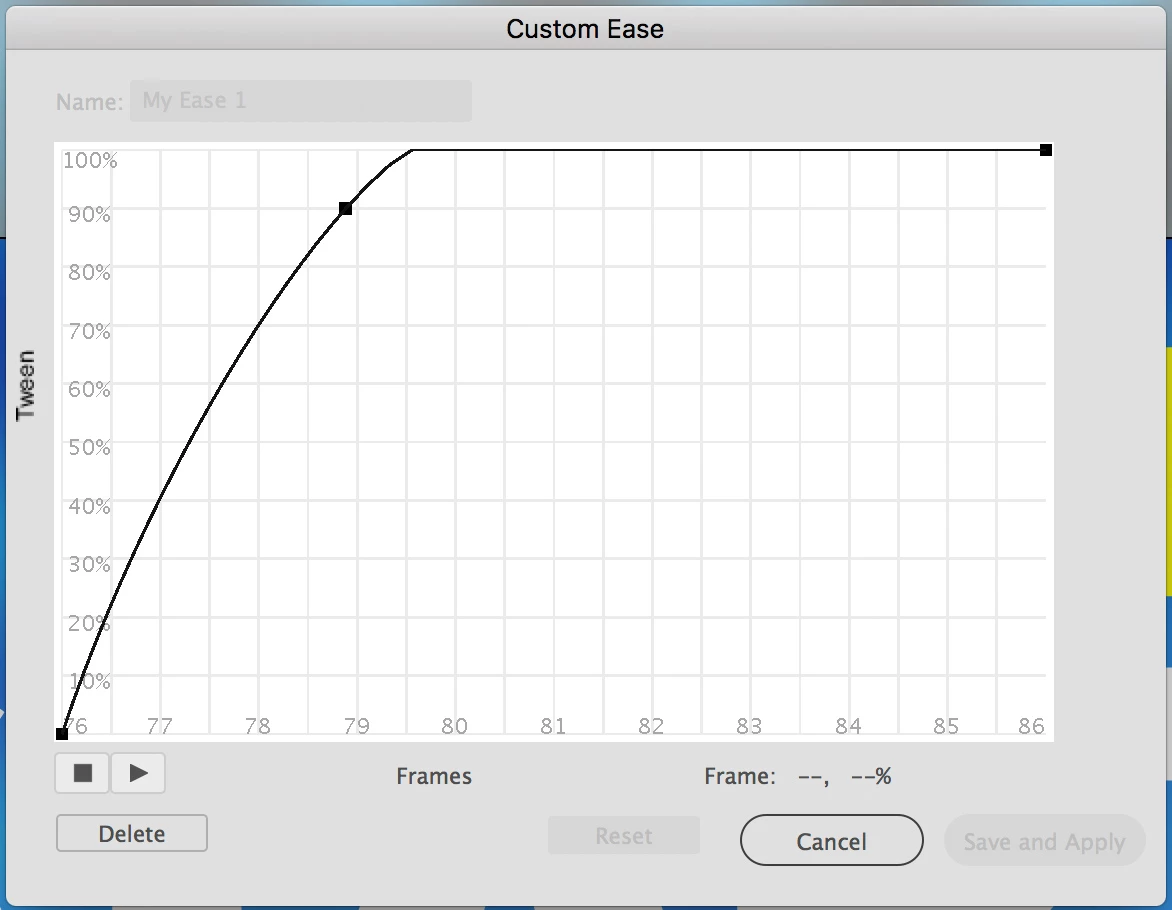
Is there any way to scale down or pan around the Custom Ease graph to see above the 100% mark? I'm using version 19.2.1.

    This topic has been closed for replies.

    2 replies

    n. tilcheff
    Legend
    September 9, 2020

    Hi Kris,


    No, you can't go beyond 100%. To overshoot you need an extra key.


    Nick - Character Designer and Animator, Flash user since 1998 | Member of the Flanimate Power Tools team - extensions for character animation
    Kris Hunt
    Kris HuntAuthor
    Legend
    September 9, 2020

    No, you can easily go over 100% in the Custom Easing dialog; the graph just won't let you see it.

    n. tilcheff
    Legend
    September 10, 2020

    Ah, yeah, you're right!

    I can see they've changed the behaviour compared to CS versions, but it's just another clumsy implementation of which there are too many.

    (Won't be surprised if it's a bug and not a feature :))


    Nick - Character Designer and Animator, Flash user since 1998 | Member of the Flanimate Power Tools team - extensions for character animation
    kglad
    Community Expert
    Community Expert
    September 9, 2020

    i'm not sure that would make sense because that's the percent of the tween you're applying to some property.


    p.s.  you're one major version below the latest animate version (20.5.1) and the tween panel has been incorporated into the timeline,


    Kris Hunt
    Kris HuntAuthor
    Legend
    September 9, 2020

    It would make sense, because that is how the "back" easing option works. It goes beyond 100% and then back.

    kglad
    Community Expert
    Community Expert
    September 9, 2020

    i don't think the graph you posted is showing an x or y property like the graph i posted.