
Participating Frequently
February 3, 2020
Answered

Custom Ease - Independant Curve Handles?

  • February 3, 2020
  • 1 reply
  • 429 views

I'm trying to move the handles on curves in the Custom Ease window independantly of each other.

Whenever I change the angle of one, the other moves/opposes it. I want one handle to stay still while I move its sibling around.
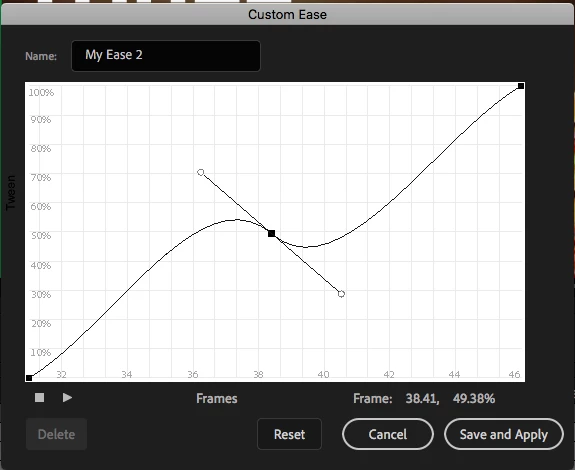


What I WANT to do is move the handles seperately, much like what's seen in the preset, 'Ease-Out Bounce' (See below). How do I move the bezier handles independently? I'm trying holding every option key out there, right clicking, middle clicking, nothing seems to allow me to move handles independently.
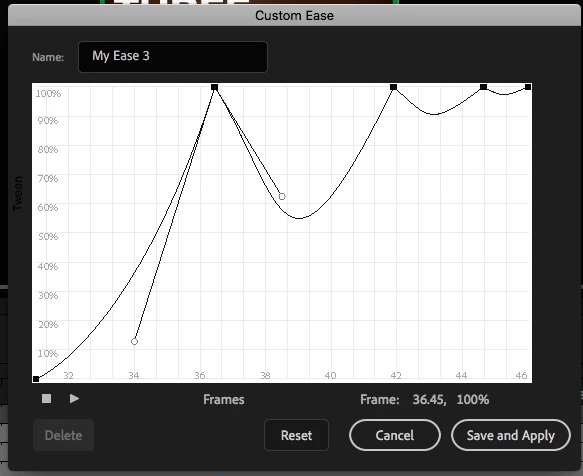
 

Any and all help is appreciated. Other Adobe Products allow you to edit anchor point handles independently on by holding a key (option, command, etc), so I'm a bit stumped here.
This topic has been closed for replies.
Correct answer n. tilcheff

Hi mate,


I couldn't do it either.


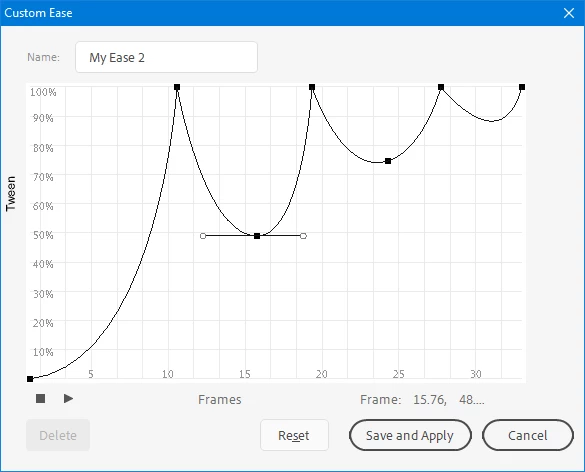
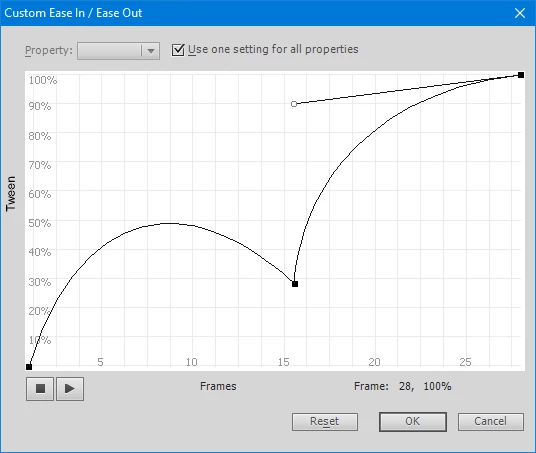
To achieve a similar effect, however, you can make some of the points 'lose' their bezier handles by dragging the handles toward (and over) the point; then control the curves with extra points.


Here are two examples:


and this one is from CS6


Hope this helps!


1 reply

n. tilcheff
n. tilcheffCorrect answer
Legend
February 3, 2020

Hi mate,


I couldn't do it either.


To achieve a similar effect, however, you can make some of the points 'lose' their bezier handles by dragging the handles toward (and over) the point; then control the curves with extra points.


Here are two examples:


and this one is from CS6


Hope this helps!


Nick - Character Designer and Animator, Flash user since 1998 | Member of the Flanimate Power Tools team - extensions for character animation
Participating Frequently
February 11, 2020

That works! Thanks for your help!