
Participant
October 31, 2018
Answered

Debug Class - 5000 error

  • October 31, 2018
  • 1 reply
  • 1295 views

Hello guys.

Let's start off by saying that I am a beginner.

I am working on a ActionScript3 animation and I want to make an animated HTML that is clickable.

I add my button and in the preview I can see everything but when I am trying to test in on the browser, the button dissappears.

Plus I get a 5000 error saying:

"C:\Program Files\Adobe\Adobe Animate CC 2019\Common\Configuration\Camera\Flash\privatePkg\___LayerProp___.as, Line 1, Column 1 5000: The class 'privatePkg.___LayerProp___' must subclass 'flash.display.MovieClip' since it is linked to a library symbol of that type.
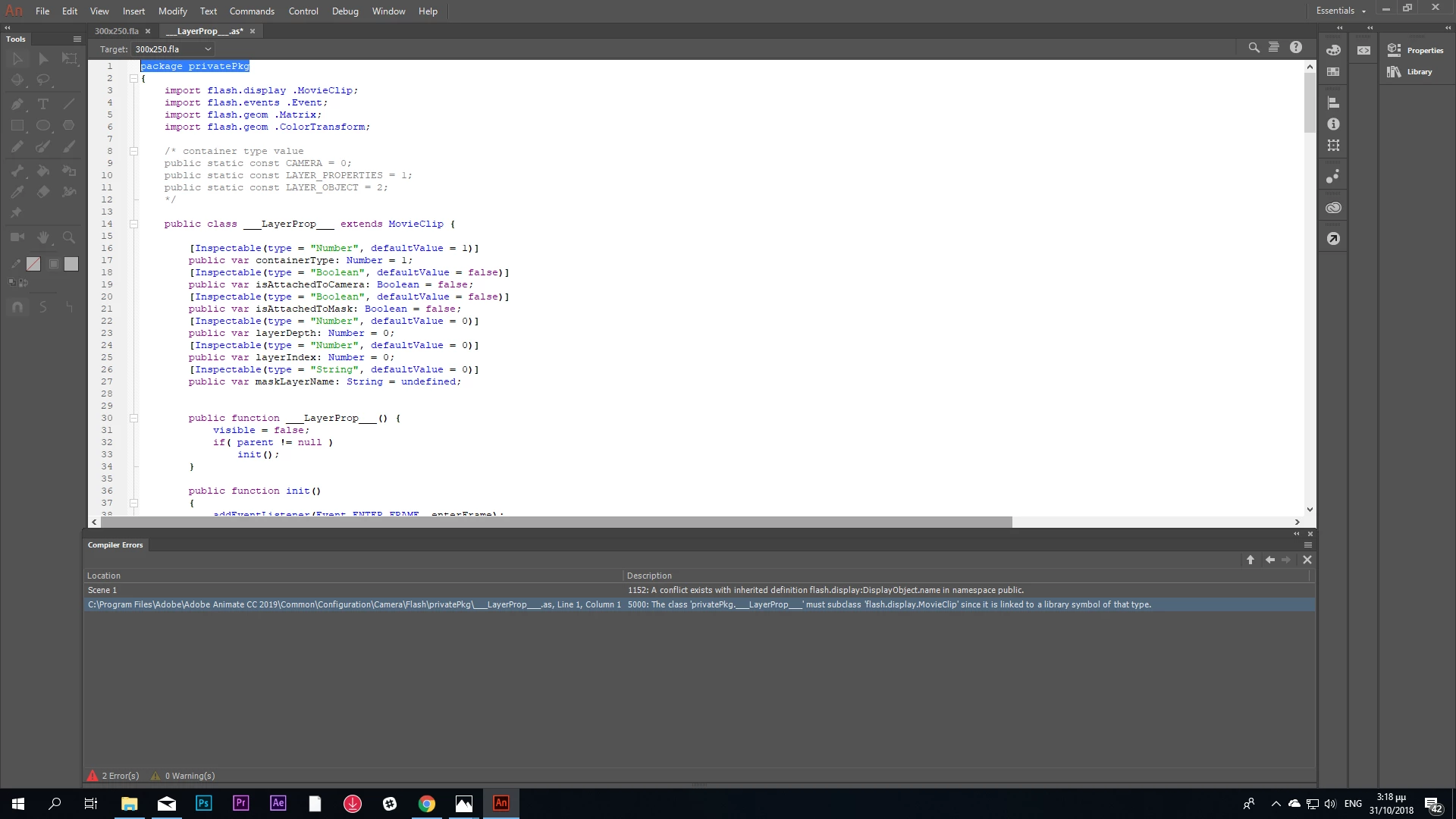
Any help?

This topic has been closed for replies.
Correct answer JoãoCésar17023019

Are you using the 2019 version?

If so, try going to the document settings (Ctrl/Cmd + J) and unchecking "Use Advanced Layers".

Anyway, if your intended output is the web, I strongly suggest to you to use a HTML5 Canvas document instead.

Regards,

JC

1 reply

JoãoCésar17023019
Community Expert
JoãoCésar17023019Community ExpertCorrect answer
Community Expert
October 31, 2018

Are you using the 2019 version?

If so, try going to the document settings (Ctrl/Cmd + J) and unchecking "Use Advanced Layers".

Anyway, if your intended output is the web, I strongly suggest to you to use a HTML5 Canvas document instead.

Regards,

JC