
CHILL BEAN
Participating Frequently
November 11, 2022
Question

displaying adobe animate on a graphics tablet

  • November 11, 2022
  • 2 replies
  • 909 views

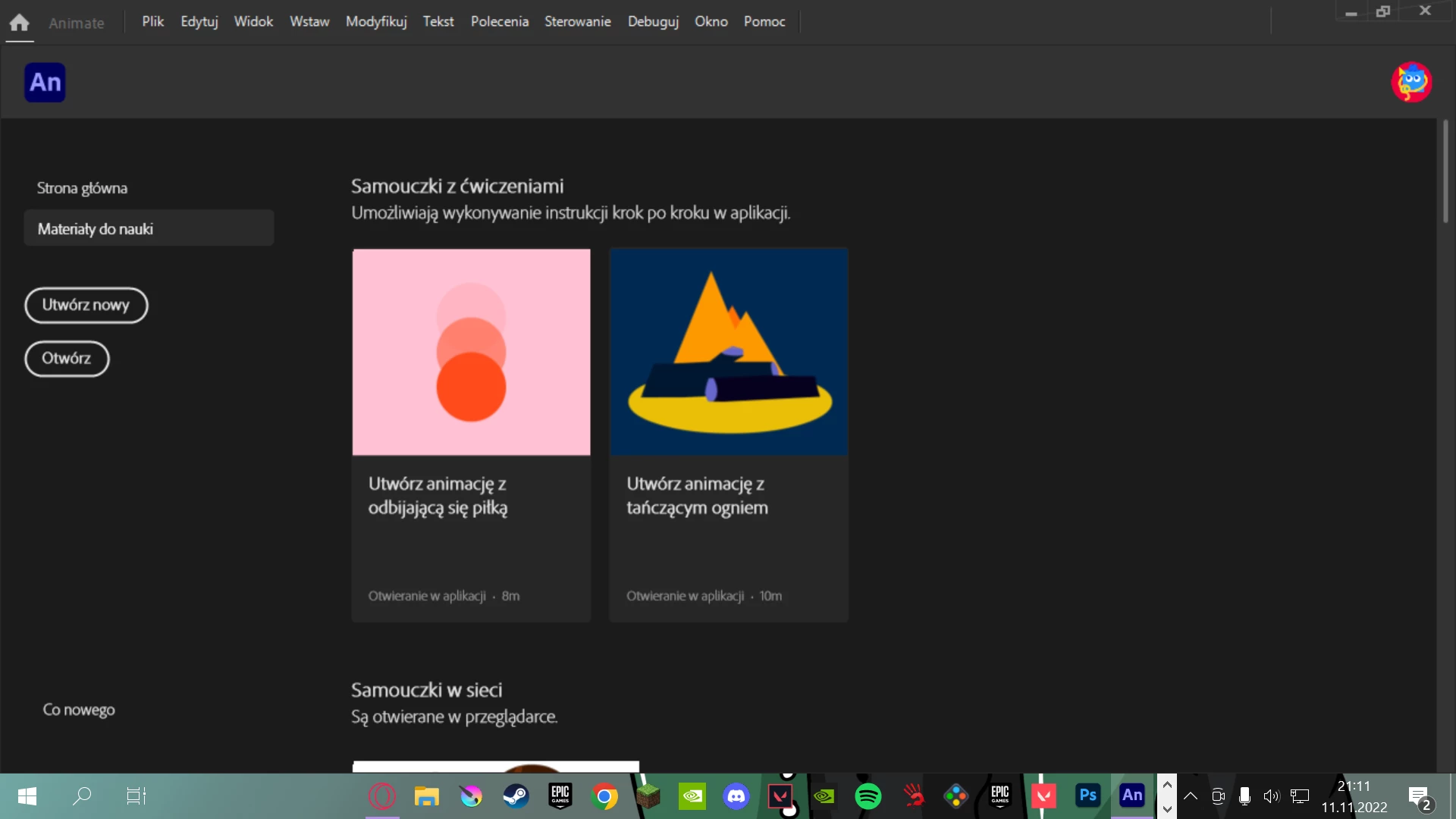
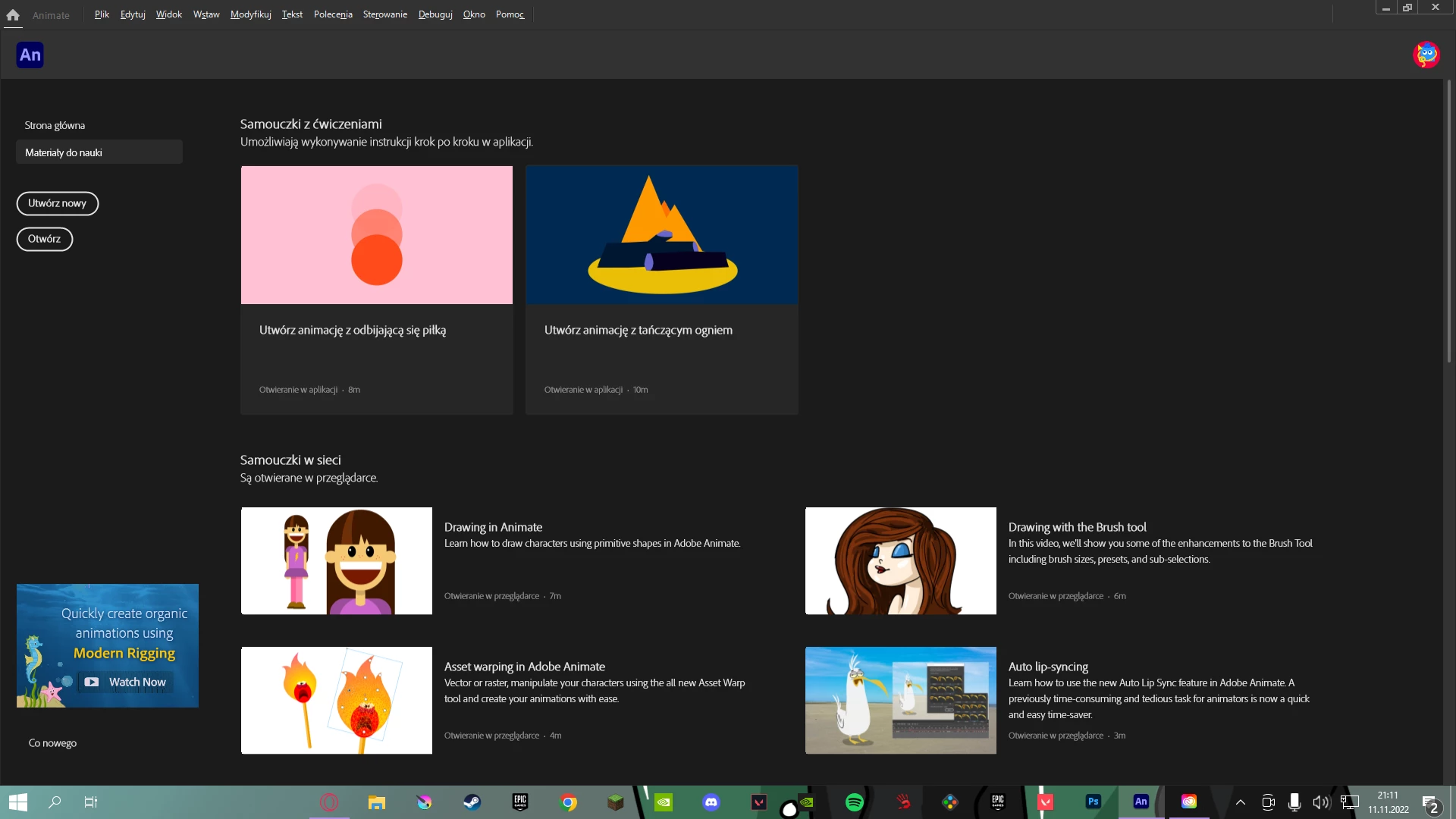
I have a problem with adobe animate, so when I try to transfer the program window to my screen graphic tablet, the program starts to display pixelated as you can see in the first photo, it displays normally on my main moinitor, I will add that I had no such problem with adobe photoshop. Can it be fixed somehow?
    This topic has been closed for replies.

    2 replies

    _keyframer
    Community Expert
    Community Expert
    November 11, 2022

    What kind of pen display do you have and what is the resolution of it?

    Animator and content creator for Animate CC
    CHILL BEAN
    Participating Frequently
    November 11, 2022

    i dont know i can show you my display tablet graphic settings if this is waht you mean

    Mario_CR
    Community Expert
    Community Expert
    November 12, 2022

    Open display settings on Windows. You should see the resolution of each of your monitors under Scale and Layout (XP-Pen tablet and main monitor)

    Keep Scale for both at 100%.

    If possible, increase the display resolution, ideally both should have the same size.


    If this doesn't work, look for Animate's application folder, right click->properties->compatibility-> and disable display scaling on high DPI settings


    kglad
    Community Expert
    Community Expert
    November 11, 2022

    what do you mean by transferring...?

    CHILL BEAN
    Participating Frequently
    November 11, 2022
    just drag window of aplication from the main monitor to the other (tablet)
    kglad
    Community Expert
    Community Expert
    November 11, 2022

    what?