Inspiring
July 21, 2019
Answered

Error when frames copied and pasted in animate CC

  • July 21, 2019
  • 1 reply
  • 709 views

Hello.

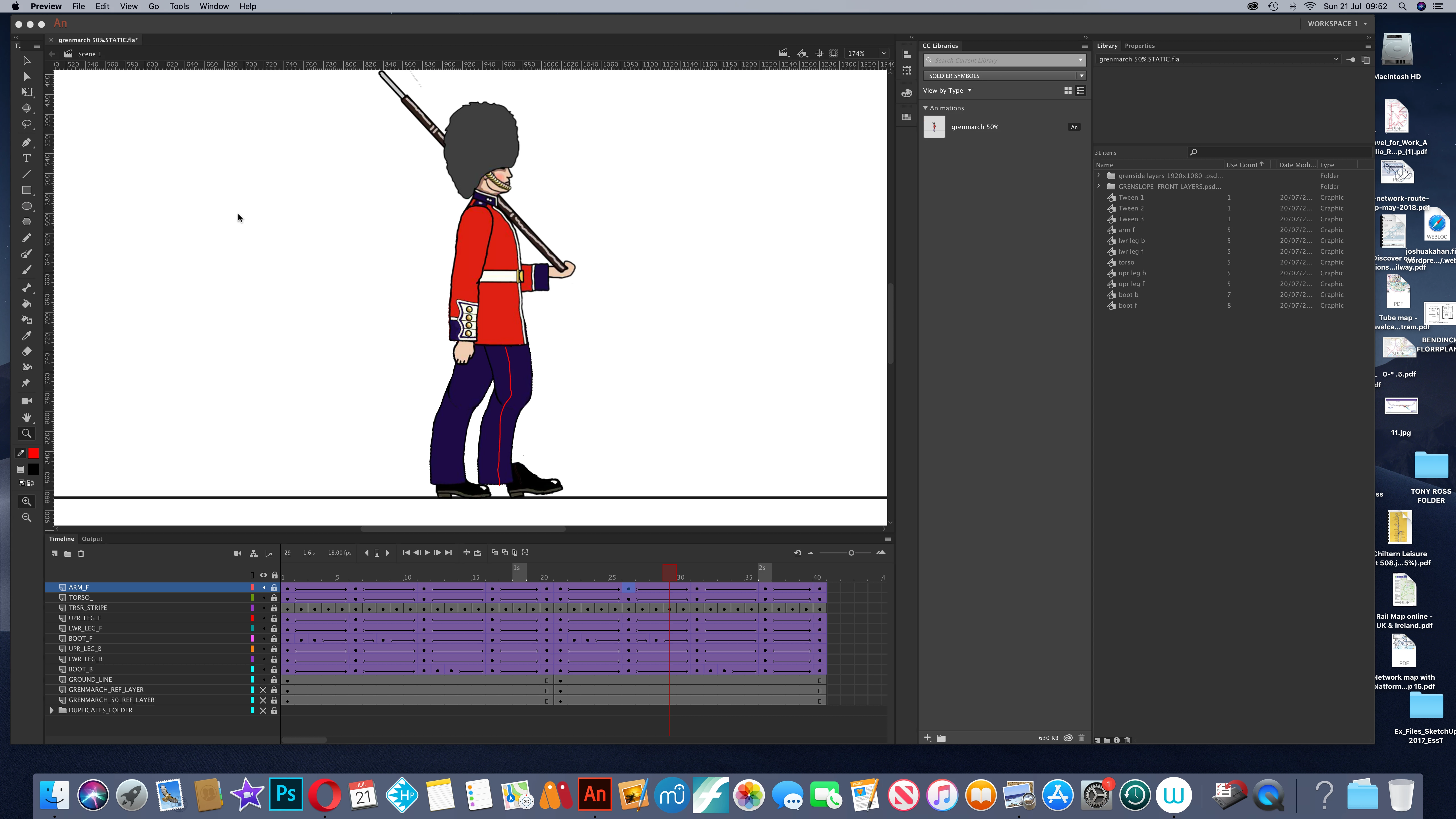
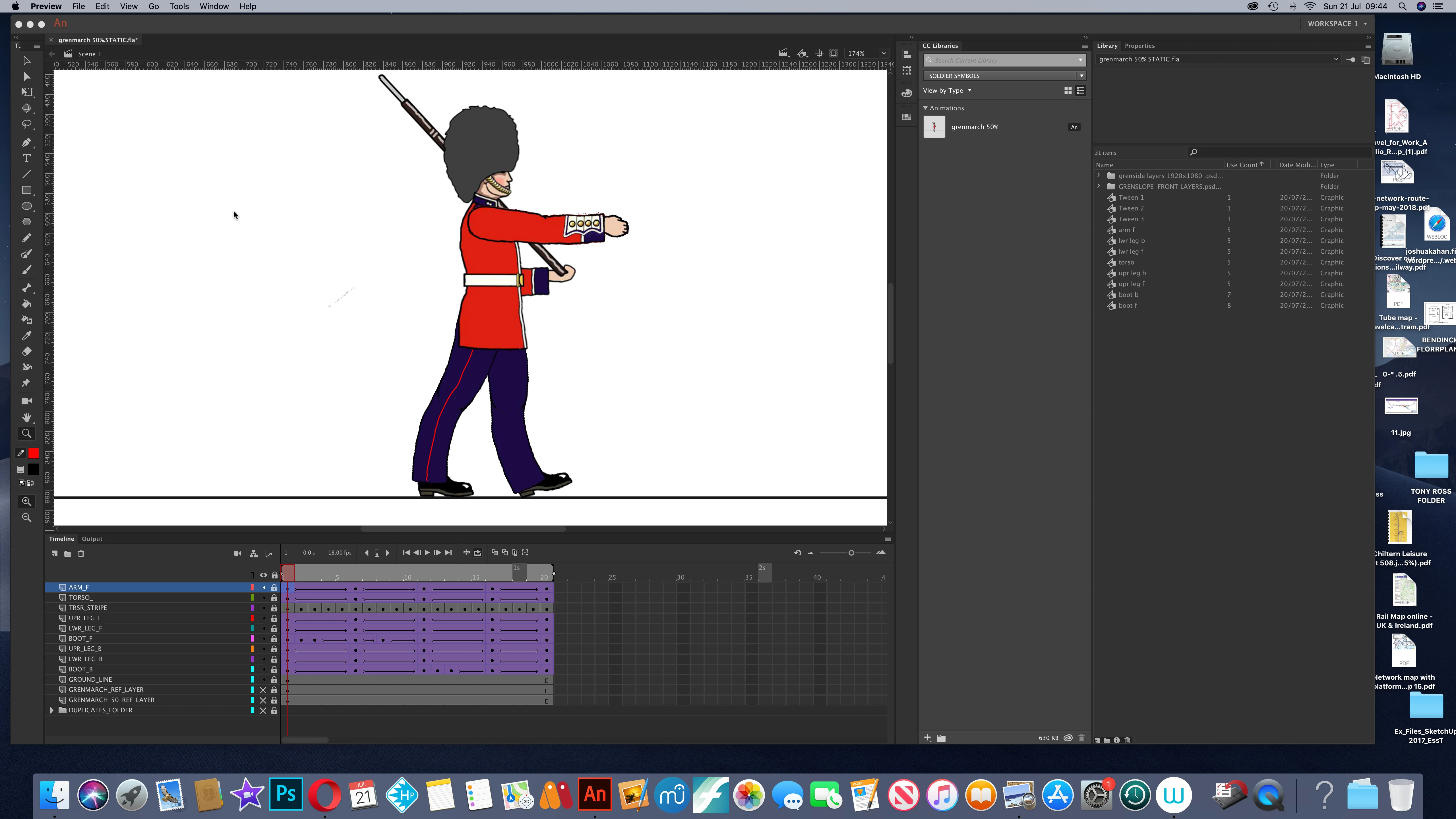
When I copy and paste the frames in a 20 frame walk cycle an error appears at frames 27 to 30 in the copied/pasted frames, where the foot becomes disconnected from the lower front leg. I don't understand why this is happening, because everything seems  fine in the original 20 frames. Does anyone have any advice? I have attached two screen shots. screenshot 1 shows the original walk cycle, which seems to work fine. screenshot 2 shows the front foot becoming disconnected between frames 27 to 30, after I have copied and pasted frames 1 to 20.

Thanks for any advice.
This topic has been closed for replies.
Correct answer n. tilcheff

Hi mate,

I can't tell by looking at the screen grabs.

Maybe you can try instead of copying/pasting those frames to select the block and Alt-drag. Maybe that will work.

I can also see 3 Tween symbols in your Library. This can be a sign of problems. Impossible to know from just looking.

Hope this helps

1 reply

n. tilcheff
n. tilcheffCorrect answer
Legend
July 21, 2019

Hi mate,

I can't tell by looking at the screen grabs.

Maybe you can try instead of copying/pasting those frames to select the block and Alt-drag. Maybe that will work.

I can also see 3 Tween symbols in your Library. This can be a sign of problems. Impossible to know from just looking.

Hope this helps

Nick - Character Designer and Animator, Flash user since 1998 | Member of the Flanimate Power Tools team - extensions for character animation