Participating Frequently
November 12, 2020
Answered

Exit this timeline layer view?

  • November 12, 2020
  • 2 replies
  • 718 views

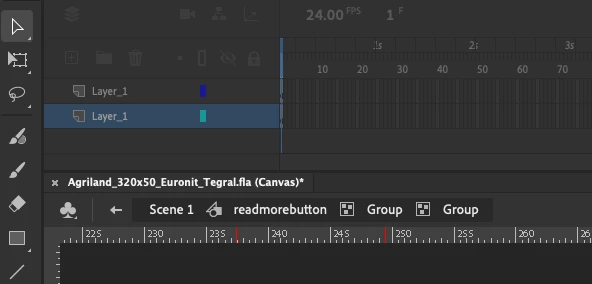
This might seem crazy to someone more familiar, but a my timeline view has somehow become this single frame layer (right at the point where I'm almost finished and just want to tweak the animation).


From a UX point of view it's bizarre as there is no clue how to escape from this back to the complete timeline (with multiple layers). 


Any help greatly appreciated!


Note to adobe if you're watching the forum, this is a design fail. To enter a view or state without an obvious way to go back where tyou came from. 
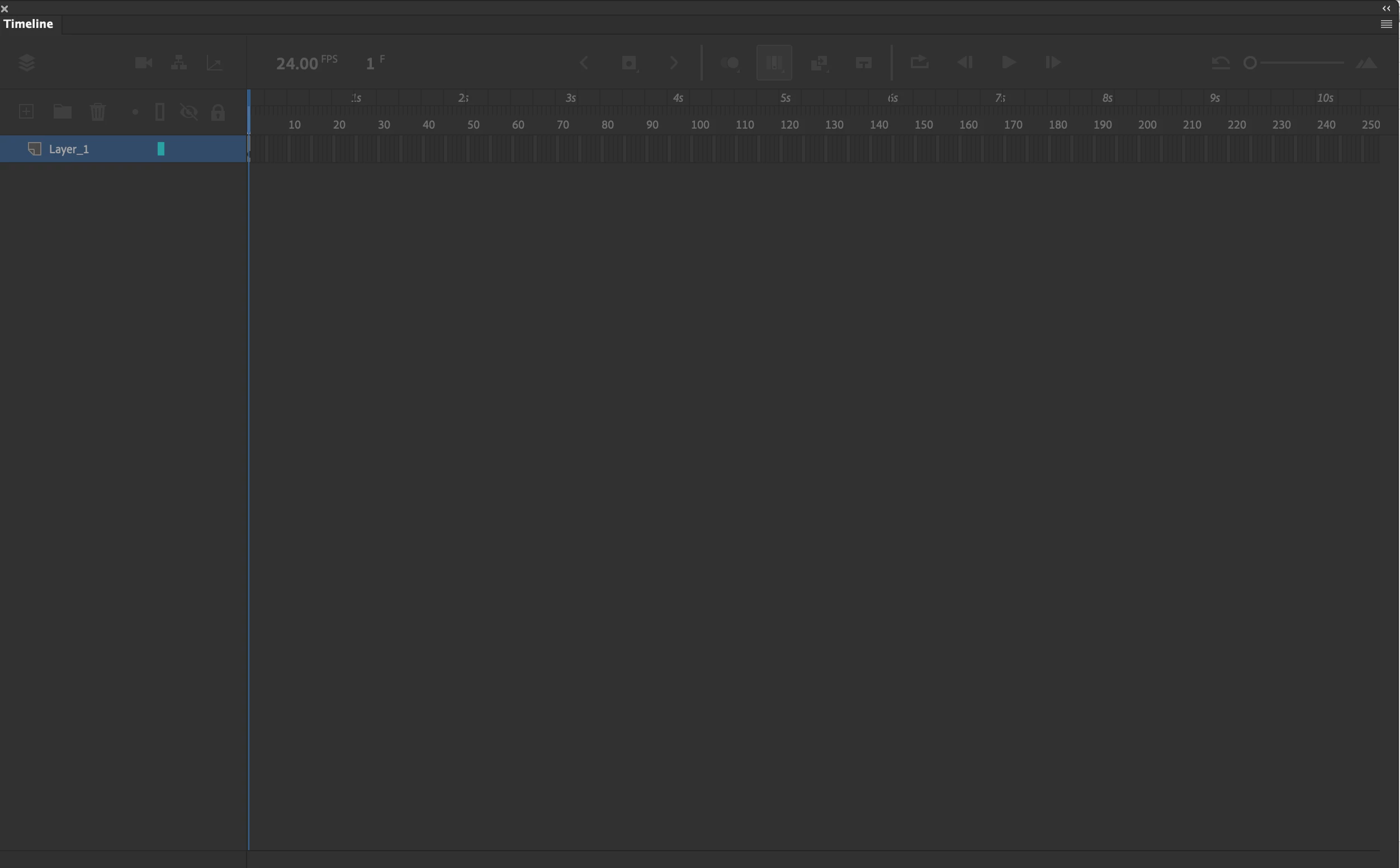


https://share.getcloudapp.com/v1uxwnxl

This topic has been closed for replies.
Correct answer n. tilcheff

Look at your nav bar, mate!


You are two levels deep inside groups.

Click on 'readmorebutton' to exit.


2 replies

Legend
November 12, 2020

Looks like you're in the new questionably useful single-layer view mode.

https://helpx.adobe.com/animate/using/timeline.html#Modern-timeline


Gar88Author
Participating Frequently
November 12, 2020

Thank you, yes it is like the single-layer. But with only a single instance - with no timings (some kind of purgatory). And the icon for layers greyed out. Escape doesn't work, the only thing that does is to quit and reopen. Frustrating. Not sure how I got in to it. perhaps an accidental double click on an element on the canvas.


Many thanks

n. tilcheff
n. tilcheffCorrect answer
Legend
November 12, 2020

Look at your nav bar, mate!


You are two levels deep inside groups.

Click on 'readmorebutton' to exit.


Nick - Character Designer and Animator, Flash user since 1998 | Member of the Flanimate Power Tools team - extensions for character animation
kglad
Community Expert
Community Expert
November 12, 2020

it's not clear what you're showing.  ie, is that a complete screenshot of your entire monitor? 


if so, click escape.

if no, embed a screenshot showing the full screen of your monitor.