
Answered
Export animation as SVG sequence
Is there any way how to achieve that? Is it possible this feature would be added sometime in the future?
it would really be useful as exporting every frame manually would take ages.
Thanks.

Is there any way how to achieve that? Is it possible this feature would be added sometime in the future?
it would really be useful as exporting every frame manually would take ages.
Thanks.
Complete
Copy files after decompression
Put it on the bottom of the table of contents.
C:\Users\you name\AppData\Local\Adobe\Animate CC 2018\zh_CN\Configuration\WindowSWF
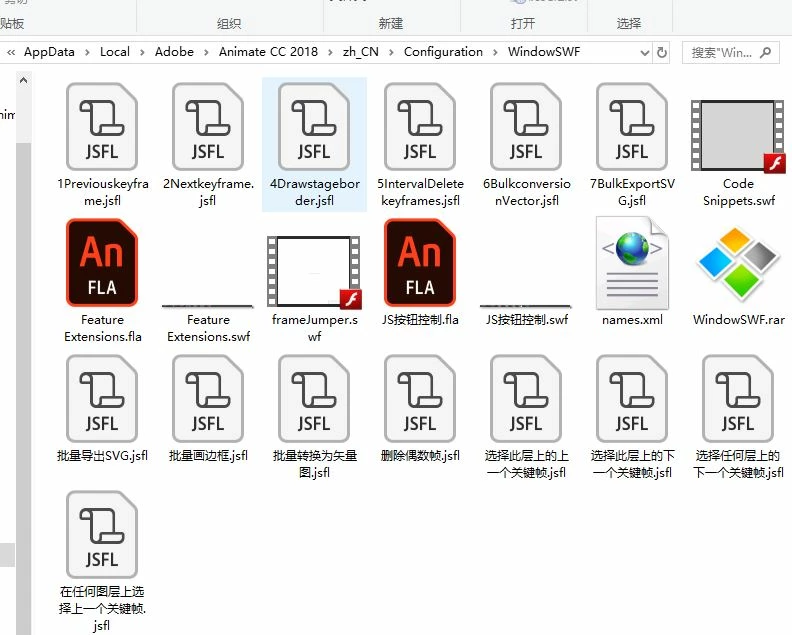
And then open ANCC.
After replication, you can find "Feature Extensions" in "Windows"-"extension"
Select it, then click on the button to perform the action.
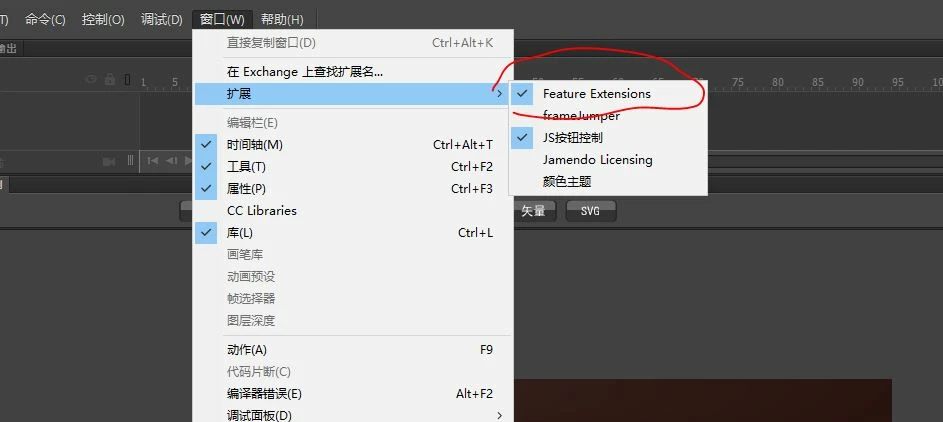
The displayed window can be dragged or docked to any location

P Jump to top 1 keyframes
n Jump to the next 1 keyframes
F7 Insert key frame
border Draw a stage border for all frames
Reduce Interval 1 frame deletion, reduced animation timeline(Because the timeline can be elongated but not reduced, so do this)
Vector Converts a bitmap on each frame to a vector graph(Useful when importing animation sequence pictures)
SVG Bulk Export SVG.(Go to "Publish Settings" and select "Publish SVG",And then use this command.)
Because my English is not good, so the English on the button doesn't know the right
You can open the FLA(Feature Extensions.FLA)Modify text on a button
has been uploaded to the Google network, please download
Already have an account? Login
No account yet? Create an account
Enter your E-mail address. We'll send you an e-mail with instructions to reset your password.


 AdChoices