


Participant
December 19, 2017
Answered

Export GIF Transparency and Matte

  • December 19, 2017
  • 1 reply
  • 3116 views

Hi,

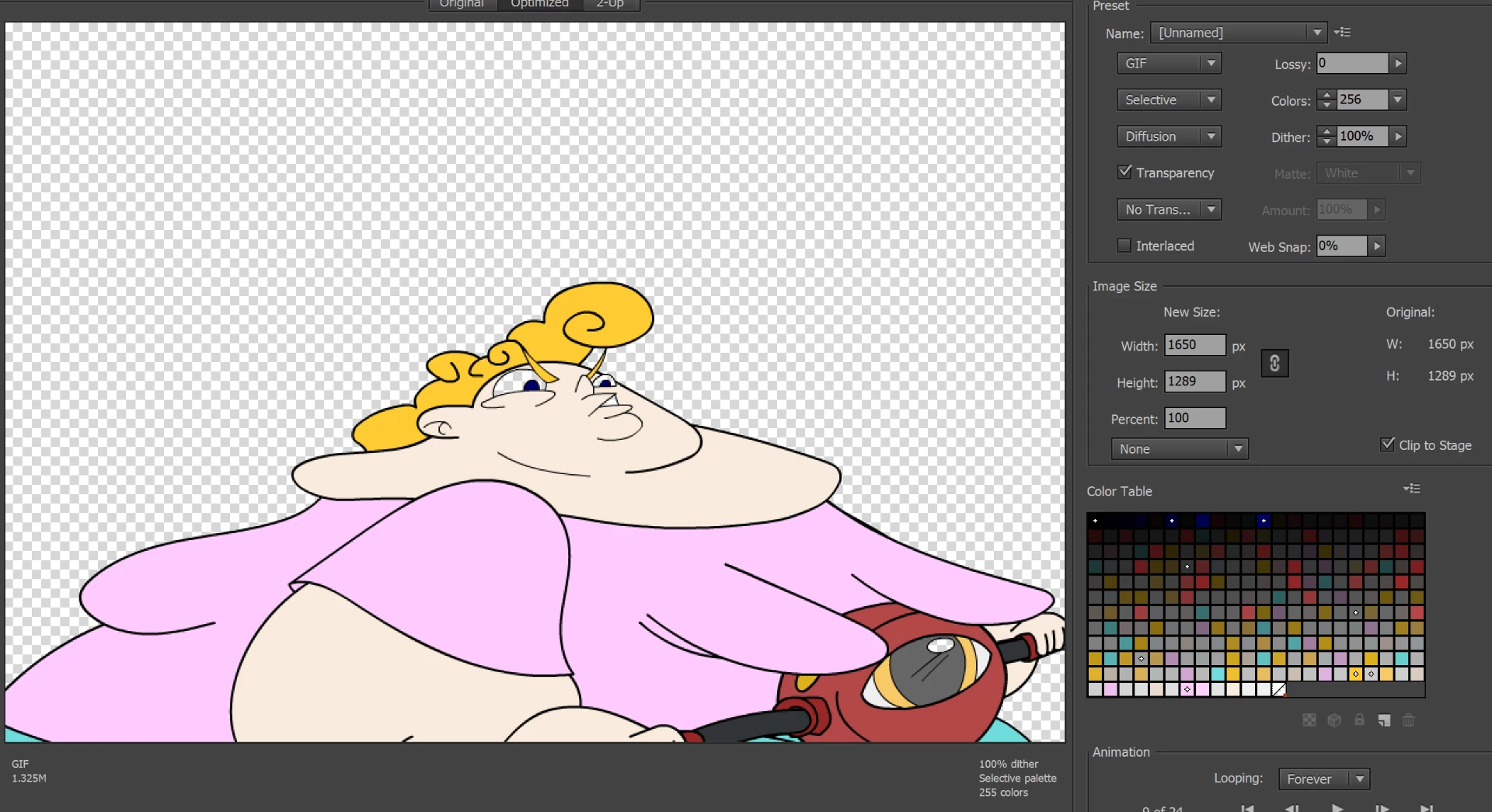
In this newest update, when I try to export GIF's the transparency function makes all of my white fills transparent as well instead of just the background.

Also, the matte function is grayed out and I cannot change it.
Thanks

    This topic has been closed for replies.
    Correct answer mark@headTrix

    Photoshop is the best for creating transparent GIF.....

    but what are you trying to export? An image you created in Animate? Selecting the white will make everything white transparent.

    So how about making your background or the eye slightly off white.... then it will not be removed.

    or take a screen shot of the image, and then drop out the background in Photoshop.

    Hope that helps!

    cheers!
    mark

    1 reply

    Community Expert
    December 21, 2017

    Seems like this is a Photoshop Question?

    but instead of choosing a color to MAKE transparent, turn off the background layers in Photoshop or whatever it is you want to look transparent, and once everything Looks how you want it, then export it as a GIF, or if you want to keep a drop shadow or want alpha transparency you can export as a PNG24.

    Please make sure you are posting in the correct forum next time.

    cheers!

    mark

    headTrix, Inc. | Adobe Certified Training & Consulting
    MattATK03Author
    Participant
    December 21, 2017

    The thing is, this is in Adobe Animate CC 2018. There is no background layer and no way to make it transparent in the stage, only when exporting. My previous version of Animate would make only the background transparent when making a gif and would allow me to make a Black matte so that it matched the color of the linework. Now, the matte option is grayed out and the transparency button makes all white areas transparent, not just the background.


    Thanks,
    Matt

    mark@headTrixCommunity ExpertCorrect answer
    Community Expert
    December 21, 2017

    Photoshop is the best for creating transparent GIF.....

    but what are you trying to export? An image you created in Animate? Selecting the white will make everything white transparent.

    So how about making your background or the eye slightly off white.... then it will not be removed.

    or take a screen shot of the image, and then drop out the background in Photoshop.

    Hope that helps!

    cheers!
    mark

    headTrix, Inc. | Adobe Certified Training & Consulting