

Export Images At Lower Resolution When Using Scale Content
I have an Animate (HTML5) project built at 1280x720 and would like to alternatively publish it at half that resolution (i.e. 640x360) for lower res devices.
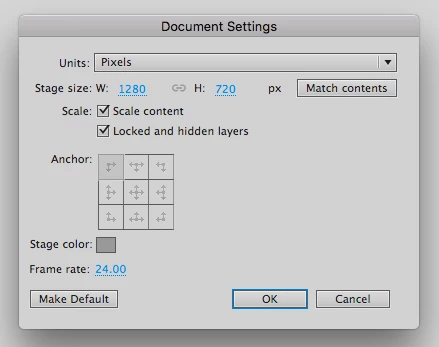
I know that this is possible using Animate's Scale Content feature, in the Advanced Settings panel (as seen below.)
I can get the lower res version to publish without issue, however I see that all of my images are still exported to the images folder at their original (720p) resolution and are simply just being scaled down using code in Animate.
While this displays fine, it means that my images are much larger (in resolution and thus file size) than they really need to be given the new reduced resolution I am publishing at.
Is there any way to remedy this?
Is there a way to have Animate export the images at the new reduced size when you use the Scale Content feature?
Thank you.


 AdChoices