Participant
November 5, 2020
Answered

Export problem: only the first frame

  • November 5, 2020
  • 2 replies
  • 1526 views

Hello,

I am a beginner. I made this exercise: https://www.dropbox.com/s/jyo63nx0f0peqwp/Tuolianimaatio.fla?dl=0.
It works, when I play it inside Animate, but when I try to export it as a video, only the first frame is displayed. What have I done wrong? Thanks for help!

olli

 

    This topic has been closed for replies.
    Correct answer kglad


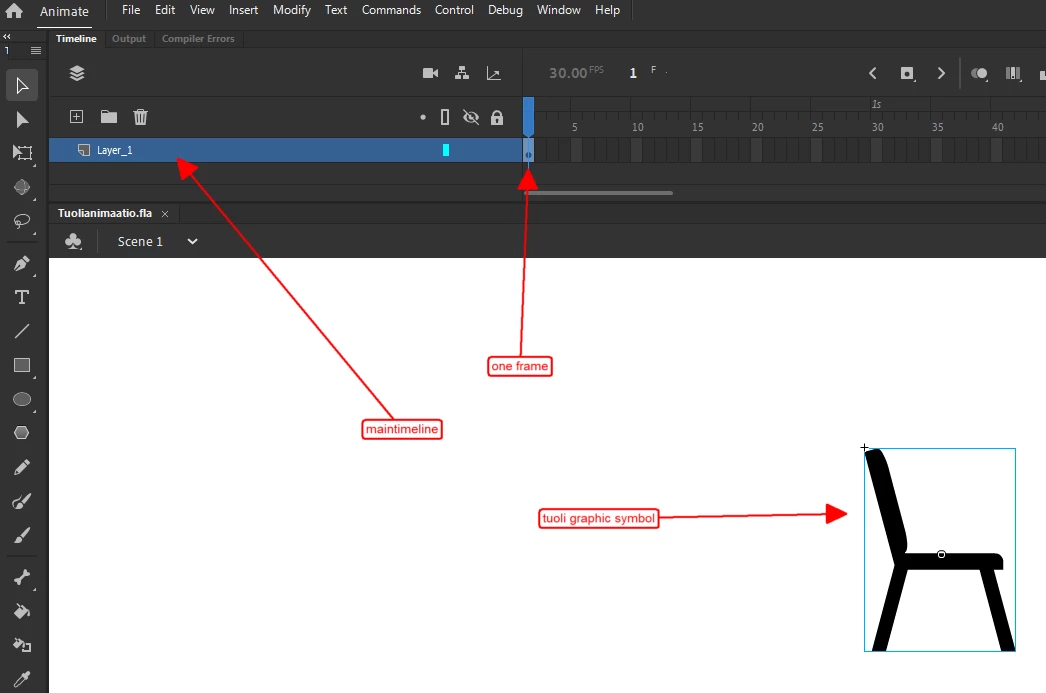
    right click that main timeline at about frame 300 and click insert frame.  retest.


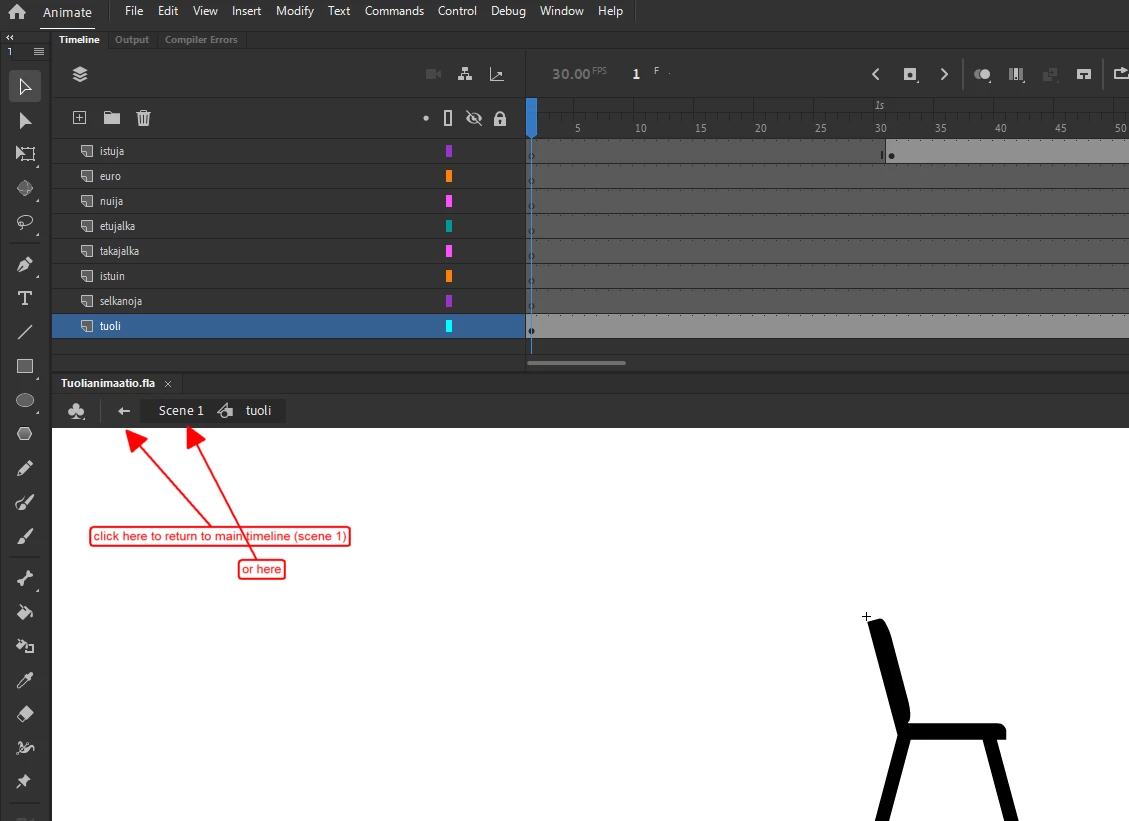
    if you're on the tuoli timeline you'll see this:


    2 replies

    kglad
    Community Expert
    Community Expert
    November 5, 2020

    it (playing the main timeline) doesn't work when you play it inside animate because you used a graphic symbol on your main timeline and you failed to extend the main timeline to display all the frames of that graphic symbol.  ie, add as many frames to the main timeline as you have in tuoli's timeline.


    if you'd used (or changed tuoli to) a movieclip, you could use just one frame on your main timeline.

    Participant
    November 6, 2020

    Thank you, but I still don't quite understand how to do that. I thought my tuoli layer is the main timeline.  How should I add frames to the main timeline then?

    kglad
    Community Expert
    kgladCommunity ExpertCorrect answer
    Community Expert
    November 6, 2020


    right click that main timeline at about frame 300 and click insert frame.  retest.


    if you're on the tuoli timeline you'll see this:


    Participant
    November 5, 2020

    I'm having the same problem and I feel terrible because this is the first tutorial. When I get to the step to add it to scene one, it won't play.