


Participant
Nov 11, 2024 1:13 AM UTC
Answered

Exporting a PSD or named PNGs from Animate

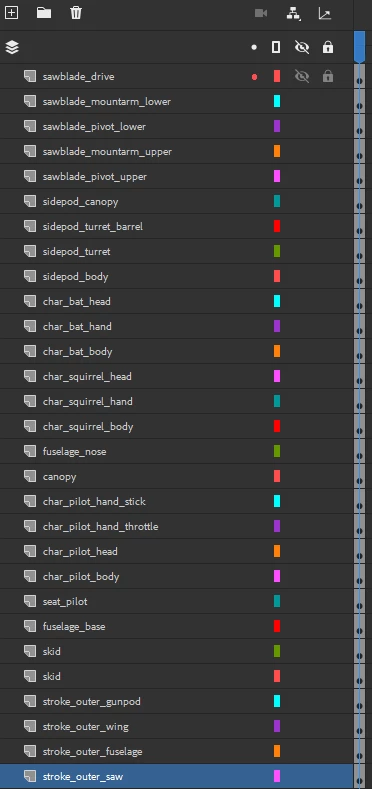
Hey guys!  O.k., here's the scoop...I'm using Animate more as an illustration tool (prefer the workflow to Illustrator) for creating game assets.  I've got named movieclips/graphics on stage.  I need a way to export each as a png or the whole scene frame or a movieclip as a PSD WITH the names attached, not just a generic 'export_xxxx.png'.  I've got 35 layers here that need to be imported into PSD then exported again for use in Spine.  If I have to rename the layers every time I export it's gonna be a MAJOR time suck.  Any ideas?  Anyone know of a command/script to do this?  Thanks!
 

    Mario_CR
    Mario_CRCorrect answer
    Community Expert
    Nov 11, 2024 3:55 AM UTC

    Here's a JSFL Command you can use: 

    https://drive.google.com/file/d/1zznE_GJdxJmVSQ7gbok6QtGYU1XQmG_a/view?usp=sharing


    Download the JSFL file and place it in the Commands folder located in: 

    C:\Users\<username>\AppData\Local\Adobe\Animate 2024\en_US\Configuration\Commands


    Once done, open Animate, go to Commands and select "Layers_to_PNG" to run it.

    4 replies

    Mario_CR
    Community Expert
    Mario_CRCommunity ExpertCorrect answer
    Community Expert
    Nov 11, 2024 3:55 AM UTC

    Here's a JSFL Command you can use: 

    https://drive.google.com/file/d/1zznE_GJdxJmVSQ7gbok6QtGYU1XQmG_a/view?usp=sharing


    Download the JSFL file and place it in the Commands folder located in: 

    C:\Users\<username>\AppData\Local\Adobe\Animate 2024\en_US\Configuration\Commands


    Once done, open Animate, go to Commands and select "Layers_to_PNG" to run it.

    Translate
    Participant
    Nov 11, 2024 2:13 PM UTC

    Dude, SICK.  If this works out it'll be a MAJOR help in getting assets for my game prepped.  Cheers!


    Translate
