
Participant
March 31, 2021
Question

Exporting for Google Ads

  • March 31, 2021
  • 1 reply
  • 2666 views

Hello!


It has been a few years since I have worked in Animate, in particular to export digital banners for Google Ads. I know the file weight restrictions are very low and I though I had everything set up the way I did in the past to make this work, however I am getting a really heavy file called "createjs.min.js" on export. This is coming in around 240K itself, pushing me way over the limit.


Anyone know a work around to either remove OR at best significatly reduce this size of this?


I have attached a screen shot of the file in my browser. 


Thanks!

Nick
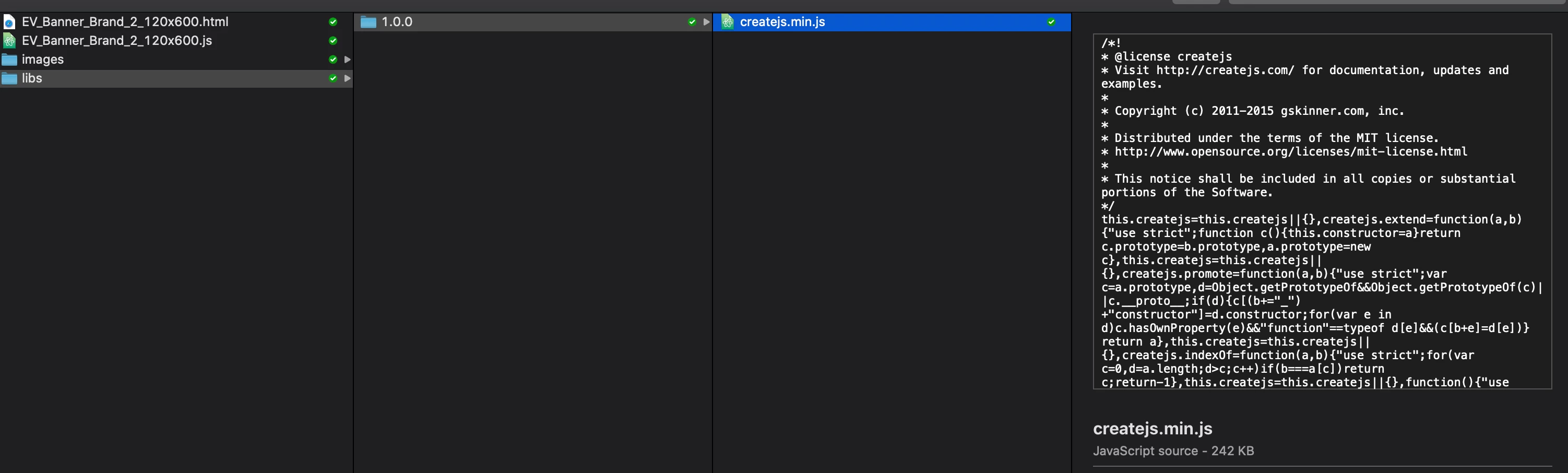
    This topic has been closed for replies.

    1 reply

    kglad
    Community Expert
    Community Expert
    April 1, 2021

    that file does not need to be part of your package and should be hosted, <script src="https://code.createjs.com/1.0.0/createjs.min.js"></script>


    to automate that, open your file>publish settings>html/js>enable hosted libraries


    and republish.  it will be easier if you create a new folder to save your fla and publish in, so you don't confuse the old files with the new ones.


    Participating Frequently
    September 29, 2021

    Hi, not OP, but looking for the same answer. I've tried to publish without hosting the createjs.min.js file and get this error through the html5 validator:


    You can only reference files found in your uploaded .ZIP file, and the file listed above is not found there. To continue, remove any references in your HTML file to assets found outside of the .ZIP file.
    
    The asset listed in the error message cannot be found in your .ZIP file. You will also need to remove any references to that file. The only allowed external references are the following:
    
        Google Fonts
        Google-hosted jQuery
    
    More details:
    
        URL_FETCH_NOT_ALLOWED: https://code.createjs.com/1.0.0/createjs.min.js


    Screen shot attached

    kglad
    Community Expert
    Community Expert
    September 29, 2021

    then download the createjs min file (https://code.createjs.com/1.0.0/createjs.min.js), change the src in the createjs script tag* in your html file and add createjs.min.js to your zip package, 


    but it add about 240kb to your package.


    *<script src="https://code.createjs.com/1.0.0/createjs.min.js"></script>